Quick answer: A virtual private network (VPN) creates an encrypted connection, often called a tunnel, between your device and a VPN server or your organisation’s network. People on the same Wi-Fi and your internet provider cannot read the traffic inside the tunnel, and websites see the VPN server’s IP address instead of yours. VPNs are useful for working or studying remotely, using public Wi-Fi more safely and adding privacy, but they do not make you anonymous, stop malware or phishing, or make illegal activity legal.
If you are new to virtual private networks (VPNs), the idea can seem intimidating. Why is it “virtual”, and what makes it “private”? Why do so many companies, colleges and ordinary internet users rely on one? This guide explains the basics in plain terms, who benefits from a VPN, and what a VPN cannot do.
An earlier version of this article presented VPNs as a way to “level up your website experience” and called them a reliable option for website “storage” and “efficiency”. That was misleading: a VPN protects the connection between a device and a network. It does not store files or speed up a website, so we have removed those claims.
Virtual private networks: the basics
To understand VPNs, start with a few basic concepts. Read more about VPNs below.
What is a virtual private network?
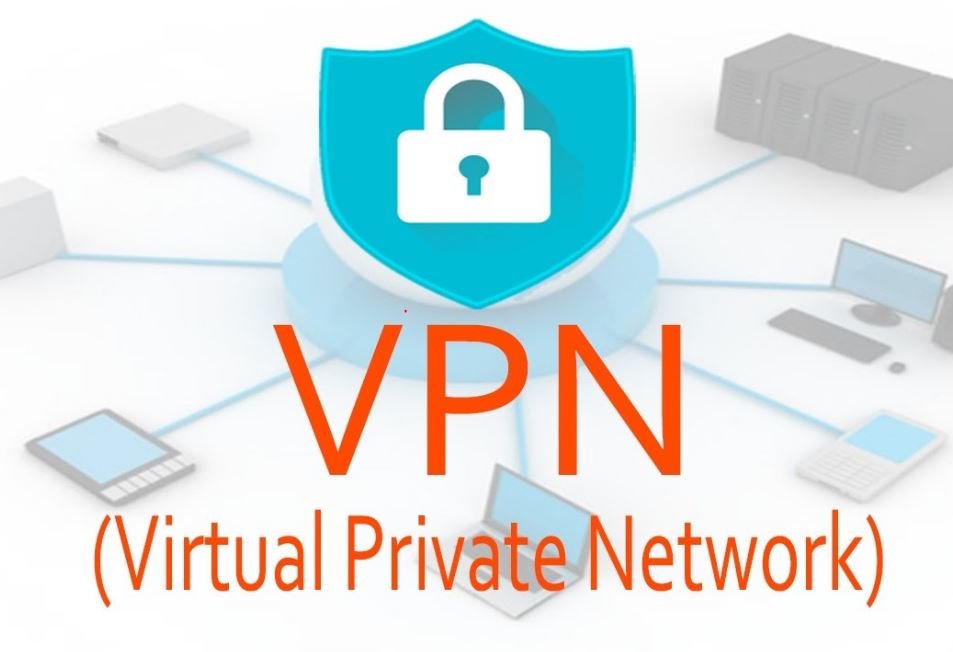
Some people hesitate to use a VPN because the concept is unfamiliar, but it is easy to understand. Virtual private networks connect computers to a private network over a public network such as the internet. The network is “virtual” because no dedicated cable runs between the two ends, and “private” because the traffic is encrypted so outsiders cannot read it.
There are two main kinds:
- Organisational (remote-access) VPNs: The UK’s National Cyber Security Centre (NCSC) describes VPNs as encrypted network connections that let remote users securely access an organisation’s services, such as company email and file servers. Businesses also use VPNs to link offices in different locations and to reach remote data centres without being there in person.
- Consumer VPN services: Companies such as ExpressVPN, NordVPN and Proton VPN sell apps that route your internet traffic through their servers, mainly for privacy on untrusted networks and to change the location websites see.
How a VPN connection works
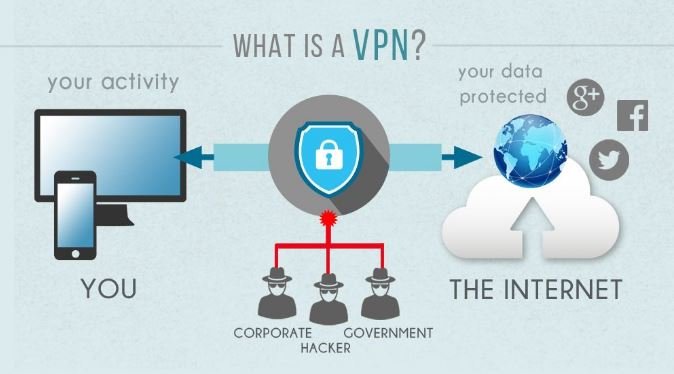
You open a VPN client (an app or built-in operating-system setting) or a special web portal and log in with your credentials. Your device and the VPN server then exchange encryption keys and set up an encrypted tunnel. From then on, data travelling through the tunnel, whether messages, files or web pages, is encrypted between your device and the VPN server.
The NCSC notes that VPNs commonly use standard protocols such as IPsec or TLS, and that only traffic actually routed over the VPN is protected. Consumer services also use protocols such as WireGuard and OpenVPN, and some have developed their own.
An earlier version of this article said that with a VPN, nobody except you and the server on the other end can access what you send or receive. That overstated it. The VPN operator, whether your employer or a VPN company, handles your traffic and could log it, and the websites you sign in to still see what you do there. Choose a provider whose privacy practices you trust.
Who benefits from a VPN?
The benefits depend on who is using the VPN and why. Here are the most common users:
- Students and employees working remotely. Companies and colleges often require a VPN to reach internal files, course material, intranets and business applications. Staff and students can then work from home or while travelling as if they were on site.
- People who transfer sensitive files. A VPN encrypts transfers over untrusted networks, which helps people whose work involves sending confidential files. It does not change copyright law: downloading or sharing pirated material is still illegal with a VPN.
- Privacy-minded users. On café, airport or hotel Wi-Fi, a VPN stops other users and the network owner from reading your traffic, and it hides your browsing from your internet provider. It shifts that trust to the VPN provider rather than removing it.
- Travellers. A VPN masks your real IP address, so you can appear to connect from another country, for example to reach your home country’s services while abroad. Streaming services may block VPN servers, and using a VPN to get around a service’s regional licensing can break its terms of use.
What a VPN does not do
- It does not make you anonymous. Accounts you log in to, cookies and browser fingerprinting can still identify you.
- It does not protect you from phishing emails, fake websites or malware; you still need care, updates and security software.
- It does not make illegal activity legal.
- It can slow your connection, because traffic takes a longer route through the VPN server.
How to choose a consumer VPN
- Ownership and jurisdiction: Find out who owns the service and where it is based. Many VPN brands belong to a few large groups.
- Independent audits: Prefer providers that publish independent audits of their no-logs claims and apps.
- Privacy policy: Read what data the provider says it collects.
- Features: Look for a kill switch (which blocks traffic if the VPN drops), apps for all your devices and enough simultaneous connections.
- Free VPNs: Running servers costs money, so check how a free service pays for itself before trusting it with your traffic.
Our reviews of ExpressVPN, Proton VPN and Mullvad look at ownership, audits and plans in detail, and our list of VPN software for Windows compares more options.
VPNs in India
In April 2022, the Indian Computer Emergency Response Team (CERT-In) issued directions requiring VPN service providers to keep customer records for five years. Several large consumer VPN companies responded by removing their physical servers from India; some now offer “virtual” Indian locations hosted in other countries. Organisational VPNs used by companies and colleges are a normal part of IT security. VPN rules differ from country to country, so check the position where you live or travel.
Frequently asked questions
Is a VPN the same as antivirus?
No. A VPN encrypts your connection; antivirus software detects and removes malicious software. They solve different problems, and many people use both.
Do I need a VPN at home?
Your home network is usually more trustworthy than public Wi-Fi, so a VPN matters less there. You may still need one to reach your employer’s or college’s systems, or if you want to hide your browsing from your internet provider.
Does a VPN hide my activity from websites?
It hides your real IP address, but websites can still recognise you if you log in or through cookies and other tracking.
Can my employer see what I do on the work VPN?
Your employer runs the VPN and can usually monitor traffic that passes through it, so follow your organisation’s acceptable-use policy.
Checked in October 2026 against the UK National Cyber Security Centre’s guidance on virtual private networks and reporting on CERT-In’s April 2022 directions. VPN features and rules change, so check a provider’s current terms and your local law before you sign up.