
Quick answer: To check that an Aadhaar number is real and active, use “Verify Aadhaar” on the myAadhaar portal (myaadhaar.uidai.gov.in): enter the 12-digit number and the captcha, and UIDAI confirms whether it exists, along with the holder’s age band, gender, state and the last three digits of the registered mobile. To check that a printed card, e-Aadhaar or PVC card has not been tampered with, scan its secure QR code with the official Aadhaar app or UIDAI’s Aadhaar QR scanner and compare the photo and details it shows with the card.
Why verify an Aadhaar card?
Aadhaar is widely accepted as proof of identity, which also makes it a target for forgery. Editing software can change the name or photograph on a printed card, and any random 12-digit number can be printed to look like an Aadhaar. In a November 2022 release published through the Press Information Bureau, the Unique Identification Authority of India (UIDAI) asked organisations to verify an Aadhaar, with the holder’s consent, before accepting it as proof of identity. UIDAI also stressed that not every 12-digit number is an Aadhaar.
Verification is useful when you:
- want to confirm your own Aadhaar number is valid and active;
- need to check which mobile number is linked to your Aadhaar;
- are an employer, landlord or business accepting an Aadhaar card as ID. UIDAI has suggested verification when hiring an employee, domestic worker or driver, or when renting to a tenant.
Verification only confirms that an Aadhaar is genuine. It does not reveal the holder’s full details, and you should verify someone else’s Aadhaar only when they have presented it to you as proof of identity.
Method 1: Verify the Aadhaar number online
- Go to the myAadhaar portal (myaadhaar.uidai.gov.in) and choose Verify Aadhaar (also shown as “Verify an Aadhaar Number”). No login is needed.
- Enter the 12-digit Aadhaar number and the captcha.
- Submit.
- If the number exists, UIDAI shows that it is valid along with the age band, gender, state and last three digits of the registered mobile number, according to UIDAI’s 2022 release.
- Compare these with the card and the person in front of you. A card showing a different gender or state is a red flag.
If the number is not found or is shown as deactivated, the card should not be accepted as it is. If it is your own Aadhaar, call the 1947 helpline or email help@uidai.gov.in with your enrolment details to find out why.
Check which mobile number and email are linked
Since May 2023, the “Verify Email/Mobile Number” option on myAadhaar lets you confirm whether a specific mobile number or email is the one linked to your own Aadhaar. If you have forgotten which number you gave, the last three digits shown under Verify Aadhaar will help you work it out. To change the number, visit an Aadhaar centre or use the update option in the Aadhaar app.
Method 2: Scan the secure QR code
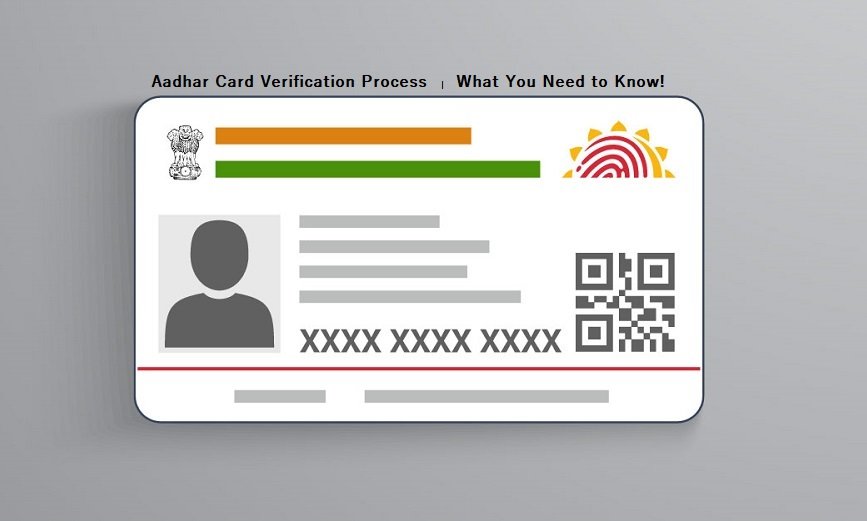
Every form of Aadhaar (the Aadhaar letter, e-Aadhaar, the PVC card and the app) carries a secure QR code signed by UIDAI. Even if someone pastes a different photograph onto a printed card, the QR code still holds the original data, and any tampering with the code makes the signature check fail.
- Install the official Aadhaar app or UIDAI’s Aadhaar QR Scanner app from the Google Play Store or Apple App Store. Check that the publisher is UIDAI.
- Open the QR scanning option and point the camera at the QR code on the card, letter or e-Aadhaar printout.
- If the code is genuine, the app shows that it is verified and displays the photograph, name, gender, date of birth, address and the last four digits of the Aadhaar number.
- Compare the photo and details with the card and the person. If the app says the QR code is not verified, or the details do not match, do not accept the card.
QR verification works with little or no internet connection. UIDAI also offers a Windows application for offices, which needs a good-quality STQC-certified QR scanner.
Method 3: Check the digital signature on an e-Aadhaar PDF
An e-Aadhaar downloaded from myAadhaar is a password-protected PDF signed by UIDAI. The password is the first four letters of the name in capitals followed by the year of birth, for example “SURE1990”. When you open the file in a PDF reader on a computer connected to the internet, you can validate the signature. A valid signature shows the PDF has not been altered since UIDAI issued it. Our guide to e-Aadhaar explains the file and its masked version.
Checking an enrolment or update request is a different service
The original version of this article said the verification page would show “Aadhaar card has been issued” or “Aadhaar card has been rejected”. That described an older resident portal that has since been retired. Today, Verify Aadhaar checks an existing Aadhaar number. If you have applied for a new Aadhaar or an update and want to know whether it has been processed, use “Check Enrolment and Update Status” on myAadhaar with the Enrolment ID or Update Request Number from your slip. Our guide on what to do if your Aadhaar has not arrived covers this.
If you find a mistake in your own Aadhaar
Verifying your own Aadhaar is a good moment to spot errors.
- Address and supporting documents: these can be updated online on myAadhaar. UIDAI lists the online document update as free until 14 June 2027.
- Name, date of birth, gender, mobile, email or biometrics: these need a visit to an Aadhaar centre. A separate demographic update costs ₹75 and a biometric update costs ₹125, according to UIDAI’s published charges, with free mandatory biometric updates for children in the eligible age groups.
See our guide on filling the Aadhaar correction form for the documents you need.
What a valid Aadhaar is used for
The original article listed benefits of having a valid Aadhaar. Some still apply, and some need correcting:
- Income tax: Aadhaar is needed to get a PAN, to link it with your PAN and to file income tax returns, under Section 139AA of the Income-tax Act.
- Government benefits: Aadhaar can be required for subsidies and benefits under Section 7 of the Aadhaar Act. For example, biometric Aadhaar authentication is needed for subsidised LPG refills from 1 October 2026.
- Proof of identity and address: Aadhaar is accepted widely, including as one option for bank and mobile KYC.
- Driving licence: the original said Aadhaar was mandatory for a driving licence. That is not correct; Aadhaar is optional. See is Aadhaar compulsory for a driving licence.
The original also said Aadhaar would get you a passport “in just 10 days”. We could not confirm a current rule that guarantees this, so we have removed the claim. Passport timelines depend on police verification and the type of application.
Frequently asked questions
Is there a fee to verify an Aadhaar?
No. Verify Aadhaar on myAadhaar and the official QR scanning apps are free.
Does Verify Aadhaar show the holder’s name and address?
No. The online check shows only the age band, gender, state and last three digits of the mobile number. Scanning the QR code on a card the holder has given you shows the name, address and photo stored in the code.
Is a photocopy of Aadhaar enough proof of identity?
A photocopy can be edited easily. UIDAI recommends verifying the number online or scanning the QR code before you rely on it.
What should I do if I suspect a fake Aadhaar?
Do not accept it. Ask for another document. Tampering with Aadhaar documents is a punishable offence under the Aadhaar Act, so you can report it to UIDAI on 1947 or at help@uidai.gov.in, or to the police.
This guide was checked in October 2026 against UIDAI releases published through the Press Information Bureau (May 2022, November 2022 and May 2023), UIDAI’s QR code and Aadhaar app pages, and UIDAI’s published charges. Menu names on myAadhaar change from time to time, so look for the closest matching option.