Quick answer: Aadhaar is called “paperless” because your identity can be confirmed electronically, without photocopies or attested forms. A bank or other service provider can verify you with an OTP or biometric check (e-KYC), or you can share a digitally signed Aadhaar file, QR code or verifiable credential that the other side checks offline. The digital signature from the Unique Identification Authority of India (UIDAI) is what makes these copies trustworthy without paper.
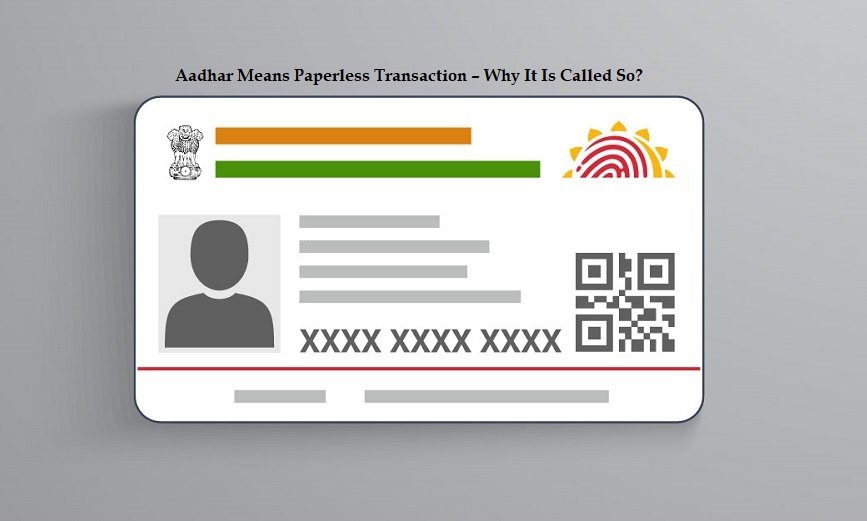
Why Aadhaar means “paperless”
Think about applying for a loan, a credit card or an insurance policy the old way. You filled in a form, attached self-attested photocopies of identity and address proof, and someone at the branch checked them by hand. The paper could be forged, the copies were stored in cupboards, and the process took days.
Aadhaar replaces that paper in three ways:
- Online e-KYC: the provider sends your Aadhaar number (or Virtual ID) with an OTP or biometric match to UIDAI and receives your verified details electronically.
- Offline verification: you hand over a digitally signed Aadhaar file or QR code, and the provider checks UIDAI’s signature without contacting UIDAI.
- Digital documents: e-Aadhaar, DigiLocker and Aadhaar-based eSign remove the need for printed copies and wet signatures.
An earlier version of this article said a bank would “fill the home loan application on your behalf” from your Aadhaar card. That overstated it. Aadhaar can confirm your identity, address, date of birth and photo. It does not carry your income, credit history or property papers, so lenders still ask for those separately.
Paperless method 1: Aadhaar e-KYC
In e-KYC, the provider asks for your consent, collects your Aadhaar number or Virtual ID, and authenticates you with an OTP sent to your registered mobile, your fingerprint or iris, or your face. UIDAI then returns a digitally signed response with your name, address, date of birth, gender and photograph. According to UIDAI, e-KYC is carried out only with OTP and/or biometric authentication.
e-KYC is the fastest paperless option, but only entities permitted by law can use it, and for bank accounts and mobile connections it is voluntary. Our guide to Aadhaar e-KYC covers where it is optional and what safeguards apply.
Paperless method 2: offline verification
Offline verification was given legal backing by the Aadhaar and Other Laws (Amendment) Act, 2019. It lets someone check your identity without connecting to UIDAI’s central database. The verifier must take your consent, must tell you what the information will be used for, and is not allowed to collect, use or store your Aadhaar number or biometrics.
Aadhaar Paperless Offline e-KYC (XML file)
You can download a digitally signed XML file of your Aadhaar details from UIDAI using your Aadhaar number or Virtual ID and an OTP. You set a “share code”, which becomes the password for the ZIP file. According to UIDAI, the file contains:
- name, address, gender, date or year of birth and photograph;
- a reference ID made of the last four digits of the Aadhaar number plus a timestamp, not the full number;
- your mobile number and email in hashed (scrambled) form, which the verifier can match only if you give them the actual number or email.
You give the ZIP file and the share code to the service provider separately. The provider opens it and checks UIDAI’s digital signature. If the signature is valid, the data has not been altered.
Secure QR code
Every form of Aadhaar (the letter, e-Aadhaar, the PVC card and the app) carries a secure QR code signed by UIDAI. It holds the last four digits of the Aadhaar number, name, address, gender, date of birth, photograph, and masked mobile and email. When the QR code is scanned with the official Aadhaar app or UIDAI’s Aadhaar QR scanner, the app shows the details and photo and confirms whether UIDAI’s signature is valid. The scan works with limited or no internet, which helps in remote areas. Our guide on verifying an Aadhaar card walks through it step by step.
Verifiable credentials in the Aadhaar app
The newer Aadhaar app lets you share your Aadhaar details “in full or in part” as digitally signed credentials, based on your consent. For example, you can share only what a hotel or employer needs, rather than handing over a full photocopy. UIDAI’s app page describes this as secure sharing with an Offline Verification Seeking Entity (OVSE). The Aadhaar app is replacing the older mAadhaar app.
Paperless method 3: e-Aadhaar, DigiLocker and eSign
- e-Aadhaar: a password-protected PDF signed by UIDAI that you can download from the myAadhaar portal (myaadhaar.uidai.gov.in) or the Aadhaar app. Under the Aadhaar Act it is as valid as the printed letter. A masked version shows only the last four digits. See our complete guide to e-Aadhaar.
- DigiLocker: the government’s document wallet can pull e-Aadhaar and other issued documents into one place, so you do not carry paper copies.
- eSign: an online electronic signature under the Information Technology Act, 2000. The signer is verified through e-KYC with an OTP or biometrics, and the Controller of Certifying Authorities says the private key is created on a hardware security module and destroyed immediately after one use. Our guide to Aadhaar eSign explains where it is accepted.
Is paperless Aadhaar safe?
The original article answered “it’s a myth” that anyone with your number can see your data. That is broadly right: knowing an Aadhaar number does not let anyone pull your details from UIDAI. Authentication needs an OTP on your mobile, your biometrics or your face, and a plain authentication request only returns a yes or no.
The original also said IRDA (now IRDAI, the insurance regulator) accepts only biometrics for verifying online documents. We could not find any such rule and have removed the claim.
A few habits make paperless sharing safer:
- Share a masked e-Aadhaar or a partial credential instead of a full photocopy wherever possible.
- Use a 16-digit Virtual ID (VID) in place of your Aadhaar number when a service accepts it.
- Give the offline e-KYC share code only to the provider you are dealing with, and never post it publicly.
- Lock your biometrics when you are not using them, and check your authentication history for unfamiliar entries.
Benefits of going paperless
- Speed: verification takes minutes instead of days.
- Harder to forge: a tampered photocopy can look genuine, but a tampered signed file or QR code fails the signature check. Tampering with Aadhaar documents is also an offence under the Aadhaar Act.
- Less data shared: offline methods and selective sharing let you reveal only what is needed.
- Less storage and paper: organisations keep verified electronic records instead of photocopies.
Frequently asked questions
What is the difference between e-KYC and offline e-KYC?
In e-KYC, the provider connects to UIDAI and authenticates you with an OTP or biometrics. In offline e-KYC, you give the provider a digitally signed file or QR code, and the provider checks the signature without contacting UIDAI.
Does the offline e-KYC file show my full Aadhaar number?
No. According to UIDAI it carries a reference ID made from the last four digits and a timestamp. Your mobile number and email are stored only in hashed form.
Is a printout of e-Aadhaar valid?
Yes. UIDAI treats e-Aadhaar as equally valid as the Aadhaar letter. A verifier can check its QR code with the Aadhaar app.
Can I refuse paperless Aadhaar verification?
For bank accounts and mobile connections, yes: Aadhaar is one option, and you can use other accepted documents. Aadhaar can be required for some government benefits and for PAN and tax returns.
This guide was checked in October 2026 against UIDAI’s pages on paperless offline e-KYC, the secure QR code and the Aadhaar app, the Aadhaar and Other Laws (Amendment) Act, 2019, and the Controller of Certifying Authorities’ description of eSign. Features of the Aadhaar app change often, so check uidai.gov.in for the current options.