


Although this is far from being a perfect antivirus solution for all, Avast pro is an ideal choice for those who don’t mind paying a small amount for being protected online and offline.
If you don’t want to break your bank for securing your computer against malware threat, Avast Pro is the best option for you. Overall the services offered by Avast Pro scores pretty well. Read on the review of this antivirus solution to know more on it.
Avast Pro Antivirus 2020 for Windows 10, 8, 7
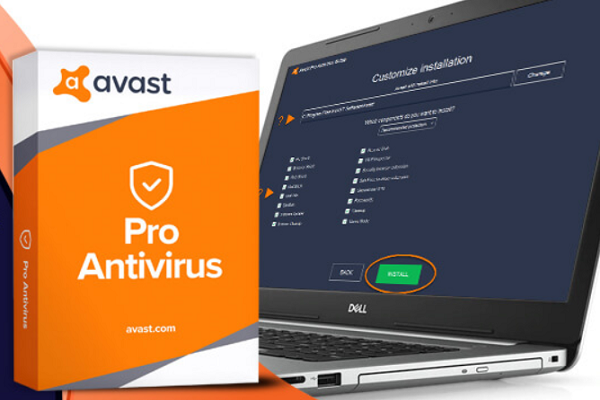
To avoid attacks from any malicious software, we suggest you to take a look at Avast Pro antivirus. Avast is a Czech company that was first known as Alwil Software and then it was owned by a private company in 1988.
When we talk about the most powerful security solutions, this is undoubtedly one of the leading names in the market. The latest product is replete with the best security features.
Installation process and system requirements
In order to properly make the most out of this antivirus solution, the device on which you decide to install should have few basic things. If you visit the official page of Avast, you will find them claiming to be no too demanding.
Your computer should have either Windows Vista, XP, 7, 8, 8.1 or Windows 10. For a Windows XP version, it has to be the SP3 version. You will also require a minimum of 256 MB RAM and 1.5 GB of hard disk space.
Once you start installing this product, the latest version of Avast Pro antivirus on devices from Windows XP to 10, you will see that the process is extremely smooth and user-friendly. While the installation will run in the background, you can only find a small popup being displayed in front of the screen.
As the installation process ends, you will get a message about the activation of the product. You can test it for 30 days and then you may add all sorts of license details to activate the antivirus.
Worthy Features of Avast Pro antivirus
As far as the latest version of Avast Pro is concerned, there are newly added capabilities and several improvements. The features can be segregated to ‘important’ and ‘additional’.
The most pivotal features of this latest antivirus are concerned about proactive protection. The additional features are as follows.
- Highly detective antivirus.
- Wifi inspector is very strong as it can locate and mend the main security issues of wireless networks that are used to connect computers.
- The rescue disc is able to create and run the antivirus to remove the infections by the viruses and malware.
- The software updater identifies all apps that didn’t receive the last updates.
- The real site feature makes sure that the website you’re working on is an authentic one and not a malicious one.
- Sandbox allows the running of harmful applications in a rather secure environment.
Strengths and Weaknesses of Avast Pro
The Strengths
- Wide array of features.
- Cost-effective option.
- User-friendly.
- Network protection.
- Active community.
- Enhances PC performance.
The Weaknesses
- Only applicable on PCs.
- Support system is weak.
- Test results are disappointing.
Features of Avast Pro
Avast Pro has a plethora of features as against the price. You get protection against malware along with network protection, secure browsing and behavior monitoring. Besides this, you also get a sandbox mode for checking files, a password manager and many more.
The password manager is not much in the context of other reviews of password manager. It stores credit cards, logins and notes and fills details automatically into your browser. This is on the basic end of things.
Avast Pro includes a secure browser too. The browser looks and functions similarly to Google Chrome only without Google integration.
You only won’t have quick and instant links to your Drive or Gmail account here. It is just a version of Chrome without Google integration and is filled with all sorts of extensions from Avast.
Another vital and noteworthy extension is a video downloader. Avast lets you download video from different platforms like Vimeo and YouTube in native resolution. It can’t grab files from streaming platforms like Netflix.
Secure Browser is something that most users love. This is not a typical browser that is bundled with antivirus and hence it gives an added protective layer without coercing the search engines or slowing down the speed. The speeds are improved from the flash blocks and ad that Avast implements.
Within the Secure Browser, you can get the Bank Mode. This is similar to the one that you get from Bitdefender Safepay. It’s a separate desktop for all kinds of online payments and hence you can safeguard yourself from the cyber threats that you could be subject to from any other browser window.
The Wifi inspector of Avast Pro is yet another unique feature. It will scan devices on public Wi-fi for vulnerabilities and it is a great way to know whether or not the router is infected.
Amidst a public setting, it will give an overview of the devices that are connected to the network. Therefore, you get to know whether there is a hacker anywhere.
Paid Features don’t add value to the product
Besides all the features mentioned above, Avast doesn’t offer much. But do you think you would need much more anyway? For instance, there was a utility that could clean the hard drive of your computer but that was paid.
CCleaner is free at the same time. Avast provides an erase function that deletes a file by writing on it several times and thereby eliminating its trace from your device.
To conclude, it can be safely said that Avast Pro is much better with its free version as compared to its paid and premium version.
The features won’t make you secure than the free one and hence users will be satiated with the free version more than the paid one. Avast Pro antivirus is usually a great product that will secure your computer from all threats.
