


Quick Heal Technologies is an Indian company that develops antivirus software and produces company offerings under the brand called Seqrite.
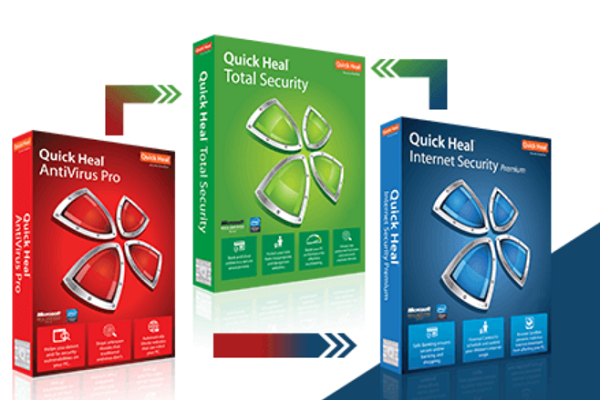
Quick Heal Antivirus Pro is the starter product of this company meant for the home users. It has an anti-keylogger, firewall, sandbox, detection of intrusion and ‘TrackMyLaptop antitheft system. With the plethora of features, this looks more of a suite than a standalone antivirus.
Quick Heal AntiVirus Software Review 2020
This software will work on any computer that is Windows 2000 up and this is pretty much unusual considering its competitors. However, in case you’re still using the unsupported Windows 2000, you will have to face much more security issues that will make you forget about choosing the right antivirus.
Setting up Quick Heal Antivirus
The Quick Health Pro 30 day trial could be easily found on the website but setting it up takes more time than what you expect.
As you launch the installer, it will show you few windows for a fraction of a second and they’ll vanish before you could read them. As there will be no error messages or logs or anything else, you won’t get a clue of the reason behind things.
However, once you install this antivirus software, Quick Heal will ask you to activate the trial for receiving free updates. As soon as you click on the button, you’ll be asked to enter too much of your personal details like your name, mail address, contact details, state, city and country. Even though you choose a random and untrue location like Afghanistan, the software will be least bothered.
The entire package of Quick Heal antivirus package will consume too much of your disk space like 800MB. But it will only add 3 background processes that will consume around 200MB of RAM.
All these will protect your system against malware. The users are not able to delete files, stop services or change registry keys and compromise protection of Quick Heal.
Quick Heal’s Security features
This antivirus comprise of both customizable and automatic scanning modes. While the automatic scanning mode will check your directories and files as per the software’s default settings, the customizable mode lets you choose the areas that you wish to be scanned. In case your system detects a malicious code, you can configure a default action too.
Under all sorts of test conditions, this software has also proven to perform pretty well. In fact the AV-Test Institute has deemed this software a rating of ‘Top Product’. The above mentioned features are the basics.
The Quick Heal antivirus also has the Advanced DNAScan tool that offers continuous monitoring and supervision over all sorts of unsafe programs and files.
This is a behavior-based antivirus tool that offers strong protection over the other signature-based models. You’ll be rather happy to note that Quick Health has included both the features in their tool.
The Quick Heal program also includes Automatic Rogueware Scan that runs on a different database that only watches out for rogueware. This is an increasingly prominent threat that installs malware elimination tools in the form of malware masquerading.
Description of Features of Quick Heal
Apart from its interesting scanning options, Quick Heal Total Security even offers the best internet security features. Some of them are automatic scheduler of scan, anti-key logger tool and a strong system for parental control.
Once you test the keylogger, you will find it blocking your access to the Windows keylogger download page. The antivirus will soon quarantine this program even if you install it from a different USB drive. This is something impressive as the keylogger feature of other antivirus software can often be bypassed.
Moreover, the parental control feature is also well-designed and probably one of the bests among its competitors. It directly integrates with the system accounts and this makes it easier for the software to block few categories of sites.
You, as a parent, can choose the sections of websites that you would like to block for your kids. The system can also derive a list based on your blocking choices. This module features a tool for application control that even locks downs your access to certain programs on your computer.
One more tool that is included in Quick Heal Total Security, a rather less common one is a PC Tuner. The PC tuner includes few tune-up tools like disk defragmenter that aims at boosting the performance of your OS.
As soon as you start a scan, within a minute, you will find the antivirus detecting several items in the hard drive that require cleaning up. In fact, the process of cleaning up will also occur automatically.
Customer Care & Support of Quick Heal
Quick Heal has offered an extensive support program through the icon that you find at the bottom of the dashboard. It is the telephone icon that you need to click on.
You will instantly get the usual options like web-based knowledge, email ticketing system and live chat. Nevertheless, something that is impressive is the remote support functions that you can launch within the program.
If you’re familiar with the Teamviewer software, you’ll know how this remote support system works. Once you provide an ID along with a password to a Quick Heal technician, he can take over your system and repair things.
Through the Live Chat option, you can easily ask the technician to assist you with a scan of a virtual drive and again return to the program to give him permission for remote access. There is no doubt when we say that Quick Heal is the best in the customer care department.
Pricing plans of Quick Heal Antivirus
At the top of Quick Heal’s product line lays Quick Heal Total Security. Users would have loved to get a subscription period that is longer than a year and that could help them protect more than 3 devices but this solution is still excellent.
The Quick Heal Antivirus Pro is available at Rs. 2,250, the Quick Heal Internet Security at Rs. 3000 and the Quick Heal Total Security Multi-Device at Rs. 5,630.
So, it can be clearly said that the Quick Heal Total Security gives you all the antivirus, anti-rogueware and anti-malware tools that you may ever require. The pricing and plans are also great and of top quality.
