


Photoshop is indeed a magnificent tool but there are large numbers of users who could do everything that they need in the photo editing software of Corel called PaintShop Pro.
The best thing about this is that you can do all this without having to pay any monthly cost to Adobe. PaintShop Pro supports layers and allows you to edit both vector and raster image formats – that you’d need two of the creative cloud apps of Adobe to do.
PaintShop Pro: Photo Editing Software By Corel
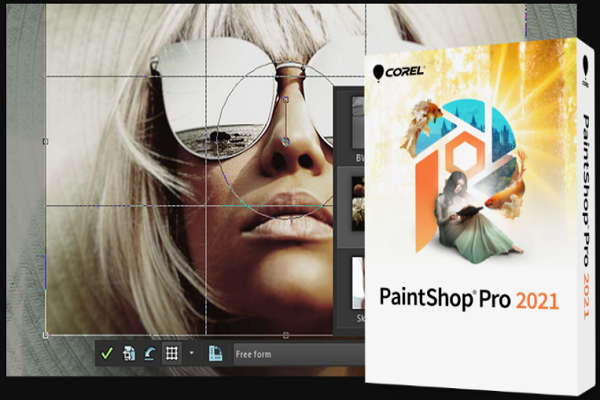
You will miss out on the flagship photo editor’s most advanced tools nevertheless including automatic subject selection, detailed typography, 3D modeling, camera shake reduction and face liquefy.
The performance will definitely be improved as compared to the earlier versions, yet it will still lag behind as per the industry standard. The user-interface of PaintShop has improved over the years but it is not still as polished as the Photoshop’s version.
Pricing and Plans
PaintShop Pro 2021 will be available from Corel for $79.99 and this amount goes through frequent discounts. The ultimate edition will cost you $99.99 as it throws in more features to the software – Corel Painter Essentials, AfterShot, PhotoMirage Express and more brushes and backgrounds. You will also require Ultra to receive the new Artificial Intelligence HDR Studio and Sea-to-Sky Workspace.
The one-time pricing model might be a great fit for all those who resent only Adobe’s subscription-only model for Lightroom, Photoshop and Illustrator.
By paying $9.99 in a month, you can get both Lightroom and Photoshop but Illustrator will start off at $19.99 in a month, in case you prepay for a year. Photoshop Elements ($99) is Adobe’s consumer-level photo editing software that carries no subscription charges but has more feel for that of a hobbyist.
Get started with Corel’s PaintShop Pro
PaintShop runs on Windows 7 till Windows 10 and there isn’t any Mac version. You will have to initially install a small downloader program that will complete the whole installation process. You need to choose whether you want a 64-bit or a 32-bit or both.
If you choose a 64-bit, this will mean that you’ll be compatible with both 32-bit and 64-bit plugins. Once this step is done, the program will ask you to enter the email ID to create an account. This will require confirmation by replying to an email that is automatically generated.
Corel is a company that will also offer downloadable effect packs like ParticleShop brushes and ColorScript color effects. Both of these are available for $14.99 and $4.99 respectively.
The latest features added to PaintShop Pro
Corel is one such company that always keeps putting in enough features and efforts to the vulnerable image editing software. The 2021 PaintShop Pro version adds few new tools with the interface in order to revamp and reshape the photography mode. The new mode will include a split before-and-after view, which is handy for visualizing the impact of the edits.
There are brand new enhancement tools that include AI Upsampling, AI Artifact Removal, AI, Denoise, AI Style Transfer and HDR Studio plug-in. The ultimate new tool is named Sea-to-Sky Workspace. This can apply the required fixes to aerial and underwater shots like those taken through a drone.
As per other recent updates, there was a host of tools added as well. The 2020 version of PaintShop Pro got a SmartClone for amalgamating different image selections. It got Refine Brush for choosing complicated objects like tree or hair lines, new brushes, gradients, color palettes, picture tubes and patterns.
There are several other text tool enhancements and an advanced Depth of Field tool. This Depth of Field allows you to position the focus area with a grid of squares.
New Image Effects & Tools for 2021
Before knowing on the basic image editing functions, here are the few cool tools that the 2021 version introduces to this software.
- AI Denoise: The requirement to fiddle with several sliders in order to remove noise from a photo was one of the most frustrating things for an editor. The Corel tool determines the quality of the image and after analyzing, the result that you will get is indeed impressive. It is definitely hard to see but the way it eliminates all the noise is commendable.
- AI Upsampling: We all must have dealt with the problem of an image that is either too small or is of too low a resolution. Now, you need not worry as this tool does a great job of removing the blocky effect when you zoom in photos. The tool offers denoising at the same time and the effort that it puts in is remarkable.
- AI Style Transfer: This is that effect that the last version of PaintShop called Pic-to-Painting. This tool almost resembles the effect produced by the Prisma app a year back. They use artificial intelligence in order to produce art out of your normal photos and the art will resemble the work of great painters like Van Gogh and Picasso. This new feature is easily accessible than the former one.
- Sea-to Sky: This module almost resembles the photography workspace but it begins by showing only 4 buttons – Corrective, Low Light, Scenic and Creative. This is only available at the Ultimate level. In case you’re into underwater photography, you are definitely going to be blessed due to all the above mentioned tools and features.
The PaintShop Pro Interface
Once you open it, you will find a Welcome Screen that has all your recent files, tutorials, product news and add-ins for purchase and then it starts in full-screen Photography workspace. From the Welcome screen, you can choose the other workspaces – Essentials, Complete and Sea-to-Sky.
The edit button will let you reach the simplified, user-friendly workspace. It offers even more tools like High Pass Sharpen, Local Tone Mapping Tool, Vibrancy and Fade Correction.
So, as we see, it can be easily said that PaintShop Pro is a fully-stocked shop. It is a high bang-for-the-buck as there is no requirement for monthly subscription. The app scores high due to the sheer number of tools that it offers and how it mimics Adobe’s Photoshop, the photo editing giant.
