Quick answer: Inkscape is a free, open-source vector graphics editor for Windows, macOS and Linux, often described as the free alternative to Adobe Illustrator. It uses SVG (Scalable Vector Graphics) as its native format and suits logos, icons, illustrations, diagrams, banners and print layouts. As of October 2026, the latest stable release is Inkscape 1.4.4 (May 2026), and the complete program is covered by the GNU General Public License, version 3 or later.
What Inkscape is
Inkscape is a vector editor: instead of pixels, it stores shapes, paths and text as mathematical descriptions. That means a design scales to any size without becoming blurry, which is why vector tools are used for logos, signage, icons, technical drawings and large-format print.
Inkscape’s native file format is SVG, an open, XML-based standard published by the World Wide Web Consortium (W3C). SVG files open in every modern web browser, so Inkscape is also popular for web graphics. The program is built by a volunteer community and is free to download and use.
Inkscape is to Adobe Illustrator roughly what GIMP is to Adobe Photoshop: a capable open-source alternative, with its own interface and workflow. Other commercial vector programs it is often compared with include CorelDRAW.
Licence and price
Inkscape is free. According to the licence file in Inkscape’s official source repository, most of its source code is available under the GNU General Public License (GPL) version 2 or later, a few components carry other compatible licences, and the complete Inkscape binaries are covered by the GPL version 3 or later. There are no paid plans or business editions. You can use Inkscape for personal and commercial design work, and the project accepts donations.
Current version and platforms
Inkscape’s official repository shows these recent releases:
- Inkscape 1.4 (October 2024): a feature release.
- Inkscape 1.4.1, 1.4.2 and 1.4.3 (2025): maintenance releases.
- Inkscape 1.4.4 (May 2026): a maintenance and bug-fix release. The draft release notes describe 20 crash fixes and more than 25 other bug fixes.
Inkscape runs on Windows, macOS and Linux. Download it from the official site (inkscape.org) rather than from third-party download sites.
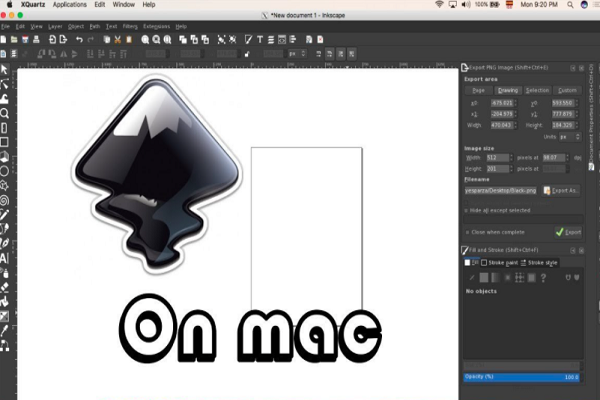
An earlier version of this article told Mac users to install an older Inkscape because it did not support high-resolution Retina displays. That advice is out of date. Inkscape 1.0, released on 1 May 2020, became a native macOS application that no longer needs XQuartz, with Retina display support, according to its release notes. Use the current version.
Key features
Drawing and shape tools
Inkscape has tools for rectangles, ellipses, stars and polygons and spirals, a Pen (Bézier) tool for precise curves and straight lines, a Pencil tool for freehand drawing, and a Calligraphy tool for brush-like strokes. The Shape Builder tool lets you combine or cut overlapping shapes by clicking and dragging across them.
Node editing
Node editing is one of Inkscape’s strongest areas. Every path is made of nodes joined by segments, and the Node tool lets you:
- add nodes between segments or delete nodes while keeping the curve smooth;
- break a path at selected nodes or join nodes back together;
- turn segments into curves or straight lines;
- make nodes symmetric, so dragging one handle mirrors the other.
Path operations such as union, difference, intersection and simplify (with an adjustable threshold) help clean up complex artwork.
Text
The Text tool supports multi-line text edited directly on the canvas, text that flows into a shape, and text placed along a path.
Bitmap tracing
Trace Bitmap converts a raster image, such as a scanned sketch or an old logo, into editable vector paths. Since version 1.0 it also includes centreline tracing for line art.
Organisation and effects
Inkscape supports layers, grouping, z-order (stacking) controls, alignment and distribution, clones, gradients, patterns, transparency and SVG filters. Inkscape 1.4 added a Filter Gallery with previews and search, and modular and improved axonometric grids for layout and isometric designs.
XML editor and extensions
The built-in XML Editor shows the SVG document tree and lets you edit it live, which is useful for web developers. Inkscape can be extended with extensions, and it can be run from the command line to export files in bulk.
File formats
- Native: SVG (Inkscape SVG or plain SVG).
- Import: PDF, EPS and PostScript, PNG, JPEG, BMP and other common bitmaps, and, since version 1.4, Affinity Designer files.
- Export: PNG, PDF, EPS, PostScript and other vector formats.
Some import formats, such as EPS and PostScript, may need extra helper software depending on your system.
Pros and cons
| Pros | Cons |
|---|---|
| Free and open source, with no paid tiers | Interface differs from Illustrator, so switching takes time |
| Excellent SVG support and a live XML editor | Not the industry standard for exchanging files with print agencies |
| Strong node editing, path operations and bitmap tracing | Large, complex files can be slow to process |
| Runs on Windows, macOS and Linux; extensible | Fewer built-in AI-assisted features than commercial rivals |
Our original review also said Inkscape “may not be useful for designing logos”. We have removed that claim: logo design is one of the most common uses for a vector editor like Inkscape.
Who Inkscape suits
- Good fit: students, small businesses, open-source users and web developers who need logos, icons, diagrams or SVG graphics without a subscription.
- Consider a template tool instead if you only need quick social media graphics: see our reviews of Canva and Snappa.
Frequently asked questions
Is Inkscape completely free?
Yes. Inkscape is free and open-source software under the GNU GPL. There are no paid editions, and commercial use is allowed.
Can Inkscape replace Adobe Illustrator?
For many logo, icon and illustration jobs, yes. Illustrator remains the standard in many agencies and print shops, so check what file formats your clients or printers need.
Does Inkscape work on Mac?
Yes. Since Inkscape 1.0 (2020) it has been a native macOS app with Retina display support, and it no longer needs XQuartz.
Can Inkscape open Adobe Illustrator files?
Inkscape can import PDF-compatible Illustrator files and PDF, EPS and PostScript files, but complex Illustrator features may not convert perfectly.
What is the difference between Inkscape and GIMP?
Inkscape edits vector graphics (shapes and paths that scale cleanly), while GIMP edits raster images (pixels, such as photos). Many designers use both.
Checked in October 2026 against Inkscape’s official source repository (release tags and licence file) and the Inkscape release notes for versions 1.0, 1.4 and 1.4.4. Download Inkscape only from inkscape.org or the official sources it lists.