cPanel is a web hosting control panel: a website you log in to that lets you manage your hosting without using server commands. From one dashboard you can upload files, create email accounts, add domains, set up databases, install SSL certificates, schedule tasks and make backups. Many shared hosting plans include it. You usually log in at https://yourdomain.com:2083, or at yourdomain.com/cpanel on many hosts, with the username and password your host sent you. cPanel’s companion, WHM (WebHost Manager), is the administrator tool used to run the whole server and create cPanel accounts. If you’re on shared hosting, you’ll normally get cPanel but not WHM.
This guide explains what cPanel is, how to log in, what its main tools do, how cPanel differs from WHM, and what alternatives exist. It is based on cPanel’s official documentation and website, checked on 13 November 2026. Your host may hide some tools or use a different theme, so your screen may not look exactly like the descriptions here.
Key takeaways
- cPanel manages one hosting account: files, email, domains, databases, SSL and backups.
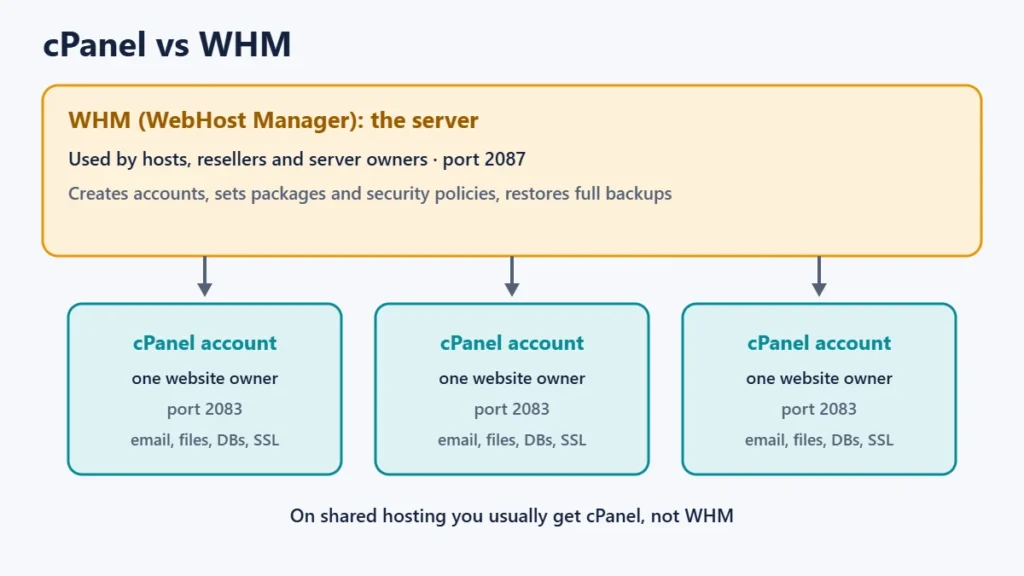
- WHM manages the whole server and is used by hosts, resellers and server owners.
- Login ports: cPanel 2083 (secure), WHM 2087, webmail 2096.
- cPanel runs on Linux servers only and is a paid product licensed to hosts.
- You can’t restore a full backup yourself in cPanel. Your host has to do it.
- Alternatives include Plesk and hosts’ own panels, such as Hostinger’s hPanel.
What cPanel is, and who makes it
cPanel was founded in 1997 and is now part of WebPros, which also owns the Plesk control panel. It runs on Linux servers, with supported systems including AlmaLinux, CloudLinux, Rocky Linux and Ubuntu, and isn’t available for Windows hosting. Hosting companies buy cPanel licences and include the panel with their plans, so you don’t buy it yourself as a website owner.
cPanel’s documentation describes it as letting a user manage their website, email and databases. In practice it is a web page full of tools, grouped into sections such as Files, Email, Domains, Databases and Security.
How to log in to cPanel
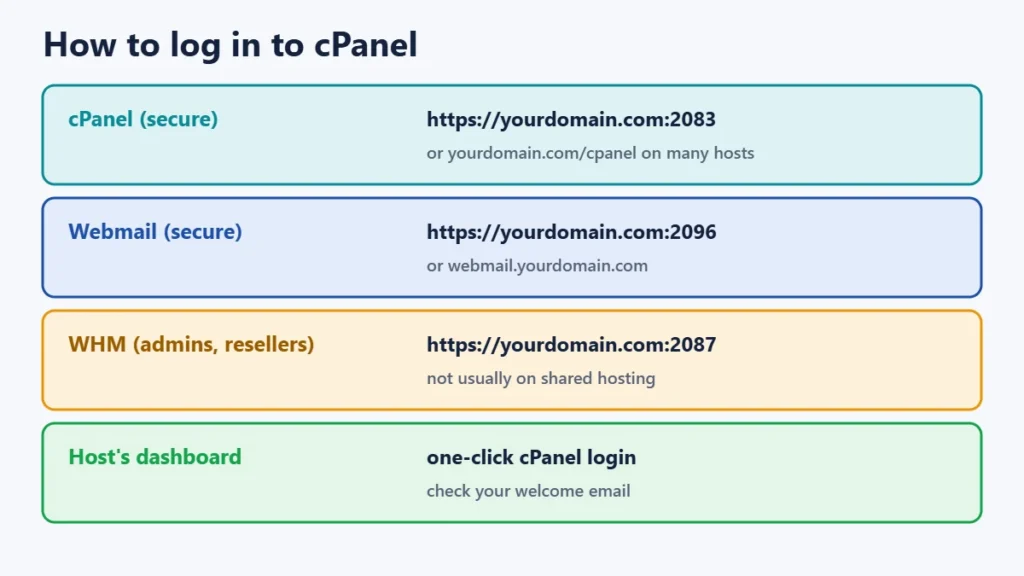
Your host’s welcome email usually contains the exact login link. Common ways in:
| What you want | Typical address |
|---|---|
| cPanel (secure) | https://yourdomain.com:2083 |
| cPanel (short link, on many hosts) | yourdomain.com/cpanel or cpanel.yourdomain.com |
| Webmail (secure) | https://yourdomain.com:2096 or webmail.yourdomain.com |
| WHM (server admins and resellers) | https://yourdomain.com:2087 |
Many hosts also let you open cPanel from their own customer dashboard without entering a password. If none of these addresses work, use your host’s dashboard or ask support, because some hosts change or hide the default links. Use the secure ports (2083, 2087, 2096) rather than the older unencrypted ones.
The main cPanel tools, explained
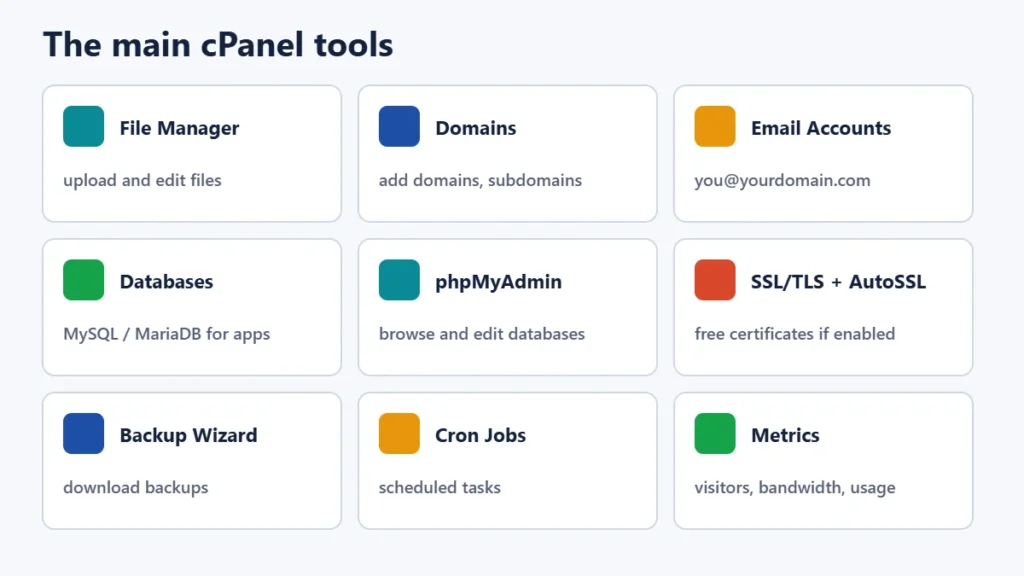
| Tool | What it does |
|---|---|
| File Manager | Upload, edit and organise your website’s files in the browser |
| Domains | Add domains and subdomains and choose which folder each one uses |
| Email Accounts | Create addresses like you@yourdomain.com and set mailbox sizes |
| Databases (MySQL or MariaDB) | Create databases and database users for apps such as WordPress |
| phpMyAdmin | A separate tool for browsing and editing databases. cPanel’s docs advise creating databases with cPanel’s own tool, not phpMyAdmin |
| SSL/TLS Status and AutoSSL | Check certificates and, where the host enables it, issue free domain-validated SSL automatically |
| Backup and Backup Wizard | Download backups of files, databases and email settings |
| Cron Jobs | Run scripts on a schedule, such as nightly tasks |
| Metrics | See visitor statistics, bandwidth and resource usage |
Many hosts add one-click installers such as Softaculous, a separate product that installs WordPress and other apps. Whether you have it depends on your host. If your host uses CloudLinux, you may also see resource-usage tools. Our guide to web hosting limits explains what those numbers mean.
cPanel vs WHM
| cPanel | WHM (WebHost Manager) | |
|---|---|---|
| Who uses it | Website owners | Server administrators, hosts and resellers |
| Manages | One hosting account | The whole server and all its cPanel accounts |
| Default secure port | 2083 | 2087 |
| Typical access on shared hosting | Yes | No |
| Examples of tasks | Email, files, databases, SSL, backups | Create accounts, set packages and security policies, restore full backups |
This split explains some limits you may hit as a cPanel user. For example, cPanel’s documentation states that you can’t automatically restore a full backup file in cPanel. That needs WHM, so your host has to do it. Two-factor authentication works the same way: the host turns on the security policy in WHM, and then you set it up in cPanel.
Security basics in cPanel
- Turn on two-factor authentication if your host allows it. cPanel supports authenticator apps such as Google Authenticator and Duo Mobile.
- Use a strong, unique password and don’t share your main cPanel login. Create separate email or FTP accounts where needed.
- Log in over the secure port (2083) or your host’s dashboard.
- Keep your own backups outside the hosting account. See our guide to what happens when hosting expires for why this matters.
How much does cPanel cost?
cPanel is licensed to hosts and server owners, not to individual website owners on shared hosting. In 2019 it moved from unlimited-account licences to tiers priced by the number of accounts on a server, and it publishes its current tiers on its website. Its pricing page says prices change for new orders and renewals from 16 December 2026. On shared hosting, the cost is built into your plan. If you run your own VPS, check cPanel’s current pricing before you buy.
Alternatives to cPanel
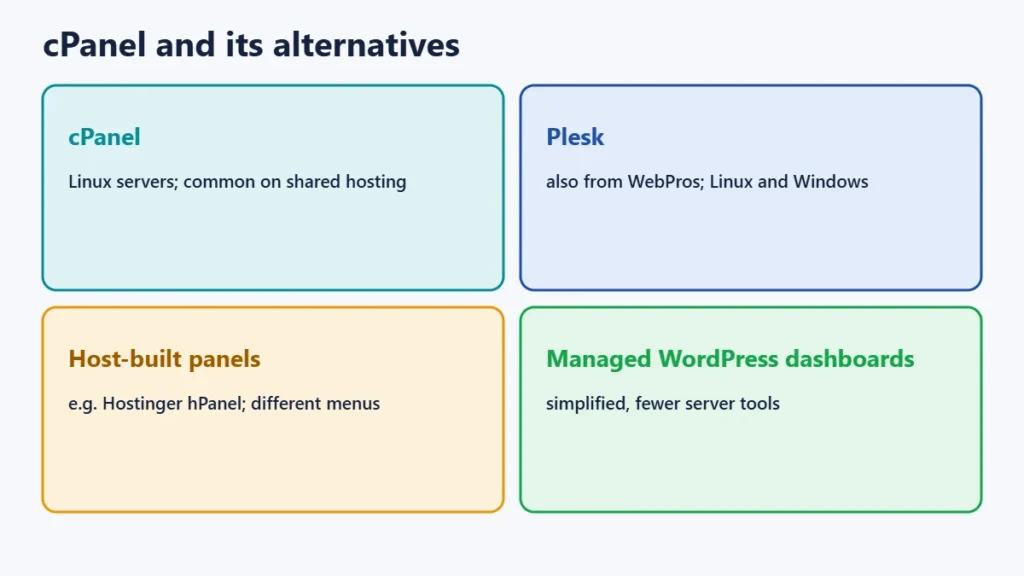
- Plesk: another control panel from WebPros, available for Linux and Windows servers.
- Hosts’ own panels: some hosts build their own, such as Hostinger’s hPanel. Features are similar, but menus differ.
- Managed platforms: some managed WordPress hosts offer simplified dashboards instead of a full control panel.
Frequently asked questions
Is cPanel free?
Not for hosts. It’s a paid, licensed product. If your hosting plan includes cPanel, the cost is part of your plan.
What is the cPanel login URL?
Usually https://yourdomain.com:2083, or yourdomain.com/cpanel on many hosts. Your host’s welcome email has the exact address.
Is cPanel the same as WHM?
No. WHM manages the server and its accounts. cPanel manages a single account. Website owners on shared hosting normally use cPanel only.
Can I use cPanel on Windows hosting?
No. cPanel runs on Linux servers. Windows hosting typically uses Plesk or another panel.
Why don’t I see some tools in my cPanel?
Hosts can hide, rename or add tools, and cPanel has more than one theme with different layouts. Ask your host if you need a tool you can’t find.
Can I move a cPanel site to another host?
Yes. Hosts can transfer cPanel accounts between servers, and you can copy the files and databases yourself. See our guide to moving a website to a new host.
The short version
cPanel is the control panel many hosts give you to manage files, email, domains, databases, SSL and backups. Log in at yourdomain.com:2083 or through your host’s dashboard, turn on two-factor authentication, and keep your own backups. WHM is the server-level tool behind it, used by hosts. For a real example of a cPanel host, see our Verpex review.