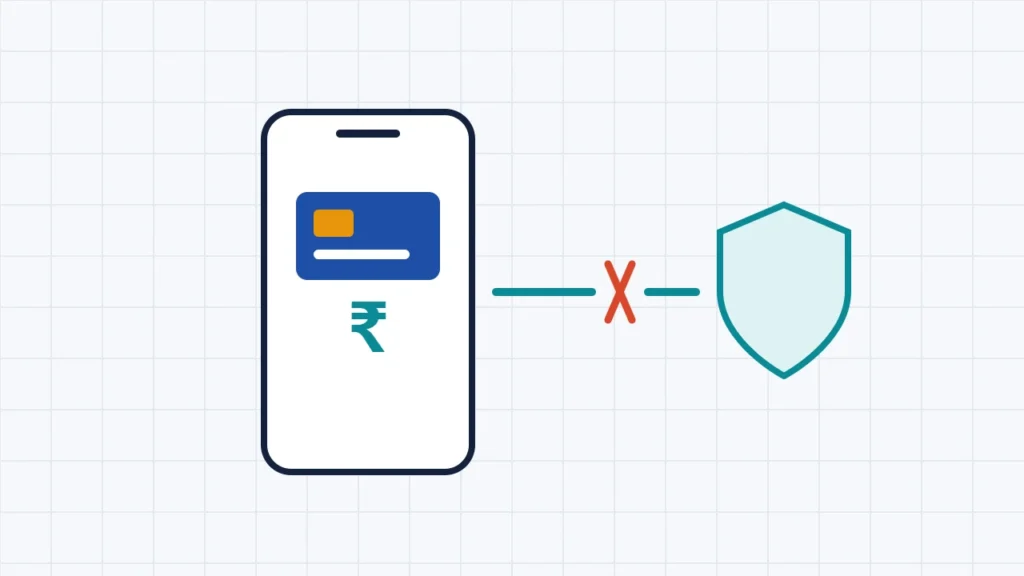
Banking and UPI apps often fail when a VPN is switched on, but not because VPNs are banned. RBI, NPCI and CERT-In rules don’t prohibit using a VPN for banking, and none of the official texts we read mention VPNs at all. The problems come from security checks that banks are required to run. Banking apps are tied to your phone and your registered SIM (“device binding” and “SIM binding”). Banks also watch for unusual patterns such as logins from unexpected locations or suspicious IP addresses, as RBI’s digital payment security rules require. A VPN changes your apparent location and IP address and can interfere with SIM verification, so the app may refuse to log in, fail to verify or time out. The simple fix is to turn the VPN off while you bank, or exclude the banking app using your VPN’s split-tunnelling setting.
This guide explains why the clash happens, what you can do about it legitimately, and what NRIs should know about using Indian banking apps abroad. It is based on RBI’s digital payment security directions, CERT-In’s 2022 directions, Android’s developer documentation and banks’ own help pages (HDFC Bank, ICICI Bank and SBI), checked on 13 November 2026. It doesn’t explain how to hide a VPN from your bank, and you shouldn’t try. These checks exist to protect your money.
Key takeaways
- VPNs aren’t banned for banking. The rules we checked don’t mention VPNs.
- Device and SIM binding: RBI’s rules require banks to bind mobile apps to your device, and banks also tie them to your registered SIM.
- Fraud monitoring looks at things like geo-location and IP address origin. A VPN changes both.
- Fix: switch the VPN off for banking, or exclude the bank and UPI apps with split tunnelling.
- Verify on mobile data with your registered SIM, not on Wi-Fi or in airplane mode.
- NRIs: keep your registered SIM active with SMS, and check your bank’s NRI rules.
Why banking and UPI apps don’t like VPNs
1. The app is tied to your phone and SIM
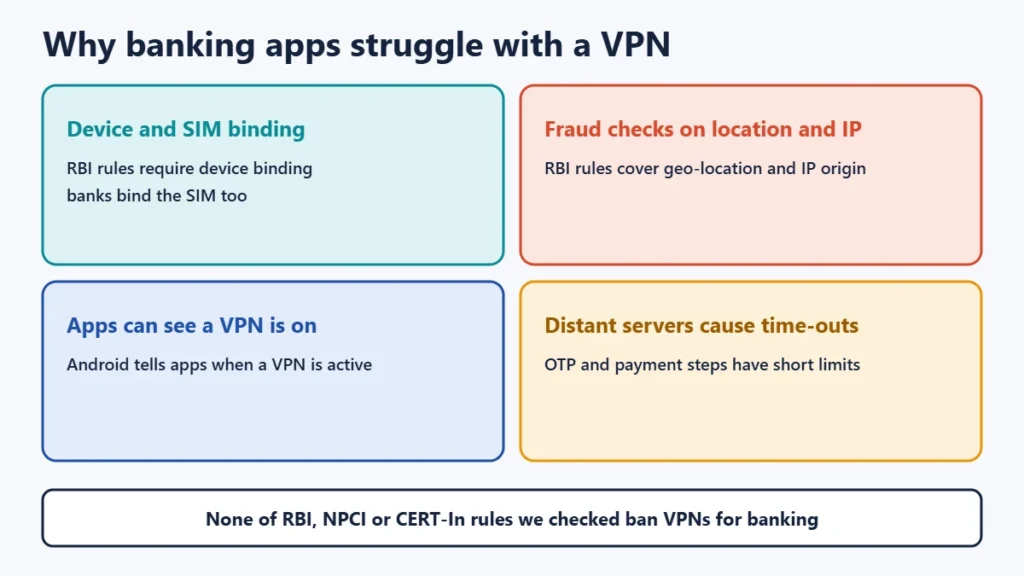
RBI’s digital payment security directions for banks, issued in 2021 and updated in 2026, say banks “shall ensure device binding of the mobile application”. In practice, banks also bind the app to your registered mobile number. HDFC Bank’s help pages say SIM binding and device binding are compulsory, that verification needs an active SIM with mobile data, and that it won’t work in airplane mode. ICICI Bank says SIM binding is mandatory for its iMobile app, including for NRI customers, and asks users to turn off Wi-Fi or airplane mode during verification. A VPN running during set-up or verification can get in the way of these steps.
2. Fraud checks watch your location and IP address
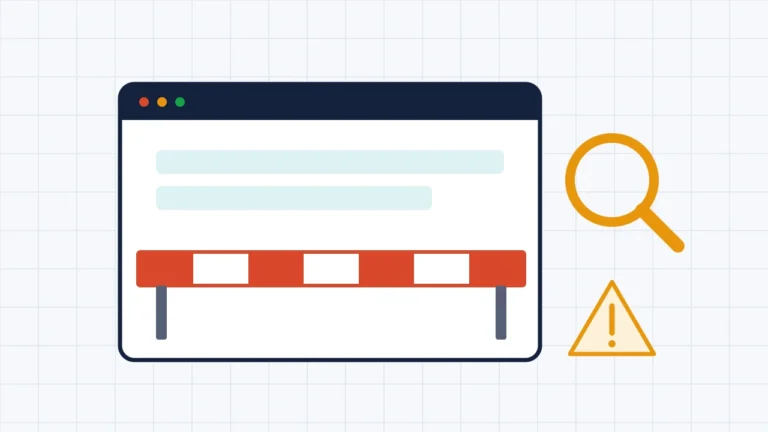
The same RBI directions require banks to set fraud alerts on factors including time zones, geo-locations and IP address origin, looking for unusual patterns, prohibited zones and rogue IPs. When a VPN is on, your bank sees the VPN server’s IP address and location instead of your usual one. A login that suddenly appears to come from another city or country, or from an IP address many strangers share, can look suspicious. The bank’s systems may then block it, ask for extra checks or end the session.
3. Apps can see that a VPN is active
On Android, the operating system tells apps whether the current network uses a VPN, through a standard system flag. Apps can therefore notice a VPN and respond, for example by warning you or restricting certain actions. Each bank decides what to do with that information. None of the bank help pages we checked publish a specific VPN policy.
4. Slow or distant servers cause time-outs
Payments and OTP checks run on short time limits. Routing through a distant or busy VPN server adds delay, which can make a transaction or verification time out. Our guide to why a VPN is slow explains why distance matters.
What to do: legitimate fixes
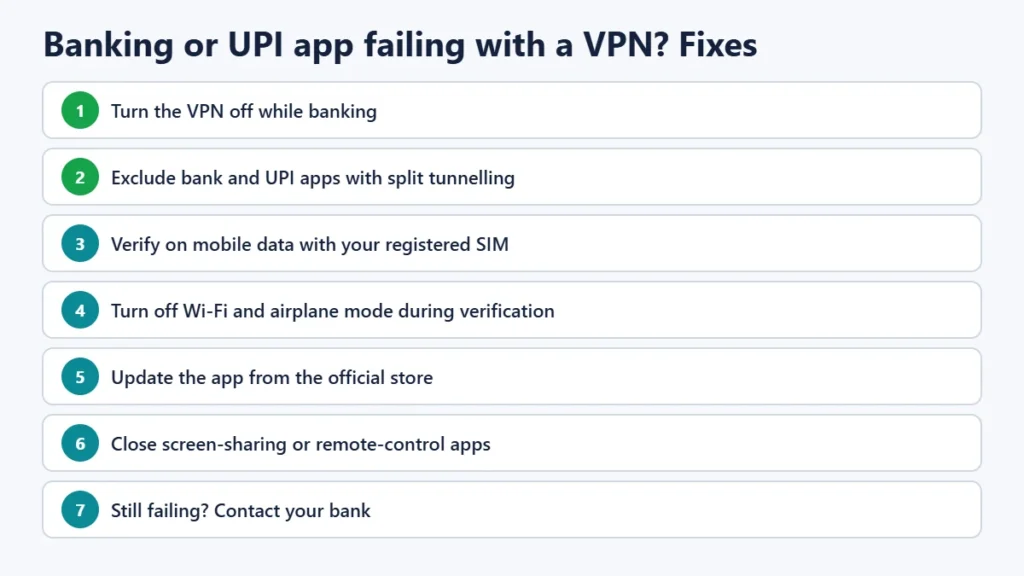
- Turn the VPN off while you bank, then turn it back on. This is the simplest and most reliable fix.
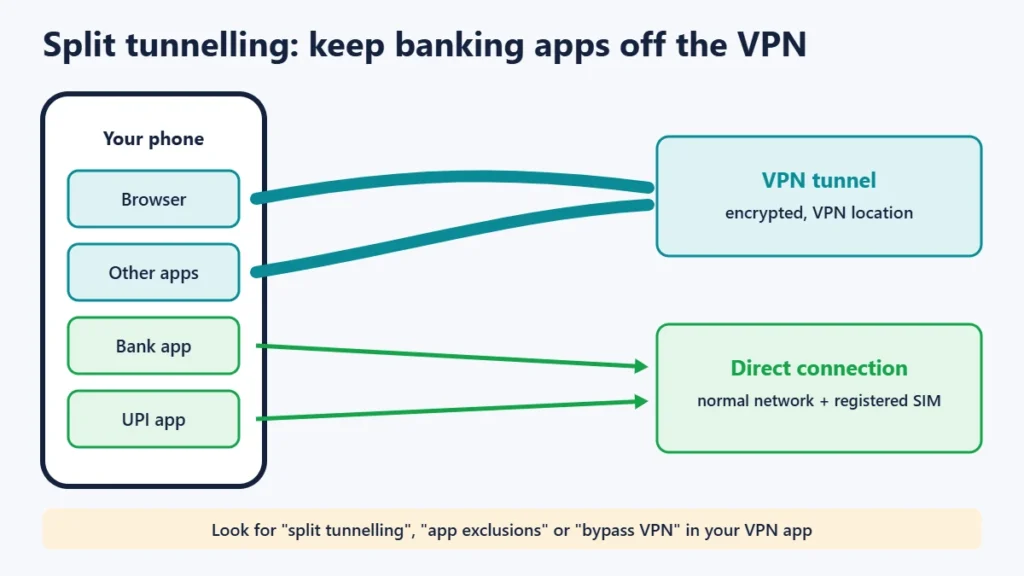
- Use split tunnelling if your VPN app offers it. Exclude your banking and UPI apps, so they connect normally while everything else uses the VPN. On Android this uses a built-in system feature that lets excluded apps work as if the VPN wasn’t running.
- Verify on mobile data with your registered SIM. Turn off Wi-Fi and airplane mode during device or SIM verification, as banks’ help pages advise.
- Keep the app updated from the official Google Play Store or Apple App Store.
- Avoid risky phone set-ups. Banking apps may refuse to run on rooted or modified phones, or when screen-sharing, remote-control or overlay apps are active. Close those apps before banking.
- Work VPN? If your employer’s VPN is always on, ask your IT team whether banking apps can be excluded.
- Still failing? Contact your bank’s customer care, or raise a complaint in the UPI app if money was debited.
How split tunnelling helps
Split tunnelling lets you choose which apps use the VPN. If you want the VPN for browsing or public Wi-Fi but your banking app keeps failing, add the banking app (and UPI apps such as BHIM, Google Pay or PhonePe) to the list of apps that bypass the VPN. They then connect directly through your normal network and registered SIM, as the bank expects, while the rest of your traffic stays protected. Look for the setting under names like “split tunnelling”, “app exclusions” or “bypass VPN” in your VPN app. Not every VPN or platform supports it.
Is it safe to use UPI with a VPN on?
The VPN itself doesn’t put your money at risk, but it can cause failed logins and time-outs, and it’s unnecessary for banking. Banking apps already encrypt their connections. On public Wi-Fi, RBI’s advice to customers is to avoid banking on public, open or free networks altogether. Use mobile data instead. Our guide to whether public Wi-Fi is safe covers this in more detail. And whatever network you’re on, never share an OTP or UPI PIN with anyone.
For NRIs using Indian banking apps abroad
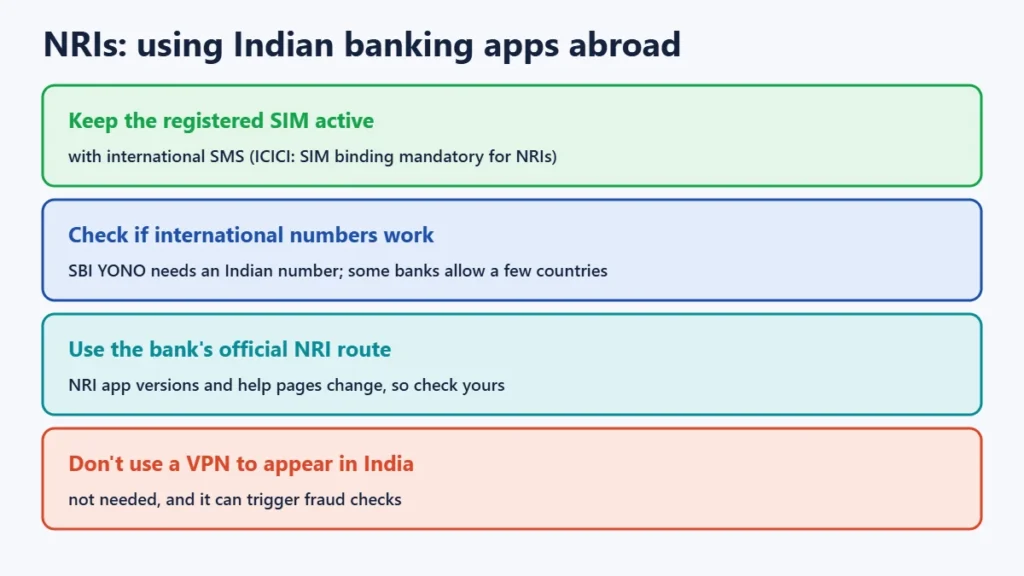
- Keep your registered SIM active with SMS, including international roaming SMS if you’re abroad. ICICI Bank says SIM binding is mandatory for NRI customers and needs an active SMS pack, Indian or overseas.
- Check whether your bank allows international numbers. SBI says its YONO app can be used by NRIs only with an Indian registered mobile number. Some banks and UPI apps support international numbers in a limited list of countries for NRI accounts. Check your bank’s current NRI page, as the list changes.
- Don’t use a VPN to appear to be in India. It isn’t needed for legitimate access, it can trigger fraud checks, and it can lock you out. Use your bank’s official NRI route instead.
Is using a VPN legal in India?
Yes, for individuals. CERT-In’s 2022 directions require VPN providers to keep customer records for five years, but they don’t make individual use illegal. Using a VPN to commit fraud or reach blocked services remains illegal, as the underlying act would be. See our guide to whether VPNs are legal in India.
Frequently asked questions
Why does my bank app say “unable to connect” when my VPN is on?
Probably because the VPN changes your apparent location and IP address, or interferes with device and SIM verification. Turn the VPN off or exclude the app with split tunnelling and try again.
Does RBI ban VPNs for banking?
No. RBI’s digital payment security rules require device binding and fraud monitoring, including IP and location checks, but they don’t mention or ban VPNs.
Can I use Google Pay or PhonePe with a VPN?
You may run into failed verifications or time-outs. Excluding UPI apps from the VPN, or turning it off while you pay, avoids the problem.
Why does my bank app need mobile data even on Wi-Fi?
Many banks verify your registered SIM using SMS and mobile data. HDFC Bank and ICICI Bank both say verification needs the active SIM, and won’t work in airplane mode or, for ICICI, with Wi-Fi on.
My VPN won’t connect at all. What should I check?
That’s a separate problem. See our guide to fixing a VPN that won’t connect.
The short version
Banking apps clash with VPNs because of device and SIM binding and fraud checks on location and IP address, not because VPNs are banned. Turn the VPN off while banking, or exclude bank and UPI apps with split tunnelling, verify on mobile data with your registered SIM, and never share OTPs. NRIs should keep the registered SIM active and follow their bank’s NRI route.