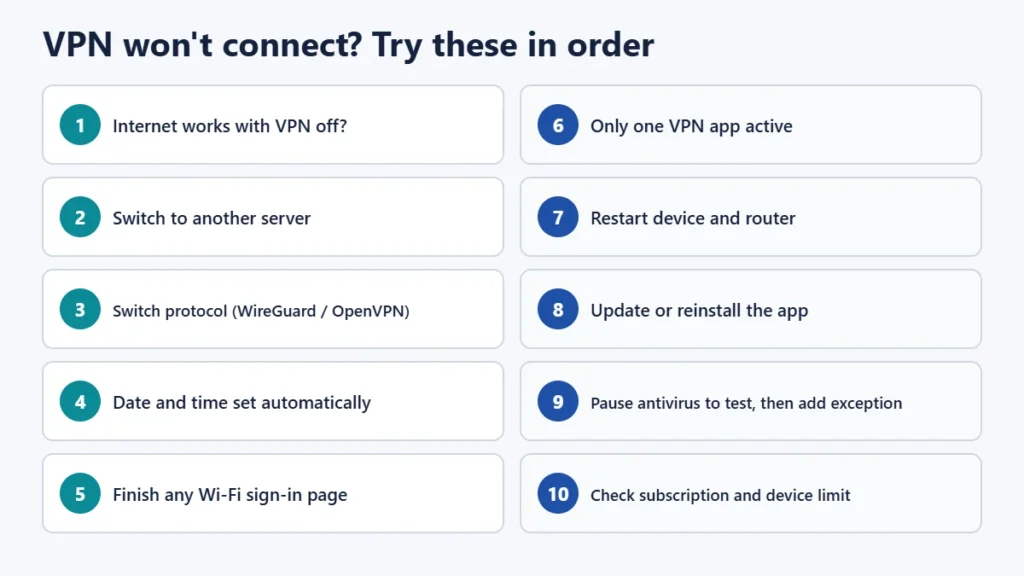
If your VPN won’t connect, start with the quick fixes that solve most cases. Check that your internet works with the VPN off. Switch to a different server. Change the protocol in the app’s settings. Make sure your device’s date and time are set automatically. Finish any Wi-Fi sign-in page before you turn the VPN on. Close or remove any other VPN app. If it still fails, restart the device, update or reinstall the VPN app, and briefly pause your antivirus or firewall to see whether it’s interfering. On Windows, the error code tells you where to look: Microsoft lists 691 as a username or password problem, 800 and 809 as the server being unreachable or blocked by a firewall or router, and 868 as the server’s name not resolving.
This guide covers the general fixes, Windows error codes, and steps for Android, iPhone and Mac. It is based on Microsoft’s VPN error documentation, Apple and Android help pages, WireGuard’s and OpenVPN’s technical documents, and troubleshooting guides from Proton VPN, Mullvad, NordVPN, ExpressVPN and Surfshark, checked on 13 November 2026. It covers fixing your own connection only. If a VPN is blocked on a work or school network, ask that network’s IT team.
Key takeaways
- Check your internet first with the VPN off.
- Change the server, then the protocol. These two changes fix many connection failures.
- Set date and time to automatic. A wrong clock can make certificates and WireGuard handshakes fail.
- Public Wi-Fi: complete the sign-in page before connecting the VPN.
- Only one VPN at a time: Android allows only one active VPN service, so remove or disable others.
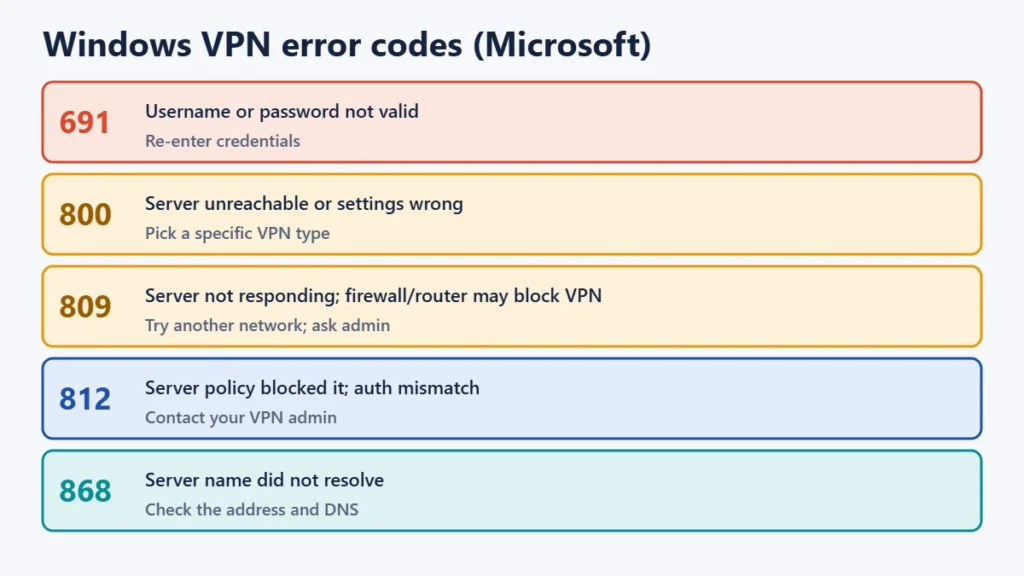
- Windows error codes point to the cause. 691 means credentials, 800 and 809 mean the server is unreachable or a firewall is blocking it, and 868 means a name lookup failed.
Quick fixes that work on any device
- Test your internet without the VPN. If websites don’t load with the VPN off, fix your Wi-Fi or mobile data first.
- Try another server. The one you picked may be down or overloaded.
- Switch protocol. In the app’s settings, try WireGuard, or OpenVPN over UDP or TCP. Some networks handle one better than another. Mullvad says connecting over TCP on port 443 can help on public or mobile networks that block UDP traffic.
- Fix the date and time. Set them to update automatically, with the right time zone. Proton says a wrong system date makes its app reject security certificates. WireGuard’s documentation says handshakes fail if the clock jumps backwards.
- Finish any Wi-Fi sign-in page. Hotels, cafés and airports often need you to accept terms on a login page first. NordVPN advises completing it before turning on the VPN, and says its kill switch can stop the login page appearing.
- Use only one VPN. Close or uninstall other VPN apps, and turn off any built-in VPN or “Always-on” setting for another app.
- Restart your device and router.
- Update or reinstall the VPN app. Providers commonly recommend this.
- Check your antivirus or firewall. Pause it for a minute to test. If the VPN then connects, add the VPN app as an exception and turn protection back on.
- Check your account. Your subscription may have expired, or you may have reached your plan’s limit of connected devices. Limits vary by provider and plan.
Windows VPN error codes and what they mean
Windows’ built-in VPN client shows numbered errors. Microsoft’s documentation explains them as follows:
| Error | Microsoft’s meaning | What to try |
|---|---|---|
| 691 | Access denied: the username, password or both aren’t valid | Re-enter your credentials; check that your account is active |
| 800 | The VPN connection couldn’t be established; the server may be unreachable or security settings may be wrong | Check the server address; choose a specific VPN type instead of “Automatic”; ask your provider or admin |
| 809 | The remote server isn’t responding; a firewall, NAT device or router may not be allowing VPN traffic | Try another network; ask your provider or network administrator whether VPN traffic is allowed |
| 812 | A policy on the VPN server blocked the connection; the authentication method may not match | Contact your VPN administrator; check the profile’s sign-in method |
| 868 | The server’s name didn’t resolve | Check the server address for typos; check your internet and DNS |
| 807 | The connection was interrupted | Reconnect; check for an unstable connection |
| 810 | A certificate problem, such as an incorrect or expired certificate | Check the date and time; ask your provider for an updated profile |
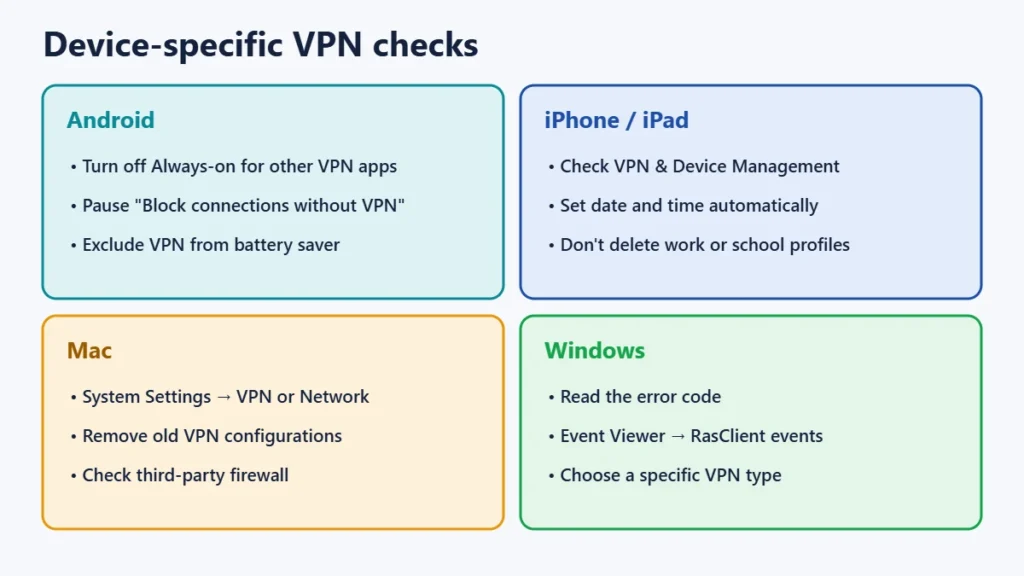
For more detail, open Event Viewer and look under Windows Logs → Application for events from RasClient, which log VPN connection attempts. If you use a provider’s own app rather than Windows’ built-in client, check that app’s error messages and support pages instead.
Android
- Only one VPN can be active. Android’s developer documentation says there is only one active VPN service per user or profile. If another app has Always-on VPN enabled, Proton notes its app can’t connect. Check Settings → Network & internet → VPN (wording varies by phone) and turn off Always-on for other apps.
- “Block connections without VPN” stops all traffic while the VPN is disconnected. If you turned it on and the VPN fails, nothing will load. Turn it off while you troubleshoot.
- Battery optimisation can stop VPN apps reconnecting in the background. Exclude the VPN app from battery saver.
- Update the app from Google Play, and give it the VPN permission it asks for.
iPhone and iPad
- Check the VPN profile in Settings → General → VPN & Device Management. If you have several VPN profiles, make sure the right one is selected. Apple warns that deleting a profile also deletes its settings, apps and data. Don’t remove a profile your school or employer installed.
- Date and time: Settings → General → Date & Time → Set Automatically.
- Public Wi-Fi: if the login screen doesn’t appear, Apple’s guidance covers how to bring it up. Complete it, then connect the VPN.
- Reinstall the VPN app if it keeps failing, then let it reinstall its VPN profile.
Mac
- VPN settings are in System Settings → VPN or System Settings → Network, depending on your macOS version.
- Check that only one VPN configuration is trying to connect, and remove old ones you no longer use.
- Check date and time, and any third-party firewall or security software, as above.
When the network is the problem
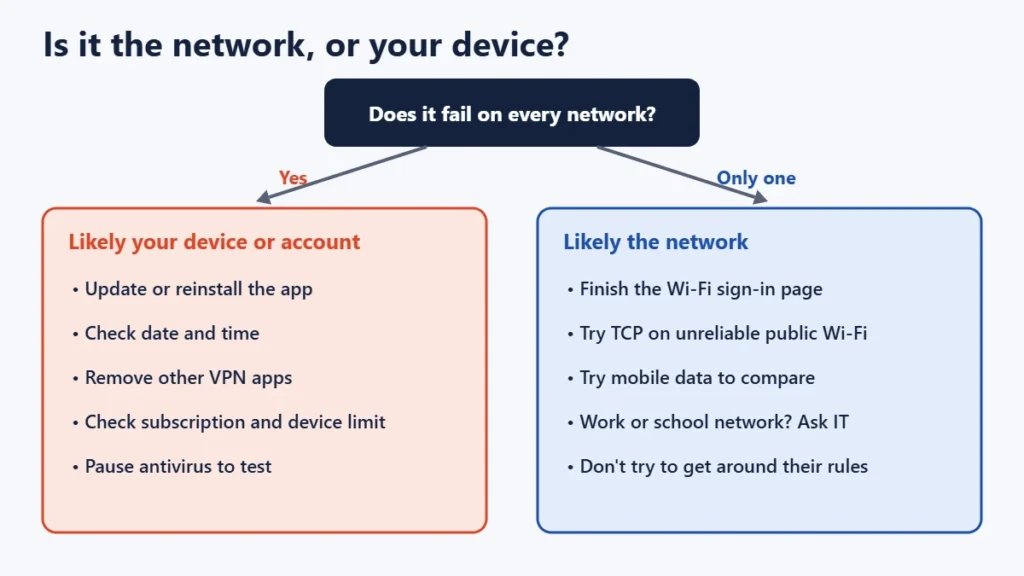
Some networks don’t allow VPN traffic, or allow only some kinds. Public Wi-Fi and mobile networks sometimes block UDP traffic. That is why switching to TCP, or to port 443 where your app offers it, can help on an unreliable connection. Workplaces, schools and some public networks may restrict VPNs deliberately. In those cases the right step is to ask the network’s IT team or administrator rather than work around their rules. If your VPN connects on mobile data but not on a particular Wi-Fi network, the network is the likely cause.
Things not to do
- Don’t leave antivirus or firewall protection off. Pause it only to test, then add an exception.
- Don’t reset network settings without knowing the cost. It erases saved Wi-Fi passwords and VPN settings.
- Don’t delete device-management profiles installed by your employer or school.
- Don’t install unknown “VPN fixer” apps or tools from unofficial sources.
Frequently asked questions
Why does my VPN connect on mobile data but not on Wi-Fi?
The Wi-Fi network is probably blocking or limiting VPN traffic, or it needs you to complete a sign-in page. Finish any login page, try another protocol, or ask the network’s administrator.
What does VPN error 809 mean?
Microsoft says the remote server isn’t responding, possibly because a firewall, NAT device or router isn’t allowing VPN connections. Try another network and check with your provider or administrator.
Why does my VPN say the certificate is invalid?
Often because the device’s date and time are wrong. Set them to update automatically. If that doesn’t fix it, ask your provider for an updated app or profile.
Can I use two VPNs at once?
Generally no. Android supports one active VPN service per user or profile, and running two VPN apps usually makes both fail. Turn one off.
My VPN connects but no websites load. What now?
Try another server and protocol, then disconnect and check whether your internet works without the VPN. If you use a kill switch or “Block connections without VPN”, traffic stops whenever the tunnel fails, which can look like no internet.
The short version
Check your internet without the VPN, then switch server and protocol, fix the date and time, finish any Wi-Fi login page, and run only one VPN app. On Windows, use the error code to find the cause. If only one network fails, it’s probably that network. If the VPN connects but runs slowly, see our guide to why a VPN is slow, and for when to use one, our guide to public Wi-Fi safety.