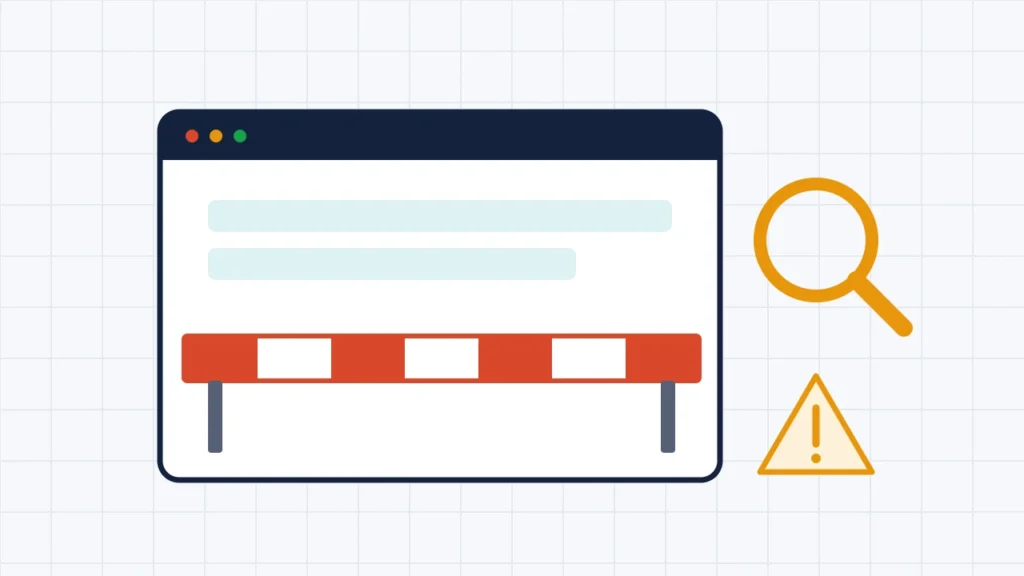
If a website won’t open in India, it is usually for one of two very different reasons. Either the site is down or unreachable, because of a server problem, an expired domain or a DNS fault, or it has been blocked. In India, blocking normally follows a government order under Section 69A of the Information Technology Act, 2000, or a court order, often against piracy sites. Internet providers then have to carry it out. A block usually shows the same notice on every network, often mentioning the Department of Telecommunications. An outage tends to show a browser error and affects people everywhere. The details of most blocking orders are confidential, so you often can’t find out exactly why a particular site was blocked.
This guide explains the legal routes for blocking websites in India, how to tell a block from an ordinary outage, what the common browser errors mean, and what a website owner can do. It is based on the IT Act, the 2009 Blocking Rules, the Supreme Court’s 2015 judgment in Shreya Singhal v Union of India, the Promotion and Regulation of Online Gaming Act, 2025, Google’s documentation of Chrome errors and reported court orders, checked on 13 November 2026. It is general information, not legal advice. It does not explain how to get around a block.
Key takeaways
- Government blocks come under Section 69A of the IT Act, on grounds such as sovereignty, security, public order and friendly relations with other countries.
- Court blocks, often Delhi High Court orders against piracy sites, are a separate route, and can cover mirror sites too.
- Online money-gaming sites can be blocked under the Online Gaming Act, 2025, which uses the Section 69A route.
- Blocking orders are confidential under Rule 16 of the 2009 Blocking Rules.
- A DNS error, timeout or “connection reset” doesn’t prove a block. Many are ordinary faults.
- Site owners can respond to a notice, ask for a hearing, or go to a High Court.
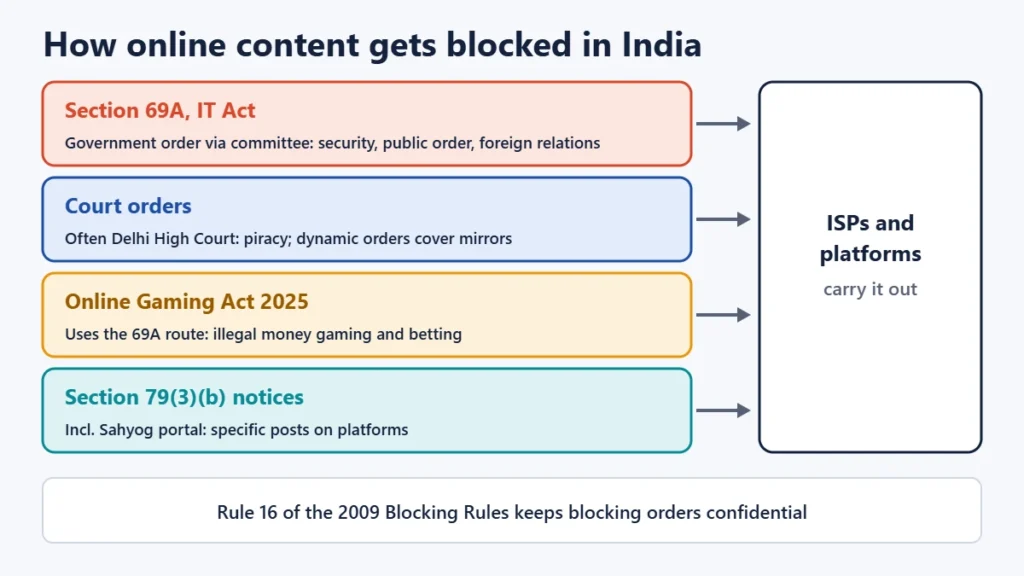
How websites get blocked in India
| Route | Who orders it | Typical targets |
|---|---|---|
| Section 69A, IT Act | Central government, through a designated officer and committee | Content threatening sovereignty, defence, security, public order or foreign relations |
| Court orders | Courts, often the Delhi High Court | Piracy and illegal streaming sites, including “dynamic” orders that cover mirrors |
| Online Gaming Act, 2025 | Central government, via the Section 69A route | Online money-gaming and betting platforms that break the Act |
| Takedown notices under Section 79(3)(b) | Authorised agencies, including through the Sahyog portal | Specific posts or content on platforms, rather than whole sites |
Section 69A blocking orders
Section 69A lets the central government direct any agency or intermediary, such as an internet provider or platform, to block public access to information when it is necessary in the interest of the sovereignty and integrity of India, defence, security of the State, friendly relations with foreign States or public order, or to prevent incitement to related offences. Reasons must be recorded in writing. An intermediary that fails to comply can face up to seven years in prison and a fine.
The procedure is set out in the 2009 Blocking Rules. Requests reach a Designated Officer through nodal officers in ministries and states, not directly from the public. A committee examines each request. Where possible, the person or intermediary hosting the content gets notice and a chance to respond, at least 48 hours ahead. Emergency blocking can happen first, with a review afterwards. A Review Committee checks blocking orders at least once every two months. Rule 16 requires “strict confidentiality” about requests and actions, which is why most blocking orders aren’t published.
In Shreya Singhal v Union of India (2015), the Supreme Court upheld Section 69A and the Blocking Rules as constitutionally valid, noting that because reasons must be recorded, a blocking order can be challenged in a High Court.
Court-ordered blocks for piracy
Copyright piracy isn’t a ground under Section 69A. Instead, rights holders go to court. Since 2019 the Delhi High Court has issued “dynamic injunctions”. These require internet providers to block a pirate site and let the rights holder extend the block to mirror and redirect sites without a fresh lawsuit each time. Recent orders have covered illegal streams of cricket and other sports events, directing providers to block listed sites quickly, with the telecom department and IT ministry overseeing compliance.
Online money gaming and betting
The Promotion and Regulation of Online Gaming Act, 2025 received Presidential assent on 22 August 2025. It allows information relating to online money games that break the Act to be blocked using the Section 69A process. Rules under the Act took effect in May 2026. News reports describe large numbers of betting sites being blocked under these powers.
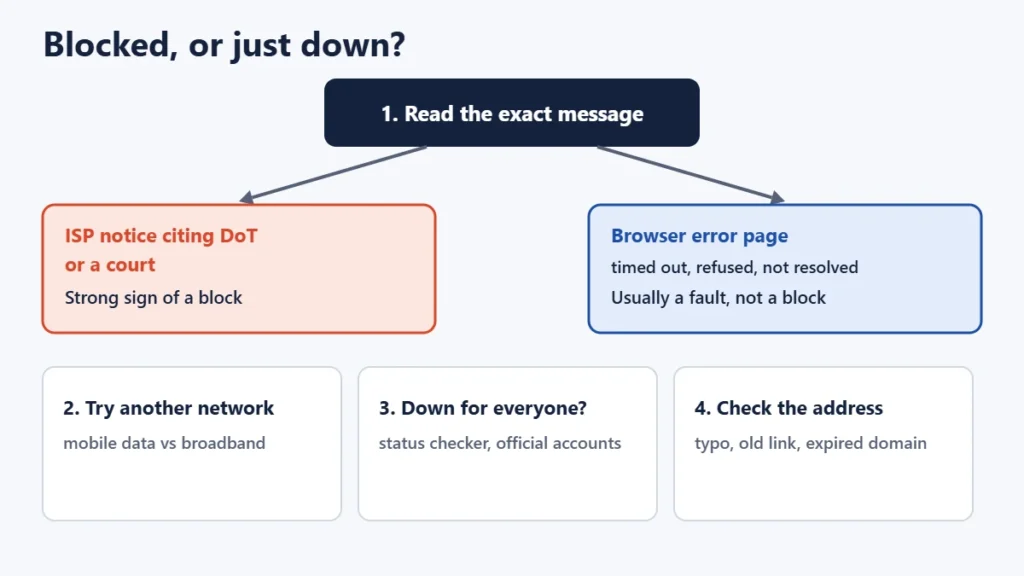
Is it blocked, or just down?
Most “site won’t open” problems aren’t blocks. Work through these checks:
- Read the exact message. A government or court block often shows an internet provider’s notice saying the site is blocked under directions from the Department of Telecommunications or a court. A browser error page usually means something else.
- Try another network. Switch from home broadband to mobile data, or the reverse. Legal blocks usually apply to all providers, so a site failing on every network may still be blocked. If it fails on only one, that is a clue, but not proof.
- Check whether it’s down for everyone, using a site-status checker or the site’s official status page or social media accounts.
- Check the address. A typo, an old link or an expired domain gives errors that look like blocks.
- Restart your router and device, and clear the browser cache, to rule out local problems.
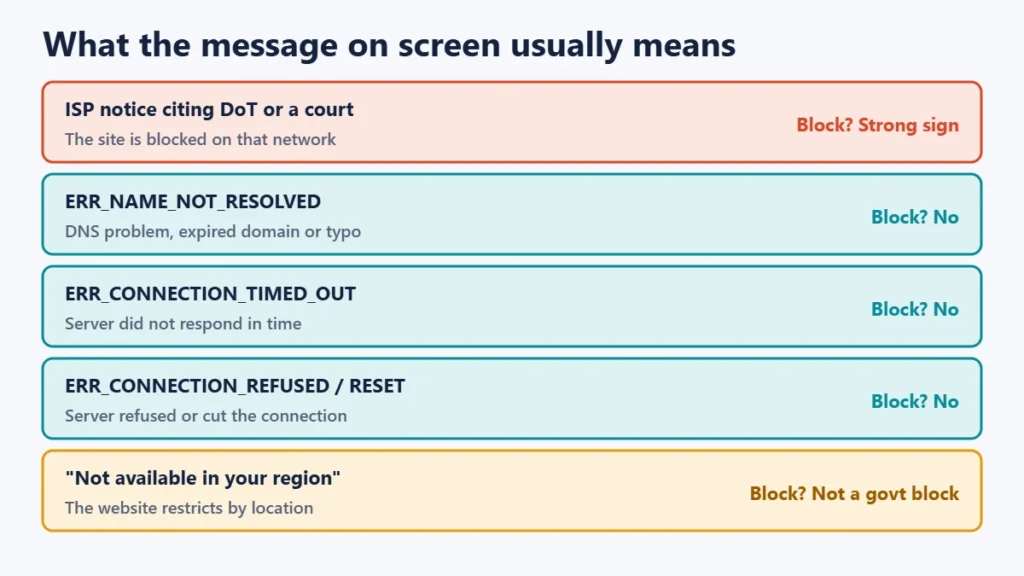
What common error messages mean
| Message (Chrome) | What it usually means | Proves a block? |
|---|---|---|
| A notice from your internet provider citing DoT or a court | The site is blocked on that network | Strong sign |
| ERR_NAME_NOT_RESOLVED | The domain name couldn’t be looked up: DNS problem, expired domain or typo | No |
| ERR_CONNECTION_TIMED_OUT | The server didn’t respond in time | No |
| ERR_CONNECTION_REFUSED | The server refused the connection | No |
| ERR_CONNECTION_RESET | The connection was cut off | No |
| A page from the site saying “not available in your region” | The website itself is restricting access by location | No (not a government block) |
Internet providers show block notices in different ways, so the wording varies. Not every block shows a notice, which is why no single error proves a block on its own.
How many sites are blocked?
There is no complete public list, because blocking orders under Section 69A are confidential. Figures the government has given in Parliament, as reported in the press, run into the tens of thousands of URLs over recent years. The ministry has cited the confidentiality rule when refusing requests for copies of orders under the Right to Information Act. A challenge to that confidentiality rule is pending before the Supreme Court, so the position could change.
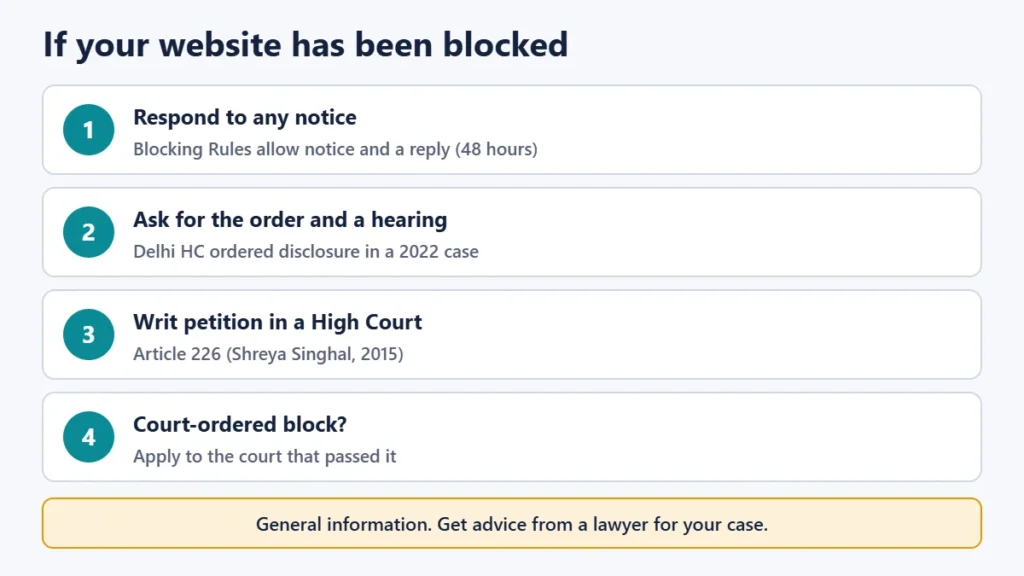
If you own a website that has been blocked
- Check your email and notices. Under the Blocking Rules, the person or intermediary hosting the content should get notice and an opportunity to respond, where they can be identified. Reply within the time given.
- Ask for the order and a hearing. In a 2022 case, the Delhi High Court directed the IT ministry to give a website owner a copy of the blocking order, and the owner was given a hearing afterwards.
- Go to court. The Supreme Court has said a Section 69A order can be challenged in a High Court under Article 226 of the Constitution. A lawyer can advise on this.
- For a court-ordered block, for example if a legitimate site was caught in a piracy order, apply to the court that passed the order.
- Don’t contact the Designated Officer directly. The rules route requests through nodal officers, not the public.
What’s still being decided
Two related questions were before the courts as of November 2026. The government’s use of the Sahyog portal for takedown notices under Section 79(3)(b) was challenged by X Corp. The Karnataka High Court dismissed that challenge in September 2025, and the matter later moved to the Supreme Court. Separately, a public-interest petition challenging the confidentiality of blocking orders is pending before the Supreme Court. The outcomes could affect how transparent blocking is in future.
Frequently asked questions
Why is a website blocked in India?
Usually because of a government order under Section 69A of the IT Act, on grounds such as security or public order, a court order (often against piracy), or action against illegal online betting under the Online Gaming Act, 2025. The specific reasons are usually confidential.
How can I tell if a website is blocked or down?
Look at the exact message. A notice from your internet provider citing the Department of Telecommunications or a court suggests a block. Browser errors such as “connection timed out” usually mean a fault. Try another network and check whether the site is down for everyone.
Is it illegal to visit a blocked website?
Blocking orders are directed at internet providers and platforms. Separate laws may make particular activities illegal, such as piracy or prohibited betting. This guide doesn’t advise on getting around blocks. For a specific legal question, ask a lawyer.
Can I get a copy of a blocking order through RTI?
Usually not. The ministry has refused such requests, citing the confidentiality rule in the 2009 Blocking Rules. A challenge to that rule is pending.
Do all internet providers block the same sites?
Government and court orders apply to all providers they are directed to, but they carry them out separately. Timing and the notice you see can differ between providers.
The short version
A site that won’t open is more often down than blocked. Read the message, try another network, and check whether it’s down for everyone. Real blocks in India come from Section 69A orders, court orders or the Online Gaming Act, and their details are usually confidential. Site owners should respond to any notice and get legal advice about challenging an order. For related reading, see our guides to VPN rules in India and domain transfers.