When your web hosting expires, your website and any email on that hosting usually stop working within days. Visitors see a “suspended” page or an error. After a further period that each host sets for itself, the account and its files are deleted. There is no standard timetable. Namecheap’s policy suspends and cancels shared hosting 7 days after the billing date. Hostinger lets you renew within 30 days of expiry before permanently deleting the plan. SiteGround keeps an expired shared account for up to 30 days. Bluehost says shared hosting data is removed when the account is terminated. If your hosting has expired, renew it straight away, or download a backup while the host still allows it. Your domain is separate. Renewing it won’t bring back deleted hosting files.
This guide explains what happens step by step, compares what several hosts’ own policies say, shows how hosting expiry differs from domain expiry, and covers how to protect your site and recover it. It is based on each host’s terms and help pages, ICANN’s expired-domain rules and cPanel’s backup documentation, checked on 13 November 2026. Policies change, so confirm with your own host.
Key takeaways
- Website and hosted email stop soon after expiry or failed payment.
- Grace and deletion periods vary by host, from no stated grace period to about 30 days, plus some backup retention.
- Hosting and domain expire separately. Each has its own renewal and deadlines.
- Keep your own backup of files, databases and email. Don’t rely on the host’s.
- Renew quickly if you want the site back. Restoring after deletion may be impossible.
What happens, step by step
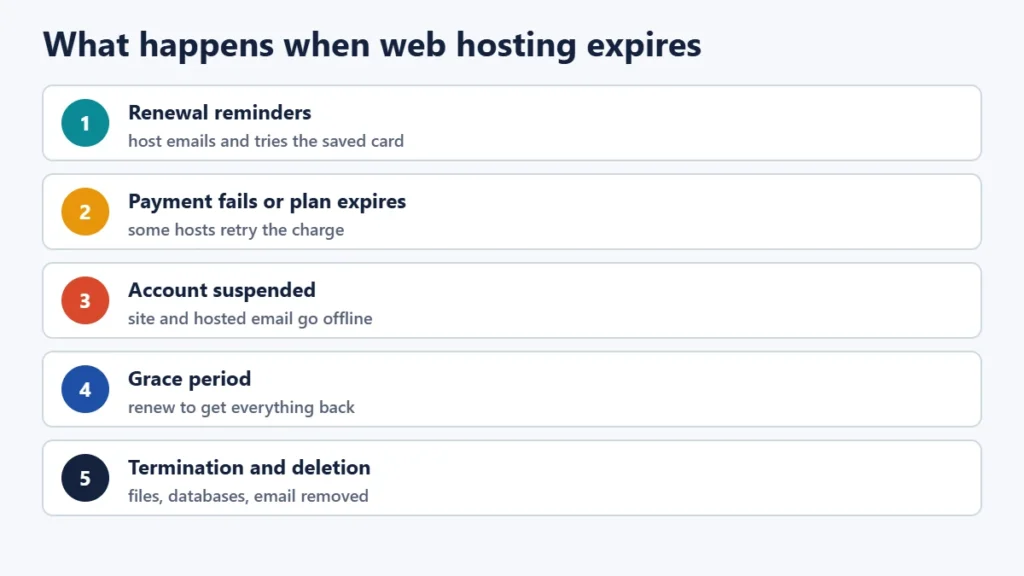
- Renewal reminders. Most hosts email before the renewal date and try to charge a saved payment method.
- Payment fails or the plan expires. Some hosts retry the charge. Namecheap, for example, says it retries auto-renewal a few days later.
- Suspension. The site goes offline. Visitors typically see a “this account has been suspended” page or an error. Hosted email stops sending and receiving.
- Grace period. You can usually renew and get everything back as it was, if you act within the host’s window.
- Termination and deletion. The account, its files, databases and email are removed. Some hosts keep backup copies for a while longer. Others don’t.
What hosts’ own policies say
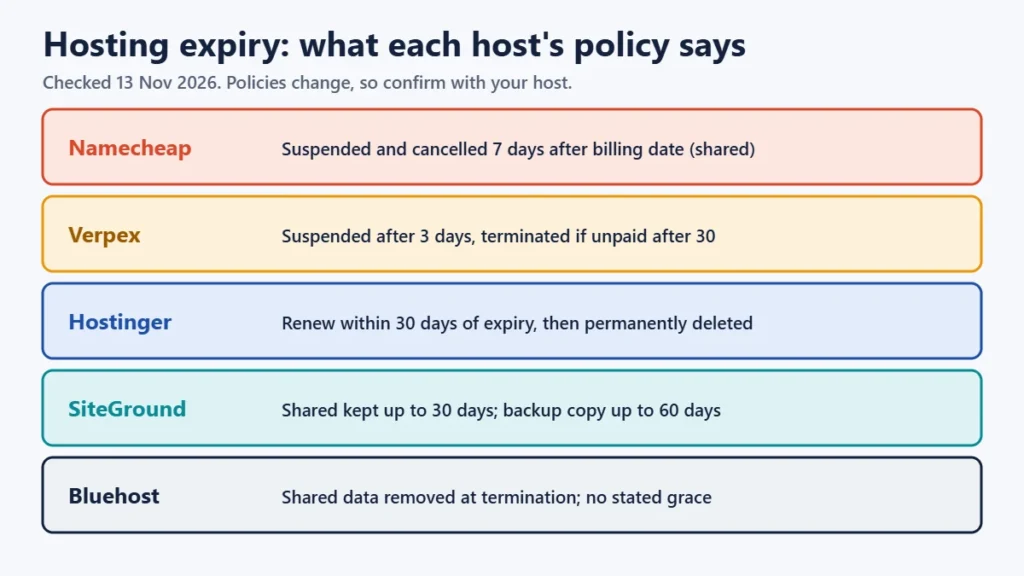
| Host | What its policy says (checked 13 Nov 2026) |
|---|---|
| Hostinger | Sites stop working when the plan expires. You can renew within 30 days of expiry. After that, the plan is permanently deleted and backups are no longer available. Backups can be requested only while the plan shows as expired, and email isn’t included in that restore. |
| Namecheap | Shared, VPS and dedicated hosting are suspended and cancelled 7 days after the billing date (23 days for reseller). Auto-renewal is retried in the meantime. |
| SiteGround | Expired shared accounts are kept for a maximum of 30 calendar days (7–14 days for cloud). After termination a backup copy may be kept for up to 60 days. |
| Bluehost | For shared hosting, data is permanently removed when the account is terminated, with no stated grace period. VPS and dedicated servers follow a restriction and suspension timeline before reclamation. |
| Verpex | Accounts are suspended 3 days after the invoice due date and terminated if still unpaid 30 days after the billing date. |
| HostGator | Suspended accounts show a suspension page. HostGator says backups won’t be given to accounts that have been suspended or terminated. |
Other large hosts didn’t publish a clear expiry timeline that we could find, so ask your host directly or check your account’s billing pages. Don’t assume a generous grace period, and don’t wait for one.
Hosting expiry vs domain expiry
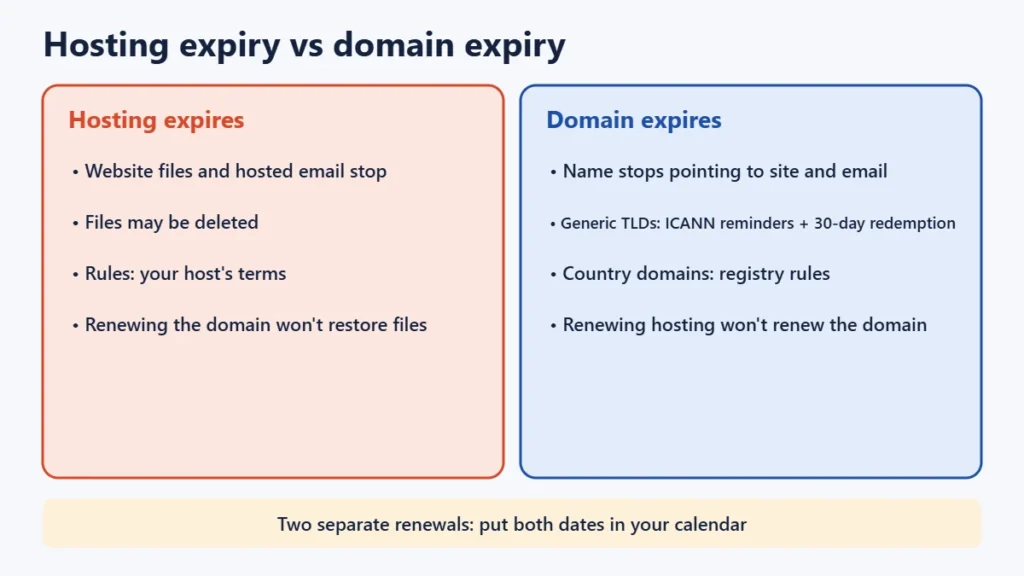
Your hosting stores the website’s files, databases and often email. Your domain is the name, such as example.com, that points visitors to it. They are often bought from the same company, but they renew separately.
| Hosting expires | Domain expires | |
|---|---|---|
| What stops | Website and hosted email; files may be deleted | The name stops pointing to your site and email |
| Rules set by | Your host’s terms | ICANN (for .com, .net etc.), the country registry (for .in etc.) and your registrar |
| Recovery window | Host-specific, sometimes none | For generic domains, ICANN rules add a redemption period after deletion |
| Renewing the other one fixes it? | No: renewing the domain won’t restore deleted files | No: renewing hosting won’t renew the domain |
For generic domains such as .com, ICANN’s Expired Registration Recovery Policy requires registrars to send reminders about a month and a week before expiry, and another within five days after. They must interrupt the domain’s DNS for at least the last eight days you can still renew, which takes the site and email offline as a warning. If the name is deleted, there is a 30-day redemption grace period to restore it, usually for a fee. Country domains follow their own registry’s rules. Our guide to registering a .in domain covers the .in timeline.
How to protect your site before it expires
- Turn on auto-renew and keep a valid payment method on file.
- Use an email address you check for billing, preferably not one hosted on the same account, so you still get reminders if the site goes down.
- Keep your own backups. In cPanel you can download a full backup, which includes your files and email. You can also download partial backups of your home directory and MySQL databases. cPanel notes you can’t restore a full backup yourself, so the host must do it, but the files are yours to keep.
- Note your renewal dates for hosting and domain in a calendar.
- Check renewal prices. Our Verpex review shows how much renewals can rise compared with the first year.
If your hosting has already expired
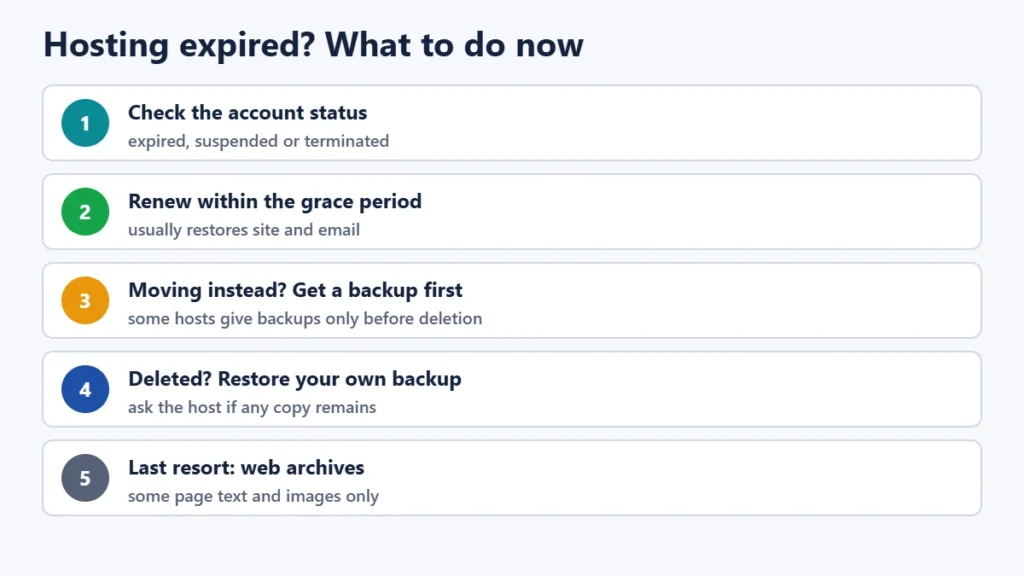
- Log in to your hosting account immediately and check its status: expired, suspended or terminated.
- Renew if you can. Within the grace period, renewing usually brings the site and email back as they were.
- If you’re moving to a new host instead, ask the current host for a backup or download one while the account still allows it. Some hosts only provide backups while the plan is expired, not after deletion. Then copy the site to the new host and test it before changing DNS.
- If the account has been deleted, restore from your own most recent backup. Ask the host whether any backup copy still exists, because some keep one for a limited time.
- Last resort: public web archives may hold copies of some pages’ text and images. They can’t restore a working site or its database.
Frequently asked questions
How long after hosting expires is my website deleted?
It depends on your host. Policies we checked range from deletion at termination with no stated grace period (Bluehost shared hosting), through 7 days (Namecheap), to about 30 days (Hostinger, SiteGround shared). Check your host’s terms.
Will my email stop working when hosting expires?
Yes, if your email is hosted on the same account. If your email is with a separate provider and only your domain points to it, hosting expiry won’t affect email, but domain expiry will.
Can I get my website back after hosting is deleted?
Only if you or your host have a backup. Some hosts keep a copy for a limited time after termination. Others don’t. That’s why keeping your own backups matters.
If I renew my domain, does my website come back?
Only if the hosting is still active. Renewing the domain restores where the name points, not files that have been deleted from expired hosting.
Does an expired SSL certificate mean my hosting expired?
Not necessarily. Certificates have their own expiry and renewal, often automatic. A security warning in the browser is a separate issue from the hosting plan.
The short version
Expired hosting takes your site and hosted email offline, and the host deletes the account after its own grace period, which can be short or not exist. Renew straight away, or download a backup before deletion. Keep your own backups, turn on auto-renew, and remember that hosting and domains renew separately. To understand plan limits before you renew, see our guide to web hosting limits.