Quick answer: Snappa is a browser-based graphic design tool for making social media posts, ads, blog images and infographics from ready-made templates, with no design experience needed. It has a free Starter plan limited to 3 downloads a month. As of October 2026, Snappa’s pricing page listed the Pro plan at $10 a month billed yearly ($15 month to month) and the Team plan for five users at $20 a month billed yearly ($30 month to month).
What Snappa is
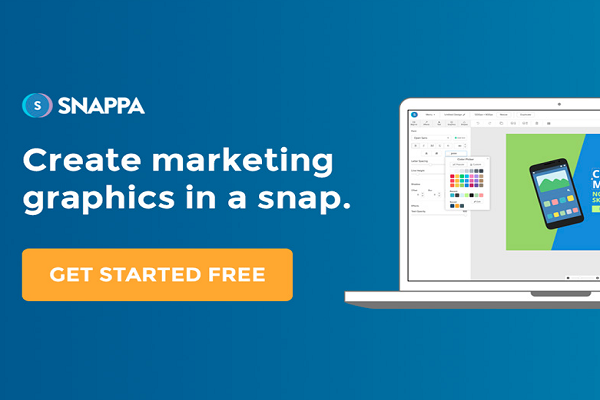
Hiring a graphic designer for every social post or blog image takes time and money, and explaining what you want can still lead to results you did not expect. Snappa is a self-serve alternative: an online design editor where you start from a template or a blank canvas sized for your platform and drag and drop photos, text and graphics into place.
Snappa runs entirely in the web browser, so there is nothing to install. It is made by Nosco Media Inc., which trades as Snappa, according to the footer of Snappa’s website, where the copyright notice dates back to 2015.
What you get
According to Snappa’s website and pricing page in October 2026:
- Templates: more than 6,000 pre-made templates.
- Stock photos: more than 5 million free, high-resolution stock photos and graphics. Our original review quoted 3 million; Snappa’s library has grown since.
- Vectors and shapes: more than 100,000.
- Fonts: more than 200, with custom font uploads on paid plans.
- Background removal: one-click background removal on paid plans.
- Sharing: share to social networks and connect Buffer to schedule posts.
Because the stock library is included, you do not need to buy separate stock images for most everyday graphics. You can also upload your own photos, or design without photos at all.
Templates and preset sizes
Snappa’s template library is organised by where the graphic will be used. In October 2026 it included:
- Social media graphics: Facebook post, Instagram post, Instagram story, LinkedIn post, Pinterest pin, X (Twitter) post and YouTube thumbnail.
- Blogging and infographics: blog image, ebook cover, infographic and Wattpad cover.
- Headers: email header, Facebook cover, LinkedIn banner, profile picture, X (Twitter) header, YouTube banner, YouTube end screen, Twitch graphics and Zoom virtual background, among others.
- Advertising: banner ads, Facebook ads and Facebook carousel ads.
Each template is pre-sized for its platform and comes preloaded with text and images you can replace. You can also set a custom size and start from scratch. Our original review listed exact pixel sizes for each format; platforms change their recommended sizes from time to time, so use Snappa’s current presets rather than fixed numbers.
Snappa pricing
These plans appeared on Snappa’s pricing page in October 2026 (prices shown in dollars):
| Plan | Price | Users | Downloads | Extras |
|---|---|---|---|---|
| Starter | Free | 1 | 3 per month | Full template, photo and graphics library |
| Pro | $10 a month billed yearly, or $15 month to month | 1 | Unlimited | Background remover, custom fonts, social media integrations |
| Team | $20 a month billed yearly, or $30 month to month | 5 | Unlimited | Everything in Pro, plus team collaboration |
Snappa says every account starts on the free plan with no credit card needed, and teams larger than five can contact Snappa for a custom arrangement. An earlier version of this article quoted $120 a year for Pro and $240 a year for Team; those match today’s yearly rates ($10 and $20 a month), but always check Snappa’s pricing page before you buy.
How Snappa works
- Choose a format from the template categories, or enter a custom size.
- Pick a template or start with a blank canvas.
- Add content: drag in stock photos, your own images, text, shapes and icons.
- Adjust: change fonts, colours and layout; remove a photo background on a paid plan.
- Download or share the finished graphic, or send it to your social accounts.
Snappa offers short explainer videos, and because everything is drag and drop, you do not need coding or design-software skills. People who have never used Adobe Illustrator or Photoshop can still produce clean social graphics. Tall graphics such as infographics are a good use of the tool, since Snappa has infographic templates ready to edit.
Pros and cons
| Pros | Cons |
|---|---|
| Very simple drag-and-drop editor; nothing to install | Free plan allows only 3 downloads a month |
| Large built-in stock photo and graphics library | Web only; Snappa’s site mentions no desktop or mobile app |
| Templates pre-sized for social media, blogs and ads | Not designed for photo retouching or complex illustration |
| Simple, flat pricing for individuals and small teams | Snappa’s website does not highlight AI design features |
Snappa vs other design tools
Snappa is best for quick, consistent social and blog graphics. To compare other template-based design tools, see our reviews of Canva and Design Wizard. For photo-led designs with AI tools, see our Fotor review. For custom vector artwork such as logos, a vector editor like Inkscape gives more control.
Frequently asked questions
Is Snappa free?
Yes. The Starter plan is free for one user and includes the template and stock library, but limits you to 3 downloads a month.
What does Snappa Pro add?
Unlimited downloads, background removal, custom font uploads and social media integrations, according to Snappa’s pricing page.
Can a team share a Snappa account?
The Team plan covers five users with team collaboration. Snappa asks larger teams to contact it for a custom arrangement.
Does Snappa have a mobile app?
Snappa’s website describes an online editor that runs in the browser and does not mention a mobile or desktop app.
Checked in October 2026 against Snappa’s website, template library and pricing page. We have not tested Snappa ourselves; prices and features change, so confirm on Snappa’s website before you subscribe.