Quick answer: For photographers in October 2026, the main photo editors are Adobe Photoshop and Lightroom (subscription), Capture One, Skylum Luminar, ON1 Photo RAW, ACDSee Photo Studio, Exposure X7, PaintShop Pro and PortraitPro (desktop software you can often buy outright), GIMP (free and open source), Photoshop Elements for beginners, and browser or app-based editors such as Canva, Fotor, Pixlr and PicMonkey. Choose by how you shoot and work: raw processing and cataloguing, detailed retouching, quick social media edits, or a tight budget.
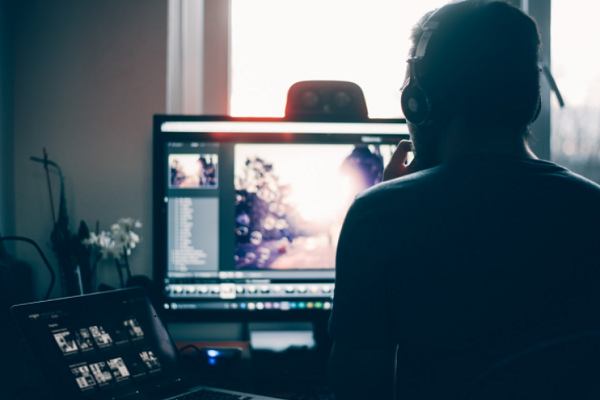
A raw file is the unprocessed data from your camera’s sensor. Editing it lets you correct exposure, white balance, noise and sharpness, recover highlights and shadows, and bring out the subject before you export a finished JPEG. Most photographers use two kinds of tools: a raw developer and organiser for the bulk of their work, and a layer-based editor for detailed retouching and compositing.
We first published this list as “19 Best Photo Editing Software for Photographers” in 2020. When we checked every product again in October 2026, one (Aurora HDR) could no longer be confirmed as a product on sale, and three turned out to be graphic design or vector tools rather than photo editors. The list below keeps the 15 that are still sold as photo editors; the others are explained further down.
How to choose photo editing software
- Raw workflow or single images? If you shoot raw and edit hundreds of photos at a time, you need a raw developer with a catalogue: Lightroom, Capture One, ON1 Photo RAW, ACDSee, Exposure or Luminar. For compositing and pixel-level retouching, add a layer editor such as Photoshop, PaintShop Pro or GIMP.
- Subscription or one-time licence. Adobe sells Photoshop and Lightroom only by subscription. ON1, Luminar, PortraitPro, PaintShop Pro and Exposure X7 can be bought outright, sometimes with optional upgrade plans. Photoshop Elements is now a three-year licence.
- Camera support. Check that the software reads raw files from your camera model before you buy. New cameras often need a recent version.
- Platform. PaintShop Pro is Windows only. Browser editors (Canva, Pixlr, Fotor, PicMonkey) work anywhere but rely on an internet connection and the vendor’s cloud.
- Your computer. AI features such as denoising and generative fill can need a modern graphics card and plenty of memory. Read the system requirements and use the free trial.
- Specialist jobs. Portrait retouchers save time with PortraitPro; studio photographers who shoot tethered (camera connected to a computer) often choose Capture One.
Photo editing software compared
| Software | Best for | Pricing model (Oct 2026) | Platform |
|---|---|---|---|
| Adobe Photoshop | Retouching, compositing, generative AI edits | Subscription only | Windows, macOS, web, mobile |
| PaintShop Pro | Windows users avoiding subscriptions | Subscription-free licence; 30-day trial | Windows |
| Skylum Luminar | AI-assisted landscape and portrait edits | Lifetime licence; optional subscription | Windows, macOS, mobile |
| Adobe Lightroom | Raw editing with a synced cloud library | Subscription; free mobile app | Windows, macOS, web, mobile |
| Canva | Quick edits and social media designs | Free; paid plans | Browser, mobile |
| PicMonkey | Touch-ups and branded social graphics | Subscription; free trial | Browser, iOS |
| Capture One | Professional raw processing and tethered shooting | Paid; free trial | Mac, Windows, mobile |
| ACDSee Photo Studio Ultimate | Windows users wanting editing plus asset management | Licence or ACDSee 365 subscription; free trial | Windows |
| ON1 Photo RAW | A Lightroom alternative you can own | One-time purchase or subscription | Windows, macOS |
| Pixlr | Layered editing in a browser | Free with ads; paid plans | Browser, mobile |
| GIMP | Free, open-source layered editing | Free | Windows, macOS, Linux |
| Exposure X7 | Film looks and creative presets | Paid; free trial | Windows, macOS; Photoshop/Lightroom plug-in |
| Adobe Photoshop Elements | Beginners and family photos | Three-year licence | Desktop |
| PortraitPro | Fast portrait retouching | One-time purchase per version; free trial | Windows, macOS |
| Fotor | Easy edits, collages and AI tools | Free Basic plan; paid plans | Browser, Windows, Mac, mobile |
The 15 photo editors in detail
1. Adobe Photoshop
Photoshop is still the industry-standard layer-based editor for retouching and compositing, with strong selection and masking tools, adjustment layers and support for raw files through Adobe Camera Raw. In October 2026 the current desktop line is version 27, which adds Firefly-powered generative tools such as Generative Fill, Generative Expand and Harmonize. It runs on desktop, the web and mobile, and it is sold only by subscription; many photographers choose Adobe’s Photography plan, which bundles Photoshop with Lightroom. Our Adobe Photoshop review lists current plans and prices.
2. Corel PaintShop Pro
PaintShop Pro is Corel’s subscription-free photo editor for Windows (Windows 10 or 11, 64-bit), sold in standard and Ultimate editions with a 30-day free trial and a 30-day money-back guarantee, according to its website. It combines photo correction and retouching with graphic design tools, and it remains a common Photoshop alternative for people who prefer to buy software outright. The original article listed “PaintShop Pro 2020”; check Corel’s site for the current version and what the Ultimate edition adds.
3. Skylum Luminar
Luminar is an AI-focused editor for Windows and macOS with a companion mobile app. The Luminar 4 we described in 2020 was followed by Luminar AI and then Luminar Neo, and in 2026 Skylum dropped the “Neo” name, so the product is simply called Luminar. Its Mac App Store listing describes AI sky replacement, generative erase and expand, portrait tools, and HDR merge, panorama stitching and focus stacking. Luminar is sold as a lifetime licence with an optional subscription for upgrades. See our Skylum Luminar review for the full history.
4. Adobe Lightroom
Lightroom is Adobe’s raw editor and organiser. The cloud-based Lightroom works the same on desktop, web and mobile and syncs your library across devices; Lightroom Classic is the older desktop-only app that many professionals still use, and Adobe’s Lightroom plan includes both. Edits are non-destructive, and tools include adaptive presets, Denoise, Lens Blur and Generative Remove. The mobile app is free to download, with premium features unlocked by a plan. Our Adobe Lightroom review explains the two versions and current plans.
5. Canva
Canva is a design platform first, but its free online photo editor lets you crop, adjust and enhance images, apply filters and effects, blur backgrounds and add text and graphics, with a background remover and AI image tools in its wider toolset. It runs in a browser and as a mobile app. It suits quick edits for social media and marketing rather than raw processing.
6. PicMonkey
PicMonkey, now owned by Shutterstock (the publisher of its App Store app), offers a browser-based photo editor, touch-up tools, collages, thousands of templates and Shutterstock stock images and video. It is subscription-based with a free trial. Like Canva, it is best for easy touch-ups and branded graphics rather than professional raw work.
7. Capture One
Capture One was originally developed by the camera maker Phase One and is now published by Capture One A/S. It is a professional raw editor known for colour accuracy, assisted masking that detects the subject or background, and what Capture One calls best-in-class tethering, where images appear on the computer as soon as you take them. It runs on Mac and Windows and as a mobile app, with a free trial. It suits studio, commercial and fashion photographers in particular.
8. ACDSee Photo Studio Ultimate
ACDSee Photo Studio Ultimate combines layered editing, raw editing and digital asset management (organising and searching large photo libraries) in one Windows program; Mac users have a separate Photo Studio for Mac. The 2027 version adds generative AI tools, AI Face Edit for adjusting facial features with sliders, and AI-based image grouping and search, according to ACDSee’s site. It is sold as a licence or through the ACDSee 365 subscription, with free trials.
9. ON1 Photo RAW
ON1 Photo RAW combines a photo browser and organiser, a raw developer, layers and effects for Windows and macOS. ON1 releases a numbered version every year: in October 2026 Photo RAW 2026 is current and Photo RAW 2027 is on pre-order. You can buy it as a one-time purchase or subscribe to the MAX plan, which makes it a popular choice for photographers leaving Adobe’s subscriptions. Read our ON1 Photo RAW review for editions and prices.
10. Pixlr
Pixlr is a family of browser-based editors from Pixlr Pte Ltd. Pixlr Editor gives you a layered, Photoshop-style workspace with masks, and Pixlr Express handles quick AI-assisted fixes, with mobile apps for iPhone and Android. The old Flash-based Pixlr Editor of 2020 no longer exists. Pixlr can be used for free with ads; paid Plus, Premium and Ultra plans remove ads and add AI credits.
11. GIMP
GIMP (GNU Image Manipulation Program) is a free, open-source image editor for Linux, macOS and Windows. You can change its source code and distribute your changes, and it supports scripting in languages including C, C++, Python and Scheme, with a large range of community plug-ins. Version 3.2.6 was the current download in October 2026. It suits photographers on a zero budget who are willing to learn a different interface from Photoshop.
12. Exposure X7
The original article listed “Alien Skin Exposure X4”. The product is now sold as Exposure X7 by Exposure Software. It works as a standalone editor and organiser and as a plug-in for Photoshop and Lightroom, and it is known for its library of realistic film simulations and creative presets, with masking and effect layers. It runs on Windows 10 or 11 (64-bit) and macOS, and a free trial is available.
13. Adobe Photoshop Elements
Photoshop Elements is Adobe’s simpler editor for beginners and family photos. The current version is Photoshop Elements 2027, and it is no longer a perpetual licence: Adobe says the licence is non-renewing and expires three years after redemption, although you keep access to your media catalogue in the Elements Organizer. Adobe lists AI and automation features such as background replacement, generative expansion, Generative Upscale and an AI Assistant (beta), with 25 generative credits a month. The original article named Auto Curate and “Open Closed Eyes”; Adobe’s current product page does not mention them.
14. PortraitPro
PortraitPro, from Anthropics, is built only for portrait retouching. It detects faces and features automatically and lets you adjust skin, eyes, mouth, face shape, hair and lighting with sliders. Version 24 is current, sold in three editions for Windows and Mac; raw files need the Studio or Studio Max edition, and automatic batch processing needs Studio Max. A free trial is available. The original article called it “undoubtedly one of the best”; it is a specialist tool, best used alongside a general editor.
15. Fotor
Fotor, made by Everimaging, is an easy photo editor, collage maker and design tool for the web, Windows, Mac, iPhone and Android. It covers enhancement, retouching, background and object removal, batch editing and a growing set of AI image tools. A free Basic plan has limits, and paid Pro, Pro+ and Max plans add AI credits and storage. It suits beginners and casual photographers more than raw-focused professionals.
Removed since our earlier version
- Skylum Aurora HDR: Skylum’s website blocked our checks, the only Skylum app now listed on Apple’s Mac App Store is Luminar, and we found no official page selling Aurora HDR today. Luminar’s current Mac App Store listing includes HDR merge, so Luminar users can create HDR images there. If you own Aurora HDR, check Skylum’s support site for its status before relying on updates.
- Snappa: still available, but it is a template-based graphic design tool for social media images rather than a photo editor. See our Snappa review.
- Design Wizard: still available, but it is an online design tool with templates and licensed stock images and videos, not a photo editor.
- Inkscape: still free and open source, but it is a vector graphics editor (SVG) for illustration, logos and diagrams, as the original article noted. It can import bitmap images such as JPEG and PNG, but it does not edit photos in the way the tools above do.
Frequently asked questions
What is the best free photo editing software?
GIMP is the most complete free desktop editor, with layers, masks and plug-ins. For quick online edits, Canva, Pixlr and Fotor have free tiers with limits, and Adobe’s Lightroom mobile app can be used without a subscription.
Can I buy Photoshop or Lightroom outright?
No. Adobe sells Photoshop and Lightroom only by subscription. If you want to own a licence, look at ON1 Photo RAW, Luminar, PaintShop Pro, PortraitPro or Exposure X7. Photoshop Elements is now sold as a three-year licence rather than a permanent one.
Do I need both Lightroom and Photoshop?
Many photographers use both: Lightroom (or another raw editor) for sorting and developing large batches, and Photoshop for detailed retouching and compositing on selected images. Beginners can usually start with one tool.
Is a phone app enough for photo editing?
For social media and casual photos, often yes. For raw files from a dedicated camera, printing or client work, a desktop raw editor gives more control over colour, noise and detail.
What is the difference between a photo editor and a graphic design tool?
A photo editor improves the image itself: exposure, colour, retouching and compositing. A graphic design tool such as Snappa or Design Wizard places images, text and graphics into templates for posts, ads and banners.
Product details were checked in October 2026 against each vendor’s official website and product pages, Apple’s App Store listings, GIMP’s and Inkscape’s project pages, and our own refreshed reviews of individual products. Features, versions and prices change often, so confirm details with the vendor before you buy.