Quick answer: ON1 Photo RAW is a raw photo editor and organiser for Windows and macOS that you can buy outright or by subscription, which makes it a popular alternative to Adobe Lightroom. As of October 2026, ON1 Photo RAW 2026 is the current version and Photo RAW 2027 is on pre-order. ON1’s product page listed Photo RAW 2027 at US$99.99 and Photo RAW MAX 2027 at US$169.99 as one-time purchases, or MAX by subscription at US$89.99 a year.
What ON1 Photo RAW is
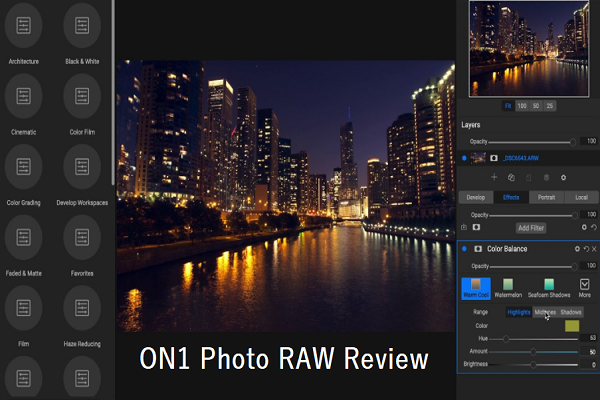
ON1 Photo RAW, made by ON1, combines a photo browser and organiser, a raw developer, layers and effects in one program. Like Skylum Luminar, it is aimed at photographers who want a serious alternative to Adobe Lightroom and who might otherwise need Photoshop for layered edits.
ON1 releases a new numbered version each year. When we first reviewed it, the current version was ON1 Photo RAW 2020. In October 2026, ON1’s site sells ON1 Photo RAW 2026 and takes pre-orders for ON1 Photo RAW 2027, due in autumn 2026.
Editions and pricing
ON1 says it believes in perpetual licences with no forced subscriptions, and it sells Photo RAW both ways. These are the options listed on ON1’s Photo RAW product page in October 2026 (US dollars):
| Option | How you pay | Price shown | Computers |
|---|---|---|---|
| ON1 Photo RAW 2027 | One-time purchase (pre-order) | US$99.99 | 2 |
| ON1 Photo RAW MAX 2027 | One-time purchase (pre-order) | US$169.99 | 3 |
| ON1 Photo RAW MAX subscription | Yearly; includes annual upgrades and 200 GB cloud sync | US$89.99 a year | 3 |
| ON1 Photo Studio subscription | Yearly; includes MAX and 1 TB cloud sync | US$179.99 a year | 5 |
The one-time purchase of Photo RAW 2027 includes the 2026 version and updates to the 2027 version, but not later major versions. The MAX edition adds features such as plug-in use inside Photoshop and Lightroom, Restore AI and the AI Culling Assistant. ON1 offers a 30-day money-back guarantee and a free trial.
The prices above were pre-order prices shown against higher list prices, and they change often. An earlier version of this article said ON1 Photo RAW could be installed on up to five computers with a 90-day money-back guarantee. In October 2026, ON1 listed two to five computers depending on the option and a 30-day guarantee. Check ON1’s site for current terms.
AI features in the current version
ON1’s product page documents these AI tools in Photo RAW as of October 2026:
- NoNoise AI: noise reduction that aims to keep detail.
- Tack Sharp AI: deblurring and sharpening.
- Resize AI: enlarging photos while recovering detail.
- Brilliance AI: automatic exposure, colour and tone adjustments.
- Super Select AI: click-to-select masking, plus subject, background and AI depth masks.
- Generative Erase and Generative Crop & Expand for removing objects and extending the frame.
- Sky Swap AI and AI Adaptive Presets.
- Restore AI (MAX only): cloud-based restoration of old photos.
- AI Culling Assistant (MAX, version 2027): finds similar shots and flags out-of-focus frames and closed eyes.
What was new in ON1 Photo RAW 2020
Our original review covered the 2020 release. ON1 promoted these additions at the time, which are kept here as history: faster performance, AI-based colour and tone adjustments, a new mobile app with ON1 Sync, an edit history (“go back in time”), new styles and looks, sky and weather effects (snow, rain and fog), custom colour profiles, colour-range shifting, eye sharpening, and better portfolio and print options.
Interface and organising
The 2020 release simplified ON1’s interface. Earlier versions split Effects, Develop and Layers into separate modules and had to save files when you switched between them. ON1 then moved to two main areas: Browse for organising and Develop, where adjustments, effects and layers live together.
The layout resembles Lightroom, with panels on the left and right and an optional filmstrip. In Browse, you see albums, folders and filters on one side and file information, metadata and keywords on the other. Our original review found ON1 stronger than Luminar at metadata: you can create metadata presets, view EXIF data and manage a keyword list to fix misspelled keywords.
Key editing features
Panorama, HDR and focus stacking
ON1 Photo RAW can merge photos into panoramas, HDR images and focus stacks. An earlier version of this article said Capture One and Luminar had no panorama or HDR tools and Lightroom had no focus stacking. That comparison is out of date: Lightroom now merges panoramas, and Skylum’s current Luminar lists panorama stitching, HDR merge and focus stacking.
Portrait tools
ON1’s portrait tools find faces automatically and create a separate mask and adjustment panel for each face, so you can adjust skin, eyes and mouth individually.
Layers and text
ON1 supports layered editing within its non-destructive workflow and can save layered results as Photoshop files. You can also add text to images on its own layer, much as in Photoshop.
Retouching and local adjustments
Other tools include Clone Stamp, Healing Brush, Erase, masking with Refine Edge, local adjustments, and Transform with keystone correction.
Who ON1 Photo RAW suits
- Good fit: photographers who want Lightroom-style organising and raw editing plus layers in one app, and who prefer a one-time licence.
- Consider alternatives: if you need advanced selections and compositing, Photoshop is still stronger. For another professional raw editor, see our Capture One review, and our list of photo editing software compares more options.
Frequently asked questions
Is ON1 Photo RAW a one-time purchase?
It can be. ON1 sells perpetual licences for Photo RAW and Photo RAW MAX, and also offers yearly subscriptions that include annual upgrades and cloud sync.
Does ON1 Photo RAW work as a Lightroom or Photoshop plug-in?
According to ON1’s product page, the MAX edition works as a plug-in inside Adobe Photoshop and Lightroom and other editors. The standard Photo RAW edition does not include plug-in use.
Which platforms does ON1 Photo RAW support?
The desktop app runs on Windows and macOS. ON1 also offers a Photo RAW for Mobile app with cloud sync.
Is there a free trial?
Yes. ON1 offers a free trial download, and purchases come with a 30-day money-back guarantee.
Checked in October 2026 against ON1’s Photo RAW product page and store page, Adobe’s Lightroom feature page and Skylum’s App Store listing for Luminar. We have not tested ON1 Photo RAW ourselves; prices change often, so confirm on ON1’s website before you buy.