


What according to you is the best antivirus? It is definitely the one that is simplest to use. If the user is not able to navigate through the pages of the antivirus software and reap benefits of its features, what’s the use?
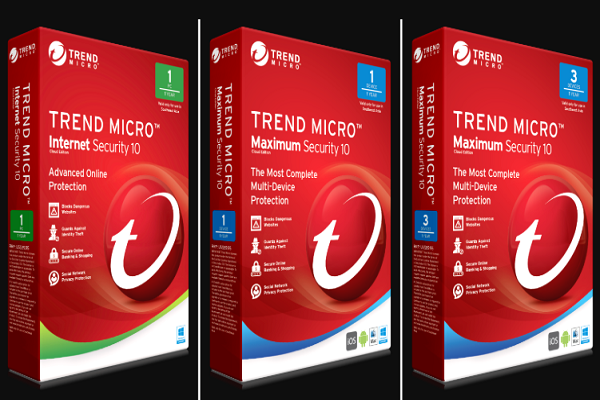
With regards to this aspect of user-friendliness, Trend Maximum Security has nailed it with the easiest navigation that users have ever come across.
Trend Micro Antivirus Plus Security 2023
The dashboard of Trend Maximum Security is easy and straightforward. You will find a large sized scan circle in the middle of the screen that will change its color according to the status of your computer.
As soon as you click on this circle, this will initiate a quick scan. Clicking on the right arrow that faces downward, you will get the choice of full, quick and custom scans. On top of this circle, you will find 4 categories of security called Device, Privacy, Data and Family.
Expert Review of Trend Micro Antivirus
The technology for malware protection of Trend Micro is extremely advanced. The internet security mechanism utilizes Artificial Intelligence to keep determining the behavior of your computer. Based on what is analyzes, the program can block and detect any file that seems to be suspicious to it.
Trend Micro also boasts of having some of the best privacy protection features that most other competitors lack. Though the support and pricing options of a computer can often be considered as confusing, the program is user-friendly and east to install.
Security Features of Trend Micro
As mentioned above, Trend Micro is an antivirus solution that leverages artificial intelligence technology to analyze whether or not a computer is behaving normally.
It defines any suspicious activity and blocks all unusual activity that is based on this study. It helps in detecting and abolishing any malware that can otherwise be hidden in other normal files.
Trend Micro’s initial total scan of your computer will take around 88 minutes. It is also surprising to note that the other full scans by this antivirus takes almost the same time and this means that they don’t utilize file caching to mark scanned files as safe. There are other antiviruses like Bitdefender and Norton that use such file caching and hence the scans are accelerated.
Users are of the opinion that their PC went slower while the scan was running and hence this can’t be termed as lightweight as Avira’s antivirus solution that consumes small amount of CPU power.
Overall, it can be said that the malware scanner of Trend Micro is user-friendly, is effective in safeguarding your computer from viruses, phishing, ransomware, spam and all other types of cyber threats.
Privacy Tools of Trend Micro
As and when you open the Privacy tab of Trend Micro, you will come across different tools that are best for maintaining your safe identity while you work online. Here are the few privacy features.
- Privacy Scanner will monitor your computer’s activity while you check out the social media sites to ensure your privacy settings are optimized. It will ensure that you only share information with the friends of your choice. If you use social networking sites or you have young children, this tool helps a lot.
- Social Networking Protection will alert you when you mistakenly click on a ‘risky’ link while you access your social networking websites.
- PayGuard secures your payment details while banking and shopping online.
- Data Theft Prevention lets you safeguard the most vital details.
In case Trend Micro is able to detect the accurate sequence of words or characters that are being emailed or copied from your computer, it will block the connection automatically.
Digital File Shredder – Secure Ease
There are several files that contain different types of sensitive information that you keep for official purposes but there are times when you wish to delete them. Just deleting them doesn’t actually remove the files from your computer totally. In case a hacker enters your computer, he could still restore those details and manipulate your sensitive information.
Such users will find Secure Erase, the digital file shredder of Trend Micro to be an incredible job for completely erasing the deleted files from your computer. Right-click on the folder that you wish to delete and choose ‘Delete with Secure Erase’ from the drop-down menu to completely erase the file.
Parental Controls by Trend Micro
Trend Micro is an antivirus solution that offers the best parental controls through which you can choose the websites that your children can visit. You can also set limits on the time through which your kids can continue with their online browsing.
You have to set the URLs of the websites that your child is allowed based on their ages. The software also gives you an option to adjust and tweak the permissions on a manual basis.
For each day of the week, you can set the exact browsing times for your kids. For instance, you can allow them to surf the internet on Mondays, Wednesdays and Fridays, right from 8pm to 9pm.
Parents will also love the fact that it allows you to set the total number of hours that children can spend online on weekends and weekdays.
Families with teens and older children (who are usually disobedient) will find this effective. This is much less restrictive an option than selecting the hours when browsing is allowed.
Mute Mode from Trend Micro
If you don’t wish to be disturbed with the notifications from Trend Micro, you can opt for the Mute Mode. You can turn this on for around 24 hours while you’re watching web series or doing some important work. Non-important notifs can be stopped during that time but your PC will be totally protected.
You are given the chance to select programs that will quit automatically when you’re on the Mute Mode. In case you’re into gaming, the backup programs may be asked to slow down. The software also asks you about the time when you want to activate this mode. You may even switch to Mute Mode when the PC is in full-screen mode.
So, it can be concluded by saying that Trend Micro is a rather powerful antivirus that has been touted to be trustworthy and reputable in protecting your PC from all sorts of cyber threats.
