Disclosure: this review contains affiliate links (the “Get Perfmatters” buttons). If you buy through one, eDefines may earn a commission at no extra cost to you. It does not change what we say about Perfmatters, including its limits.
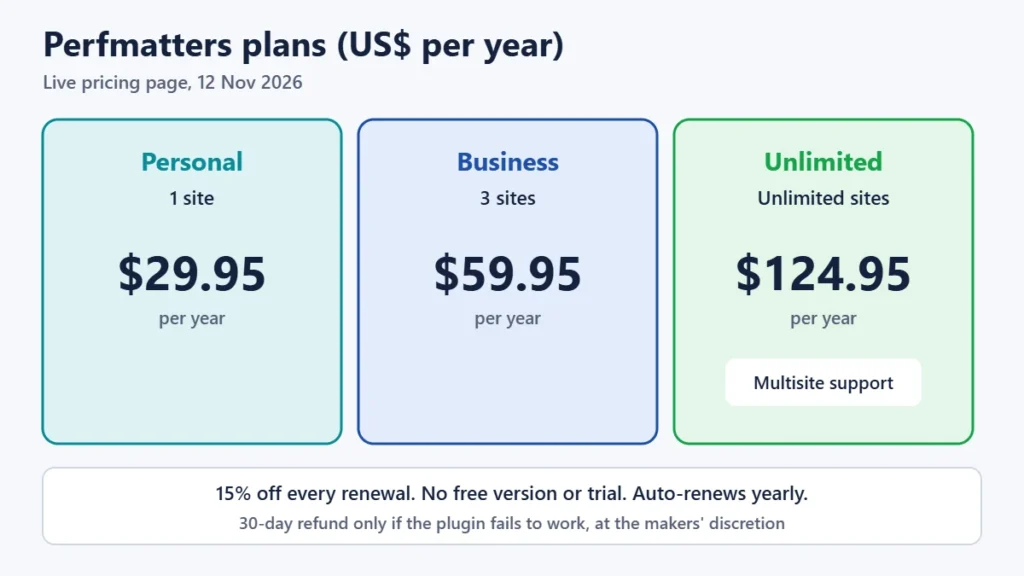
Perfmatters is a lightweight, paid WordPress plugin that speeds up sites by removing what they don’t need. It turns off unused WordPress features, stops scripts from loading on pages that don’t use them, removes unused CSS, delays JavaScript and lazy loads images. It costs $29.95 a year for one site, $59.95 for three and $124.95 for unlimited sites, with 15% off renewals. The one thing to understand before buying is that Perfmatters does not cache pages. It is built to run alongside a caching plugin or your host’s server cache, not to replace them. Perfmatters suits site owners who already have caching and want precise control over what loads. It is less suited to beginners looking for a single, set-and-forget speed plugin.
We have not installed Perfmatters or measured its effect on page speed. This review is based on Perfmatters’ pricing page, documentation, changelog, terms and refund policy. We checked the pricing and changelog on the live site on 12 November 2026, and read the other pages in archived copies from early November 2026. Prices are in US dollars.
Perfmatters in brief
- Price: $29.95, $59.95 or $124.95 a year for 1, 3 or unlimited sites. Renewals are 15% cheaper. Multisite needs the unlimited plan.
- No caching: pair it with a caching plugin or your host’s cache.
- No free version or trial. A 30-day refund is available, but only under conditions.
- Standout feature: the Script Manager, which turns off individual plugin scripts and styles on pages that don’t need them.
- Licence: renewing keeps updates and support. Without a licence, updates fail.
- Requirements: PHP 8.1 or later since version 2.6.0.
Get Perfmatters (check current plans)
How we reviewed Perfmatters
We read Perfmatters’ pricing page and changelog on the live site, and its feature documentation, compatibility notes, terms and refund policy in archived copies from 2 to 4 November 2026. The live site blocks automated requests. We also looked for independent speed tests and explain below why we don’t rely on any. We didn’t run the plugin, so we report no speed results of our own.
What Perfmatters is, and who makes it
Perfmatters is made by brothers Brian Jackson, a former marketing head at the managed host Kinsta, and Brett Jackson. They sell it through their company, forgemedia LLC. Version 1.0 was released in June 2017. The makers say they have been self-funded and independent since then and that the plugin is “trusted by 185,000+ websites”, which is their own figure. The plugin is sold only on perfmatters.io and isn’t listed on WordPress.org.
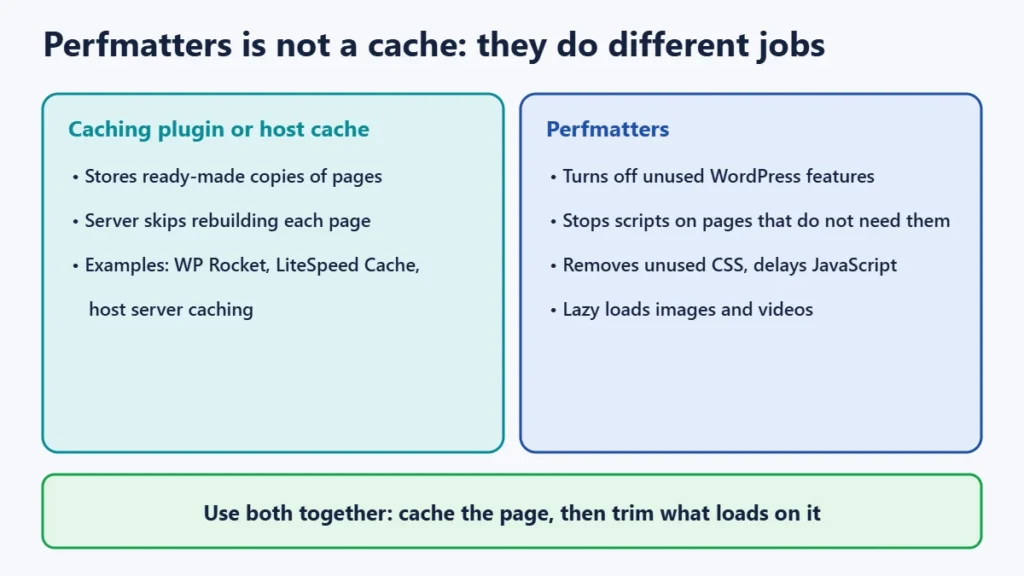
A typical WordPress site loads more than it needs on every page: emoji scripts, embed code, contact form scripts on pages without a form, unused theme CSS. Perfmatters removes that load. That is a different job from caching, which stores ready-made copies of pages so the server doesn’t rebuild them for each visitor. For most sites both help, and they work best together.
Perfmatters pricing
| Plan | Websites | Price per year | Multisite |
|---|---|---|---|
| Personal | 1 | $29.95 | No |
| Business | 3 | $59.95 | No |
| Unlimited | Unlimited | $124.95 | Yes |
Each plan includes a year of updates and support, renews automatically, and gets 15% off at renewal. You can upgrade at any time with the price prorated. Staging and local development sites don’t use up an activation. On 12 November 2026 the site showed a banner offering an extra 10% off with the code PERFMATTERS, and no Black Friday sale. If you pay from India with an Indian card, your bank may add a foreign-currency fee.
Licence, renewal and refunds
- Renewal keeps updates and support. Perfmatters says renewal is needed “to continue receiving support and updates”. With an expired licence, updates fail with an “Unauthorized” error. We found no official statement on whether the plugin’s features keep working after expiry, so don’t count on it, and keep it updated.
- The 30-day money-back guarantee has conditions. The refund policy grants refunds within 30 days “at our sole discretion”, and only if the plugin can’t be installed or can’t perform its basic functions after you have worked with support. Conflicts caused by other plugins or themes don’t qualify, and renewals and upgrades are excluded. It is not a no-questions-asked guarantee.
- No free version or trial. Perfmatters is premium-only. Read the documentation before buying to check that it covers what you need.
Features, explained in plain terms
Turn off WordPress features you don’t use
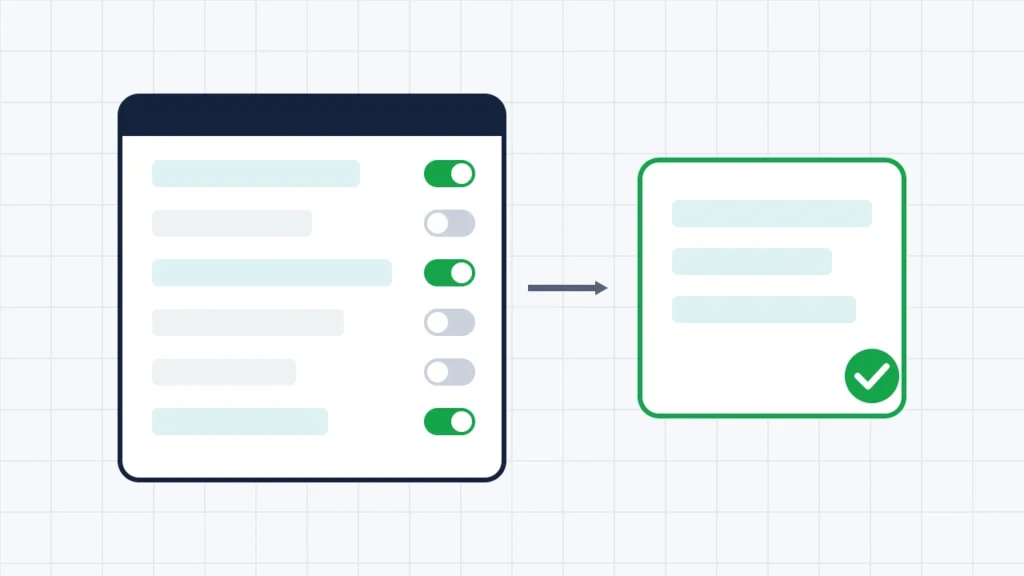
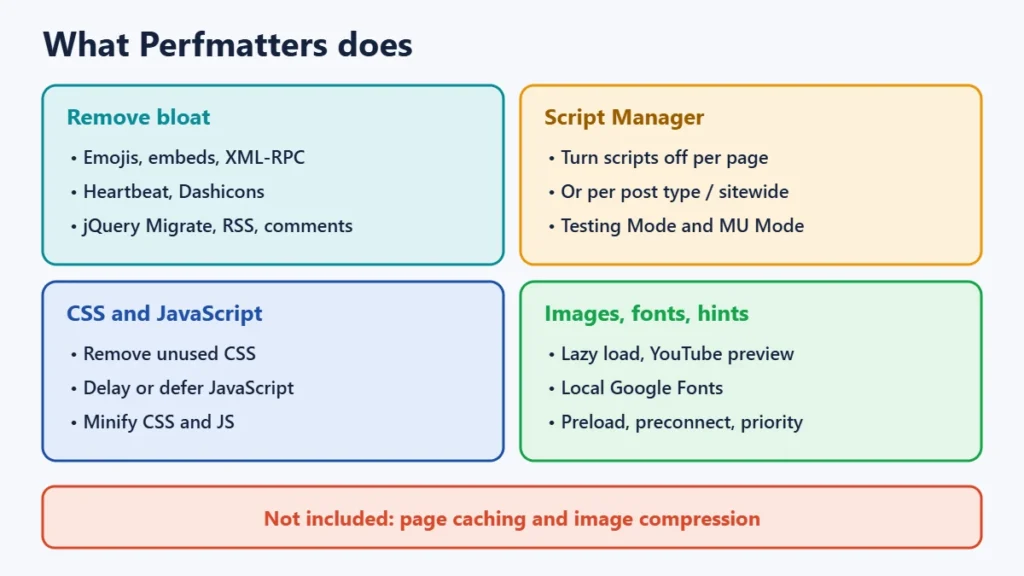
The main settings screen is a list of on-off switches for things such as emojis, embeds, XML-RPC, the Heartbeat API, Dashicons on the front end, jQuery Migrate, RSS feeds and comments. Each switch is simple, but you have to know whether your site uses the feature. Turning off XML-RPC, for example, can break apps that post to WordPress remotely.
The Script Manager
This is the feature Perfmatters is best known for. It shows every script and stylesheet loading on a page and lets you turn them off per page, per post type or sitewide, with exceptions. A common example is stopping a contact form plugin’s files loading everywhere except the contact page. It is powerful, but you can break a page if you disable something it needs. Testing Mode lets only logged-in admins see your changes while you check them, and MU Mode can stop whole plugins from loading on chosen pages.
CSS and JavaScript
Perfmatters can remove unused CSS, keeping only the styles each page uses, and can delay JavaScript until a visitor interacts with the page, defer scripts and minify CSS and JavaScript files. Delaying scripts often improves speed scores but can make menus, sliders or chat widgets load late. Scripts can be excluded when that happens.
Images, fonts and loading hints
It lazy loads images, iframes and videos, can swap YouTube embeds for a lightweight preview image, and can host Google Fonts on your own server. It can also add preload, preconnect and fetch-priority hints so the browser fetches important files sooner. More recent versions add Speculative Loading and Early Hints, which can load the next page sooner. Perfmatters does not compress or convert images.
Other tools
Other tools include a CDN URL rewrite, database cleanup, a custom login URL, WooCommerce-specific switches, a code snippet manager, local Google Analytics hosting, WP-CLI commands and multisite support on the unlimited plan.
Compatibility: what to pair it with
- Use a caching plugin or host cache alongside it. Perfmatters’ docs name WP Rocket, WP Fastest Cache and Super Page Cache, as well as hosts’ own server caching, and say it supports all caching plugins.
- Don’t switch on the same feature twice. If your caching plugin also delays JavaScript or removes unused CSS, turn the feature on in only one plugin. For LiteSpeed Cache, Perfmatters’ docs say to turn off LiteSpeed’s Guest Mode and Guest Optimization.
- FlyingPress is a special case. FlyingPress, a speed plugin that includes caching, says to run it as your only optimisation plugin and automatically turns off overlapping Perfmatters features. Our FlyingPress review explains that approach.
- PHP 8.1 or later has been required since version 2.6.0 (March 2026). Most hosts let you change the PHP version in the control panel.
Updates and support
The changelog shows about one release a month: 14 in 2026 so far, the latest being 2.6.9 on 6 October 2026, which included security fixes. Support is handled directly by the developers through a ticket or contact form. No response time is promised beyond “ASAP”.
Does Perfmatters make sites faster?
It can, but how much depends entirely on your site. A site with many plugins loading files on every page usually has more to gain than a lean one. We found no independent, controlled benchmark that tested Perfmatters on the same site with a published method. Most published “tests” come from affiliate reviews. Any speed figures on Perfmatters’ own site are the makers’ claims. The only measurement that counts is yours: run Google PageSpeed Insights on your key pages before and after, and keep an eye on Core Web Vitals in Search Console. Use the refund window to judge real results, remembering its conditions.
Pros and cons
| Pros | Cons |
|---|---|
| Low price from $29.95 a year, with 15% off renewals | No page caching; you still need a cache |
| Script Manager gives per-page control of scripts and styles | No free version or trial |
| Lightweight; you switch on only what you use | Refund only if the plugin fails, at the makers’ discretion |
| Works alongside most caching plugins and hosts | Script-level settings can break pages if misused |
| Regular updates, support directly from the developers | Needs PHP 8.1+; multisite only on the unlimited plan |
Is Perfmatters worth it?
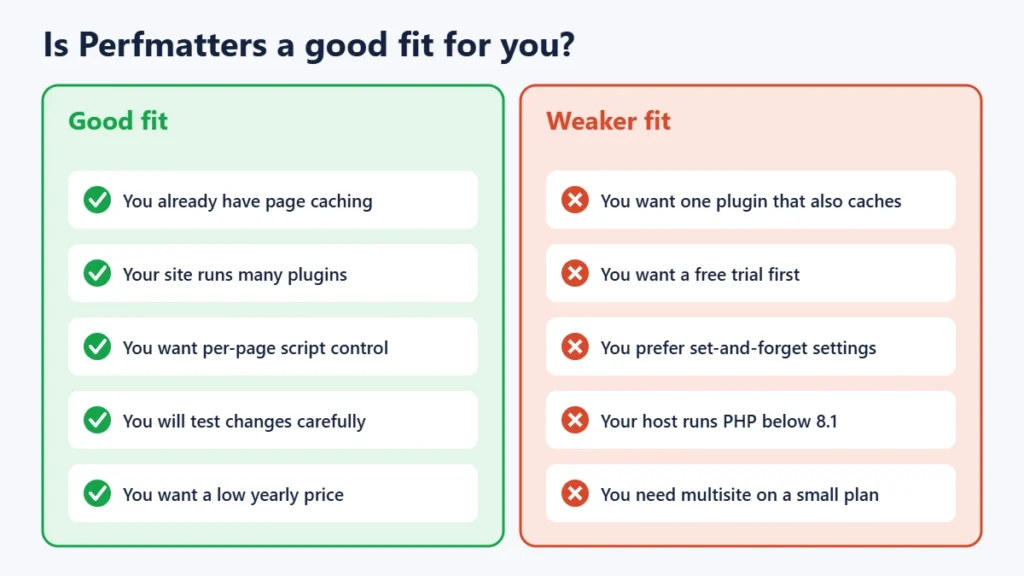
- Worth it if you already have caching (from your host or a plugin), your site runs many plugins, and you are willing to test changes page by page. For $29.95 a year, the Script Manager alone can be worth the price on plugin-heavy sites.
- Less suited if you want a single plugin that also caches pages. In that case look at an all-in-one plugin instead. It is also less suited if you’d rather not touch settings that can break things.
For a hosting comparison, see our Verpex review and our Black Friday hosting deals. To understand which pages bring in traffic before optimising them, our Semrush review explains when a paid SEO tool is worth it.
Frequently asked questions
Is Perfmatters a caching plugin?
No. Perfmatters does not cache pages. It removes unnecessary scripts, styles and WordPress features and is designed to run alongside a caching plugin or your host’s cache.
How much does Perfmatters cost?
$29.95 a year for one site, $59.95 for three and $124.95 for unlimited sites, as listed on 12 November 2026. Renewals get 15% off automatically.
Is there a free version of Perfmatters?
No. Perfmatters is premium-only and has no free trial. It offers a conditional 30-day refund.
Can I get a refund from Perfmatters?
Within 30 days, at the makers’ discretion, if the plugin can’t be installed or can’t perform its basic functions after you have contacted support. Conflicts with other plugins or themes, renewals and upgrades don’t qualify.
Can I use Perfmatters with WP Rocket or LiteSpeed Cache?
Yes. Perfmatters says it supports all caching plugins. Don’t enable the same optimisation in both plugins, and with LiteSpeed Cache turn off Guest Mode and Guest Optimization as its docs advise.
What happens when my Perfmatters licence expires?
You stop receiving updates and support, and updates fail. Perfmatters doesn’t say whether the features keep working, so renew if you rely on it.
Does Perfmatters work on multisite?
Yes, but only with the unlimited plan.
Our verdict
Perfmatters is an inexpensive, focused plugin for removing what your WordPress site doesn’t need, and its Script Manager has few direct equivalents. It is not a complete speed solution: you still need caching, and its precise controls reward careful testing. If you already have a good cache and a site full of plugins, it is one of the cheapest ways to trim page weight. Measure before and after, and remember that its refund covers only a plugin that fails, not a change of mind.