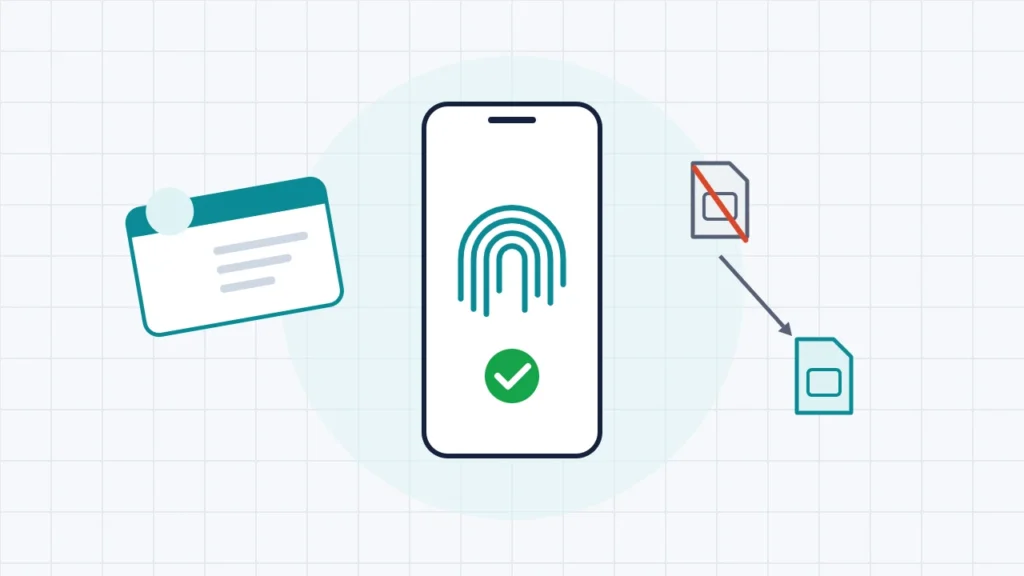
To check which mobile number is linked to your Aadhaar, use Verify Email/Mobile Number on the myAadhaar portal (myaadhaar.uidai.gov.in). Enter your Aadhaar number and the mobile number you think is registered, then confirm with the OTP sent to that number. The service tells you whether that number is the one on your Aadhaar record. It never shows the registered number itself, so if you don’t know which number it might be, use Verify Aadhaar instead, which shows a partly masked number. To change the number, you have three options. If you can still get OTPs on your old number, use UIDAI’s Aadhaar app. If you can’t, visit any Aadhaar centre with no documents. A postman from India Post Payments Bank can also do it at selected post offices. A mobile update costs ₹75 at a centre.
This guide covers each check and each route to update your number, which one fits your situation, how to track the request and what to do while you wait. Everything was checked against UIDAI’s own pages and press releases on 12 November 2026. UIDAI rebuilt its website in 2026, and the new Aadhaar app now allows mobile updates, so older guides that say “mobile update is offline only” are out of date.
Key takeaways
- Verify Email/Mobile Number confirms a number you type in. It does not reveal the registered number.
- Verify Aadhaar shows a partly masked mobile number, which is useful if you have several SIMs and can’t remember which one you gave.
- The Aadhaar app, officially launched on 28 January 2026, can change your number only if you can receive an OTP on the old one. You also need face authentication and must pay the prescribed charge.
- Lost the old number, or never registered one? Go to an Aadhaar centre. You need no documents and no old number, the fee is ₹75, and your fingerprints or iris confirm your identity.
- UIDAI says most updates finish within 30 days, and some take up to 90. You won’t get a new Aadhaar letter, only a notification on the new number.
Why the registered mobile number matters
Almost every online Aadhaar service sends a one-time password (OTP) to the mobile number on your Aadhaar record. This includes downloading e-Aadhaar, updating your address on myAadhaar, locking your biometrics and e-KYC for banks, SIM cards and investment accounts. If that number is old, disconnected or belongs to a relative, those services fail. You can usually still use biometric authentication at a counter, but you lose everything you could do from home.
You can’t see the registered number in full anywhere, for privacy reasons. Even the QR code on your Aadhaar holds only a masked mobile number. That is why UIDAI offers two separate checks.
How to check which mobile number is linked to Aadhaar
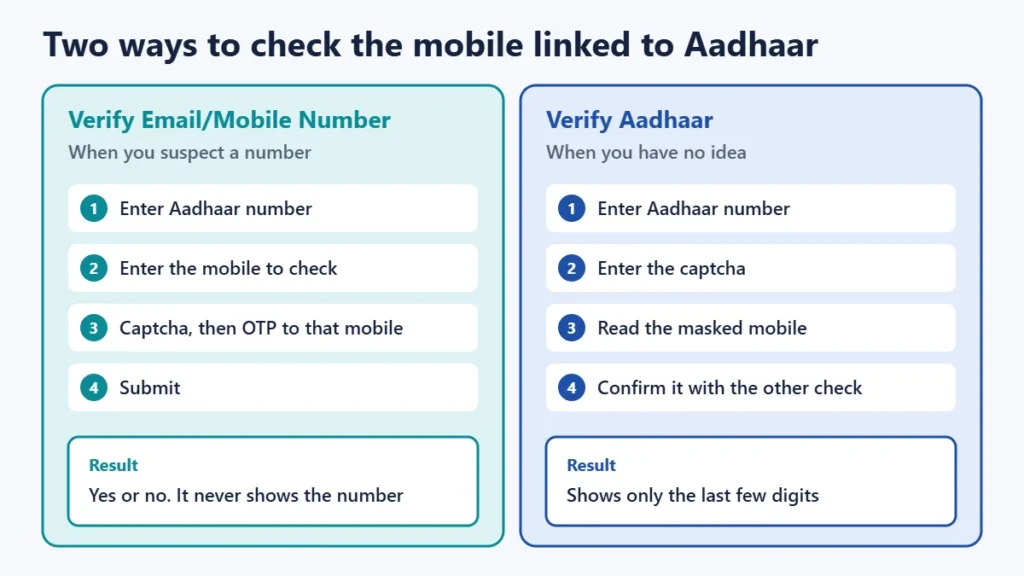
Option 1: Confirm a specific number (Verify Email/Mobile Number)
Use this when you have a number in mind and want to confirm it is the registered one.
- Open myaadhaar.uidai.gov.in and choose Verify Email/Mobile Number. It is also listed on UIDAI’s “Updating data on Aadhaar” page.
- Choose mobile, then enter your 12-digit Aadhaar number and the mobile number you want to check.
- Type the captcha and request an OTP. The OTP goes to the number you entered, so keep that phone with you.
- Enter the OTP and submit.
If the number matches, UIDAI says the screen tells you it is already verified with its records. If it doesn’t, you are told the number is not linked and can update it if you wish. Either way, the service never shows a number you didn’t type in. You can check the email address on your record the same way.
Option 2: See part of the number (Verify Aadhaar)
If you don’t remember which number you gave at enrolment, open Verify Aadhaar on myAadhaar and enter your Aadhaar number and the captcha. In its May 2023 announcement of the verification service, UIDAI said this check shows the last three digits of the registered mobile. Match those digits against your SIMs, then confirm the full number with Option 1. The display may change, so treat it as a clue, not proof.
Which way should you update your number?
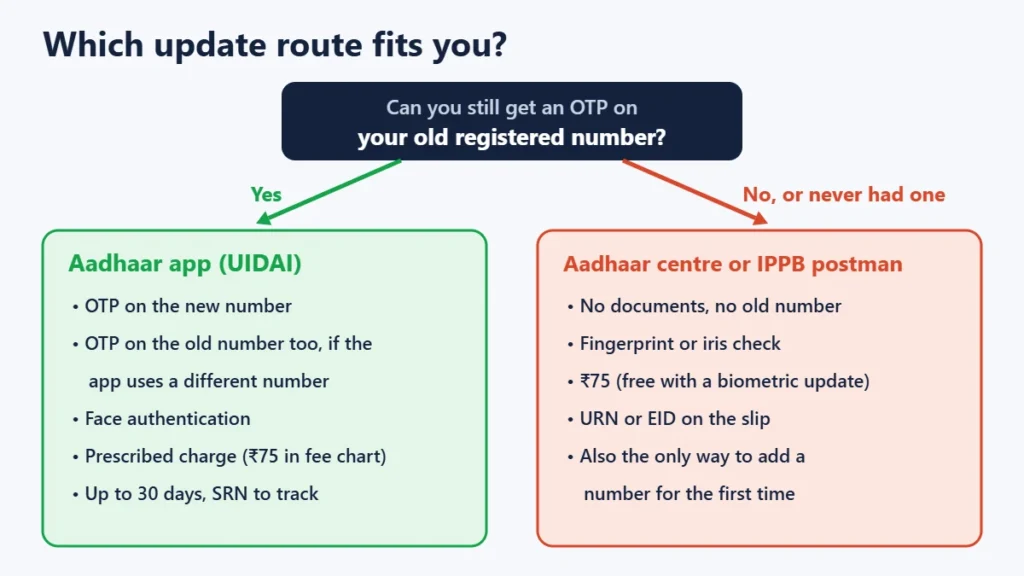
Which way works for you depends on one question: can you still receive an OTP on the number Aadhaar has now?
| Your situation | Best route | What you need | Cost |
|---|---|---|---|
| Old number still works and the Aadhaar app is registered on it | Aadhaar app | OTP on the new number, face authentication | Prescribed charge (UIDAI lists ₹75 for a mobile update) |
| Old number still works, but the app is registered on a different number | Aadhaar app | OTPs on both the old and new numbers, face authentication | Prescribed charge |
| Old number lost or disconnected | Aadhaar centre or IPPB postman | Your Aadhaar number and your fingerprints or iris. No documents | ₹75 |
| No mobile number ever registered | Aadhaar centre or IPPB postman | As above. The app can’t add a number for the first time | ₹75 |
| Also updating your biometrics | Aadhaar centre | Do both in one visit | Mobile update free when done with a biometric update (₹125) |
How to update your mobile number in the Aadhaar app
UIDAI’s app is simply called Aadhaar. On both Google Play and the App Store the developer is listed as the Unique Identification Authority of India. It needs Android 9.0 or iOS 16.0 or later. Do not confuse it with look-alike apps that ask for your Aadhaar number to “check” something.
- Install the app, register your Aadhaar in it and set the 6-digit PIN. Registration includes a face-authentication step.
- Open the mobile-number update option.
- Verify the new number with an OTP. If the app is registered on a number other than your Aadhaar-linked one, you also have to verify the old number with an OTP.
- Complete face authentication when asked. Use good light and look straight at the camera.
- Pay the charge. UIDAI’s FAQ calls it the “prescribed charges”, and its fee chart lists a mobile-number update at ₹75.
- Save the Service Request Number (SRN) you get at the end. You need it to track the request.
UIDAI’s app FAQ says mobile and address updates through the app take up to 30 days. By August 2026 UIDAI said more than 60 lakh people had changed their number this way.
How to update your mobile number at an Aadhaar centre
This route always works, including when the old SIM is long gone.
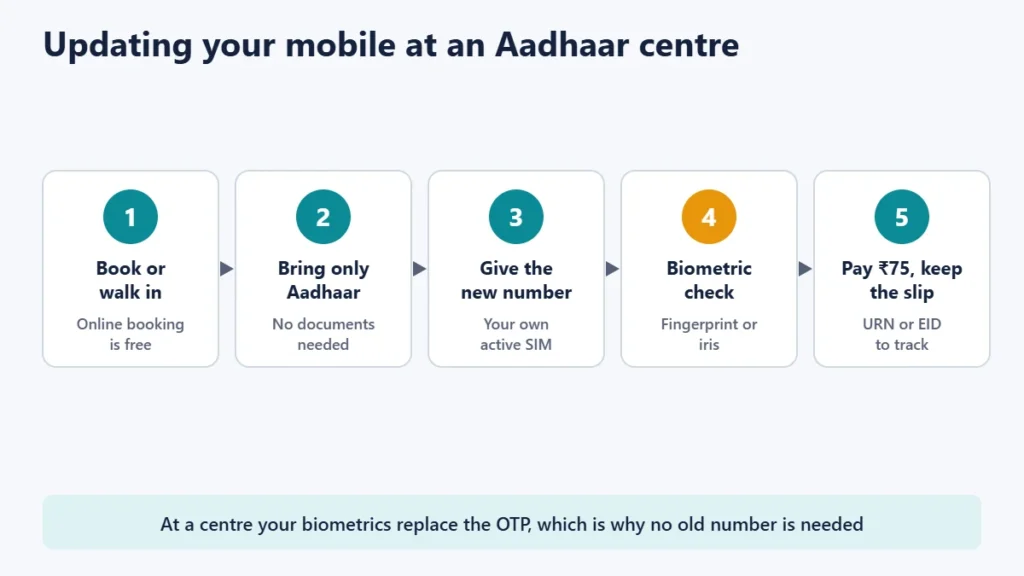
- Find a centre or book a slot. UIDAI-run Aadhaar Seva Kendras take bookings at bookappointment.uidai.gov.in. Booking is free, you don’t need a registered mobile number to book, you can make up to two bookings a month and you can reschedule up to 24 hours ahead. Walk-ins at those Kendras get a token, and the last token of the day is issued at 5:30 pm. Banks, post offices and other enrolment centres are also authorised. Our guide on booking an Aadhaar appointment walks through the portal, and you can find an Aadhaar centre near you.
- Take only your Aadhaar. UIDAI says no document and no old mobile number are needed for a mobile update.
- Ask for a mobile-number update and give the new number. Make sure it is your own SIM, active and with you, because future OTPs will go to it.
- Give your fingerprint or iris for authentication. This is how the centre confirms you are the Aadhaar holder.
- Pay ₹75. UIDAI says this includes taxes. If you are doing a biometric update at the same time, the mobile update is free.
- Keep the slip. It carries an Update Request Number (URN) or, at some centres, an Enrolment ID (EID).
Doorstep update through India Post Payments Bank
UIDAI lists “through postman” as a way to update a mobile number. India Post Payments Bank (IPPB) describes the service on its own site: citizens can add or update a mobile number, the charge is ₹75 including taxes, and the service is “currently available at selected Post Offices only”. Ask at your local post office whether it is offered in your area. Our guide to Aadhaar services at post offices has more detail.
Tracking your request and what happens next
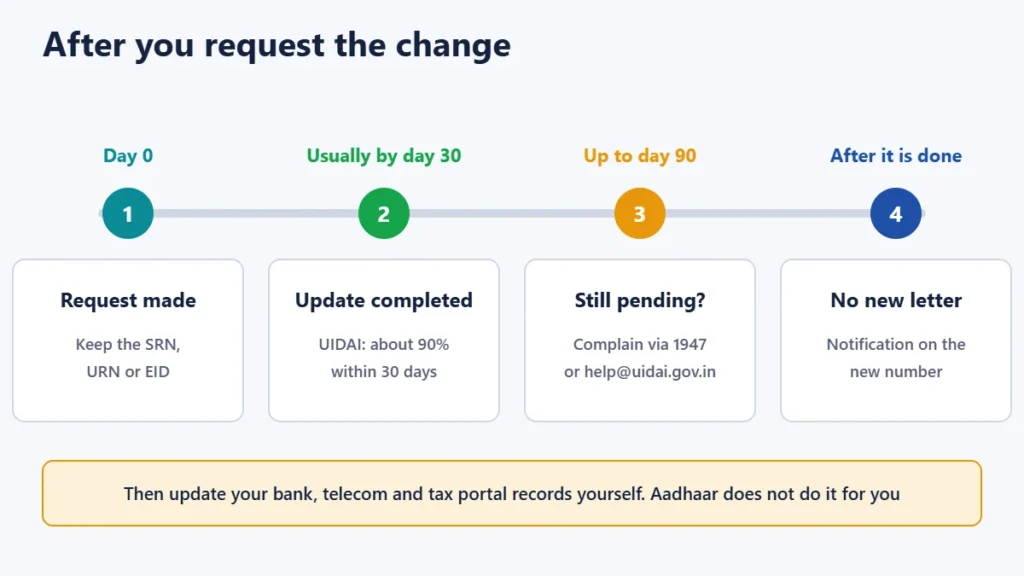
- Track it on myAadhaar with the SRN, URN or EID. You can also call the UIDAI helpline on 1947. Its automated service runs 24 hours a day. Agents answer from 7 am to 11 pm Monday to Saturday and from 8 am to 5 pm on Sunday, in 12 languages.
- Expect up to 30 days in most cases. UIDAI says about 90% of update requests are completed within 30 days, but other UIDAI pages allow up to 90. If yours takes longer, raise a complaint through 1947 or help@uidai.gov.in. Our guide on filing an Aadhaar complaint shows how.
- No new card is sent. UIDAI sends a notification to the new number instead of a letter. If you want an updated printout, download e-Aadhaar after the change is complete.
- Update banks and other services yourself. Your bank, telecom provider and the income tax portal keep their own contact records. Changing Aadhaar doesn’t change theirs.
Common problems
“I have more than one number and don’t know which is linked”
Use Verify Aadhaar to see the last digits, then confirm with Verify Email/Mobile Number. Don’t keep requesting OTPs on numbers you don’t own. Our guide to common Aadhaar problems covers OTP failures in more detail.
“The app won’t let me change the number”
The app needs an OTP on your old registered number. If that SIM no longer works, or your Aadhaar never had a number, the app cannot help. UIDAI’s FAQ sends you to an Aadhaar centre in both cases.
“Can the whole family use one number?”
Yes, within limits. UIDAI allows up to nine Aadhaar numbers to be linked to one mobile number. A parent’s number on young children’s Aadhaar is common, but adults are better off with their own number, because every OTP for that Aadhaar goes to it.
“Is there a limit on how many times I can change it?”
UIDAI’s lifetime limits cover only name (twice), gender (once) and date of birth (once). Mobile number is not on that list, but each change costs ₹75 and goes through the same process.
Protect the new number. Once the change is done, anyone who controls that SIM can receive your Aadhaar OTPs. Never read an Aadhaar OTP out to a caller. If you are worried about misuse, check your authentication history and consider locking your Aadhaar biometrics.
Frequently asked questions
Can I update my Aadhaar mobile number online without the old number?
No. The online route, the Aadhaar app, needs an OTP on the old registered number. Without it, visit an Aadhaar centre or use the IPPB postman service. Neither needs the old number or any document.
How much does an Aadhaar mobile number update cost?
₹75, including taxes, at an Aadhaar centre or through an IPPB postman. It is free if done in the same visit as a biometric update, which costs ₹125. In the app, UIDAI’s FAQ refers to “prescribed charges”, and its fee chart lists a mobile update at ₹75.
Is the free myAadhaar update offer valid for mobile numbers?
No. UIDAI’s free online update, listed as free until 14 June 2027 on its Aadhaar Seva Kendra page, covers uploading identity and address documents. It does not cover a mobile number change. UIDAI separately made email updates in the app free for six months from 1 July 2026.
Do I need any document to change my mobile number?
No. UIDAI says no document or old mobile number is needed at a centre or through a postman. Your biometrics confirm who you are.
Can I add a mobile number to Aadhaar for the first time in the app?
No. UIDAI’s app FAQ says a number can’t be registered for the first time in the app. First-time registration is done at an Aadhaar centre or through an IPPB postman.
Can the 1947 helpline change my number?
We found no UIDAI page offering mobile changes by phone. The helpline handles queries, complaints and status checks. To actually change the number, use the app, a centre or the postman service.
The short version
To check your number, enter it in Verify Email/Mobile Number on myAadhaar, or use Verify Aadhaar to see the last digits. To change it, use the Aadhaar app if your old number still receives OTPs. Otherwise go to any Aadhaar centre with just your Aadhaar and ₹75. Keep the SRN or URN, allow up to 30 days, then update your bank and other services yourself. To change your address as well, see our guide to updating your Aadhaar address.