Disclosure: this review contains affiliate links (the “Try FlyingPress” buttons). If you buy through one, eDefines may earn a commission at no extra cost to you. It does not change what we say about FlyingPress, including the drawbacks below.
FlyingPress is a paid WordPress speed plugin. It combines page caching with front-end fixes that target Google’s Core Web Vitals: removing unused CSS, delaying JavaScript, lazy loading, self-hosting Google Fonts and preloading the main image. It costs $59 a year for one site, with a 14-day trial and no free version. It suits site owners who want one plugin to handle speed and are willing to pay every year. Two terms matter more than the feature list. FlyingPress stops working when your licence expires, because much of the optimisation runs on its cloud servers. And refunds are tiered: 100% within 24 hours of a charge, 80% up to 7 days, and nothing after that.
We have not installed FlyingPress or measured page speed with it. This review is based on FlyingPress’s pricing page, documentation, terms of use, refund policy and changelog, and the developer’s own pages, which we read on 12 November 2026. Prices are in US dollars as listed on that date.
FlyingPress in brief
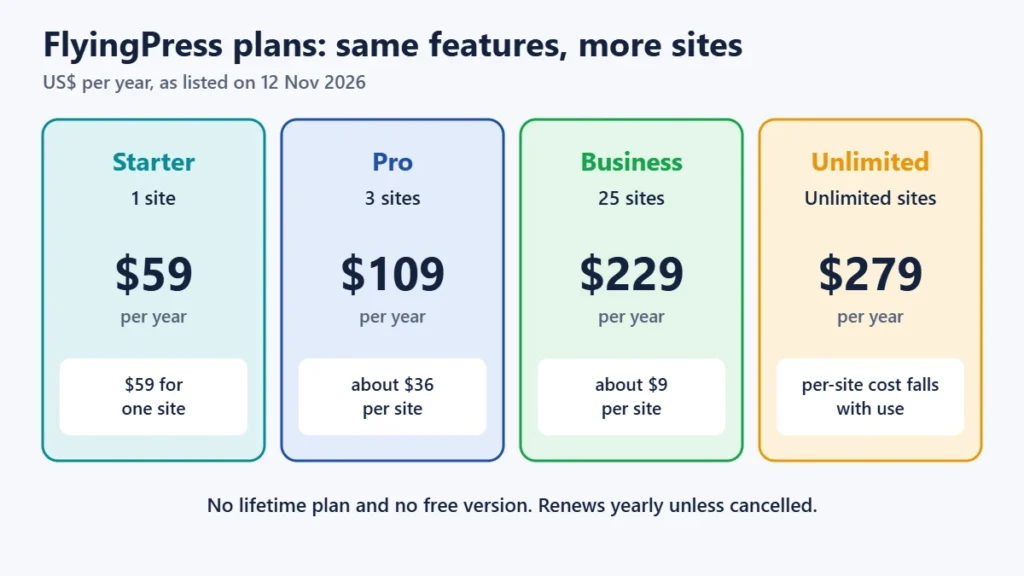
- Price: $59 a year (1 site), $109 (3 sites), $229 (25 sites) or $279 (unlimited). All plans have the same features. There is no lifetime plan.
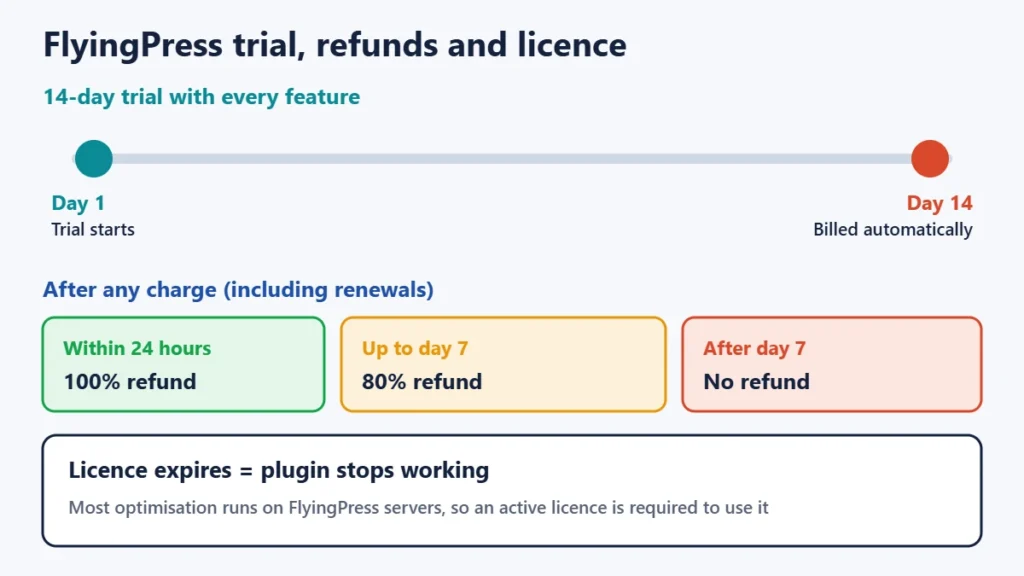
- Trial: 14 days with every feature, then it bills automatically. There is no free version.
- Licence: needed to keep the plugin working, not just for updates.
- Refunds: 100% within 24 hours, 80% within 7 days, none after that.
- Best for: blogs, business sites and WooCommerce stores whose host doesn’t already provide strong server caching and optimisation.
- Run it alone: FlyingPress’s docs say to remove other caching and optimisation plugins first.
Try FlyingPress (check current plans)
How we reviewed FlyingPress
We read FlyingPress’s feature and pricing pages, its documentation on setup, compatibility and each optimisation, its terms of use (last updated 19 April 2026) and its changelog. We also read the FlyingCDN add-on’s pages and the founder’s WordPress.org profile. We looked for independent speed tests and explain below why we don’t rely on any of them. We didn’t run the plugin on a test site, so we make no claims about how much faster it would make yours.
What FlyingPress is and who makes it
FlyingPress is sold by FlyingWeb, LLC, a company registered in Delaware, USA. It was created by Gijo Varghese, a developer based in Kerala, India, who also makes the free Flying Scripts, Flying Images and Flying Analytics plugins on WordPress.org. Version 1.0 came out in July 2020. The changelog shows frequent updates: 22 releases in 2026 so far, the latest being 5.6.7 on 5 November 2026.
Most caching plugins mainly store ready-made copies of your pages. FlyingPress also tries to fix the issues that hold back Core Web Vitals, Google’s measures of loading speed (Largest Contentful Paint), responsiveness (Interaction to Next Paint) and visual stability (Cumulative Layout Shift). Much of the heavier work, such as generating used-only CSS, runs on FlyingPress’s servers rather than yours.
FlyingPress pricing
| Plan | Websites | Price per year | Cost per site |
|---|---|---|---|
| Starter | 1 | $59 | $59 |
| Pro | 3 | $109 | about $36 |
| Business | 25 | $229 | about $9 |
| Unlimited | Unlimited | $279 | depends on use |
Every plan includes the same features. You are paying only for the number of sites. Billing is yearly and renews automatically, and FlyingPress sends a reminder 30 days before renewal. Staging sites don’t use up a licence. We found no statement on whether renewal prices differ from first-year prices, so check your receipt. If you pay from India with an Indian card, your bank may add a foreign-currency fee. FlyingPress’s site showed no Black Friday sale on 12 November 2026.
The licence and refund terms to read first
- No licence, no plugin. FlyingPress’s terms state: “You wont be able to use FlyingPress when the license expires.” That’s unlike plugins that keep working without updates. If you stop paying, plan to switch to another speed plugin.
- Tiered refunds. You get a full refund within 24 hours of a charge, 80% up to 7 days after it, and no refund after that. This applies to renewals too, so cancel well before renewal if you won’t continue.
- Disputes. FlyingPress’s terms say opening a payment dispute gets you banned from all of its products. Ask for a refund through FlyingPress first.
- The 14-day trial includes every feature and turns into a paid plan automatically. Set a reminder if you are only testing.
Features, explained in plain terms
Page caching and preload
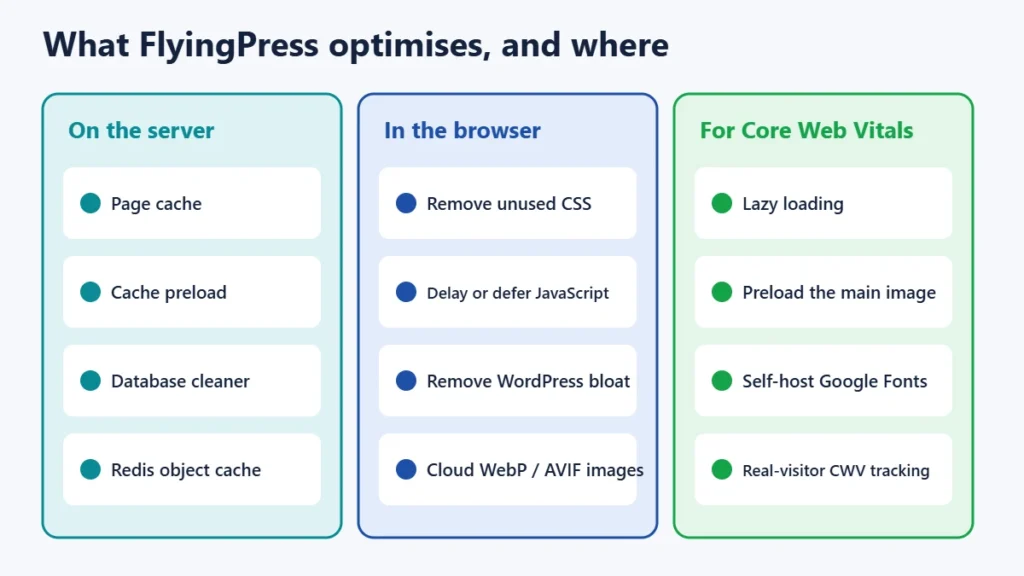
FlyingPress saves a ready-made copy of each page, so WordPress doesn’t rebuild it for every visitor. Preload builds those copies in advance, so the first visitor after a change doesn’t get a slow page. It works on Apache, Nginx, LiteSpeed and OpenLiteSpeed servers. On Nginx no extra setup is needed, though optional rules can serve the cache even faster.
Remove unused CSS
Themes and page builders often load styles for features a page doesn’t use. FlyingPress generates a smaller stylesheet with only what each page needs, using its cloud servers. On sites built with heavy themes this can remove a lot of unused code.
Three ways to handle JavaScript
You can defer scripts, load them when the browser is idle, or load them only after the visitor interacts by scrolling, tapping or moving the mouse. The last option usually improves speed scores the most. It can also cause problems such as menus that don’t open at first, sliders that flicker or chat widgets that appear late. If something breaks, exclude that script, which the settings allow.
Images, fonts and the main image
FlyingPress lazy loads images, iframes and background images below the fold. It can self-host Google Fonts, and preloads the critical (above-the-fold) image to help Largest Contentful Paint. Since January 2026 it can also convert images to WebP or AVIF in the cloud.
Extras added in 2025–2026
The plugin also includes a database cleaner, removal of unneeded WordPress features (“bloat”), Redis object cache support (added June 2026) and tracking of Core Web Vitals from real visitors (added September 2025). It supports WooCommerce and multisite. On multisite, one licence covers every sub-site, but you activate it on each one.
FlyingCDN, the optional add-on
FlyingCDN is FlyingPress’s own content delivery network. It runs on Cloudflare’s Enterprise network and is sold separately for $10 per domain per month, including 100 GB of traffic, plus $5 for each extra 100 GB. It has its own 7-day trial with no card needed. Setting it up means changing your DNS records. Most small sites don’t need it on day one. If you already use Cloudflare, FlyingPress’s full-page caching works with Cloudflare’s free plan without the paid APO add-on.
Compatibility: check this before you buy
- Use only one speed plugin. FlyingPress’s docs say to make it your only caching and optimisation plugin. It automatically turns off overlapping features in some plugins, including Perfmatters, Breeze and SiteGround Optimizer, but you shouldn’t run it alongside WP Rocket or LiteSpeed Cache. Deactivate and delete the old plugin before activating FlyingPress.
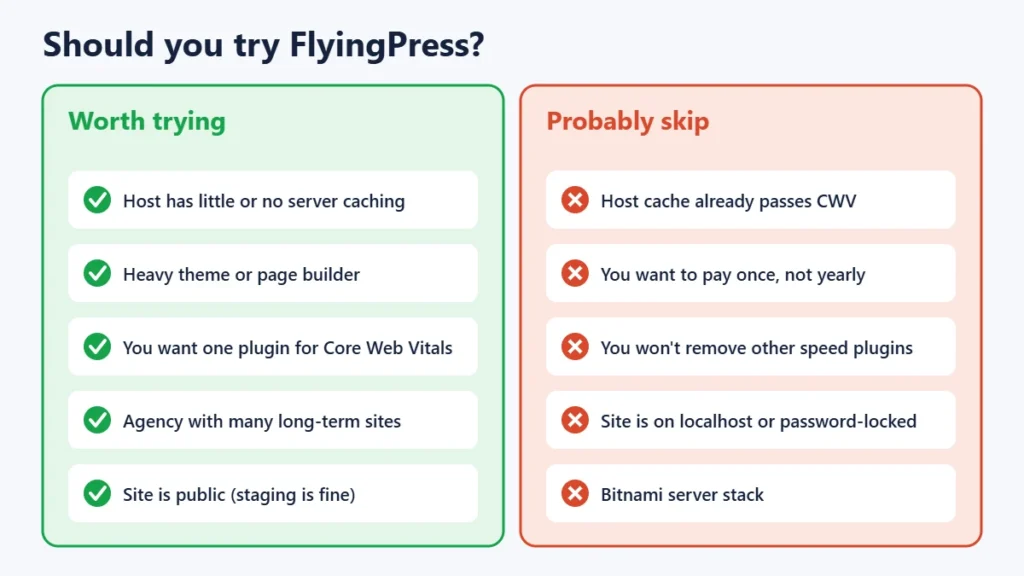
- Your site must be public. Because optimisation happens on FlyingPress’s servers, it doesn’t work on localhost or password-protected sites. Test on a public staging site.
- Requirements: WordPress 4.7 or later, PHP 7.4 or later, and MySQL 5.6+ or MariaDB 10.0+. Bitnami stacks are not supported.
- Your host may already cover the basics. Hosts on LiteSpeed servers usually offer the free LiteSpeed Cache plugin, and many managed hosts cache pages at server level. FlyingPress can still add front-end fixes there, but check what your host already does before paying for overlap. Our Verpex review covers one LiteSpeed host.
Does FlyingPress make sites faster?
FlyingPress publishes a comparison using Google’s Chrome UX Report data, gathered via HTTP Archive. It shows that 57% of sites using FlyingPress passed Core Web Vitals on mobile, compared with 52% for WP Rocket and 49% for LiteSpeed Cache. That compares different sets of real sites, so it shows a correlation, not that FlyingPress caused the difference. Sites run by speed-focused owners may be more likely to choose FlyingPress in the first place.
We found no independent, controlled test that ran the plugins on the same site with a published method. Some reviews that look like tests come from affiliates or from people selling competing plugins. One reviewer reported a developer-style settings screen, leaner documentation and the need to exclude some scripts manually to stop things breaking. Another site reported page flicker from the “load after interaction” JavaScript setting. Treat these as single experiences. The only result that counts is your own site: measure it in Google PageSpeed Insights and Search Console before and after the 14-day trial.
Pros and cons
| Pros | Cons |
|---|---|
| Caching plus front-end Core Web Vitals fixes in one plugin | Stops working when the licence expires |
| Same features on every plan, from $59 a year | No free version and no lifetime plan |
| Works on Apache, Nginx and LiteSpeed with no special setup | Refund is 80% after the first day and nothing after 7 days |
| Frequent updates (22 releases in 2026) | Needs a public site; no localhost testing |
| Optional Cloudflare-based CDN, and works with free Cloudflare | The strongest JavaScript setting can break menus or widgets until tuned |
Is FlyingPress worth it?
- Worth trying if your host offers little or no server caching, your site uses a heavy theme or page builder, and you want one plugin to handle Core Web Vitals.
- Probably not needed if your host’s free cache, such as LiteSpeed Cache, already gets your pages through Core Web Vitals, or if you’d rather pay once than every year.
- Good value for agencies on the Business plan at about $9 a site, if all those sites will keep it long term.
If you are still choosing a host, see our Black Friday hosting deals and Cyber Monday hosting deals. To research which pages to speed up first, our Semrush review explains when a paid SEO tool is worth it. Our guide to SSD storage explains why disk type matters for speed.
Frequently asked questions
Is there a free version of FlyingPress?
No. FlyingPress is paid only, with a 14-day trial that includes every feature. The developer’s separate free plugins, Flying Scripts and Flying Images, cover a few individual tasks.
How much does FlyingPress cost?
$59 a year for one site, $109 for three, $229 for 25 and $279 for unlimited sites, as listed on 12 November 2026. All plans have the same features.
What happens when my FlyingPress licence expires?
The plugin stops working. FlyingPress’s terms say you won’t be able to use it once the licence expires, because the optimisations depend on its cloud service.
Does FlyingPress offer refunds?
Yes, but tiered: 100% within 24 hours of a charge, 80% up to 7 days after it, and none after 7 days.
Can I use FlyingPress with LiteSpeed Cache or WP Rocket?
No. FlyingPress’s documentation says to run it as your only caching and optimisation plugin, so remove the others first. It works on LiteSpeed servers, just not alongside the LiteSpeed Cache plugin.
Does FlyingPress work with Cloudflare?
Yes. Its full-page caching works with Cloudflare’s free plan without APO. FlyingPress also sells FlyingCDN, which runs on Cloudflare’s Enterprise network.
Will FlyingPress make my site pass Core Web Vitals?
No plugin can guarantee that. Scores also depend on your hosting, theme, images and third-party scripts. Use the trial to measure your own pages before and after.
Our verdict
FlyingPress is a focused, frequently updated speed plugin that goes beyond caching to fix the front-end issues behind poor Core Web Vitals, and every plan has the same features. Its biggest drawbacks are commercial: it stops working without a licence, it has no free version, and its refund window is short and tiered. If your host doesn’t already handle caching well, start the 14-day trial on a public staging copy of your site, measure before and after, and decide on real results rather than marketing claims.