
Quick answer: For most small businesses, the main choice is between cloud accounting tools such as QuickBooks Online, Xero, Zoho Books, FreshBooks, Sage 50, Wave and FreeAgent, or desktop software such as AccountEdge. Growing companies may move up to an ERP such as Oracle NetSuite. Specialist tools (Invoiced, Tipalti, Pabbly Subscriptions, OnPay and Lightspeed Accounting) handle one job, such as receivables, payouts, subscription billing or payroll, and work alongside your main accounting software. Before you choose, check that the software supports your country’s tax rules, such as GST in India.
Accounting software records what a business earns and spends, sends invoices, matches bank transactions and produces the reports you need for tax returns, loans and planning. Even a small business benefits from it: cash flow becomes visible, and tax season stops being a scramble.
This list was first published as “15 Best Accounting Software for Small Business”. When we checked each product on its official website in October 2026, 14 were still sold for accounting or a closely related finance task. One, OneUp, has changed direction, and some of the others turned out to be specialist tools rather than full accounting packages, so each entry now says plainly what it is.
How to choose accounting software for a small business
- Your country and tax rules. This matters more than any feature. Several tools on this list are built for one market: OnPay and AccountEdge for the US (AccountEdge also serves Canada), FreeAgent for the UK. In India, look for GST-ready invoicing and returns; Zoho Books, for example, has an Indian edition that handles GST.
- Full accounting or one task? A full package covers invoicing, bills, bank reconciliation and financial reports. Tools such as Invoiced (receivables), Tipalti (payables and payouts) or OnPay (payroll) do one job and connect to your ledger.
- Cloud or desktop. Cloud software works from any device and suits teams and accountants who share access. Desktop software keeps data on your own computer, which some owners prefer.
- Your accountant. Ask which software your accountant or bookkeeper already uses. Shared access saves time and fees.
- Growth path. Check whether the software handles inventory, multiple users, projects or payroll when you need them, and how hard it is to move to an ERP later.
- Integrations. If you sell in a shop or online, make sure your point-of-sale (POS) or ecommerce system can sync sales into the accounts.
Small business accounting software compared
| Software | Type | Best for | Pricing model (Oct 2026) | Platform |
|---|---|---|---|---|
| QuickBooks Online | Full accounting | Small businesses that want a widely used cloud ledger | Free tier and paid plans; 30-day free trial | Cloud, mobile app |
| Sage 50 | Full accounting | Small businesses wanting desktop power with cloud access | Subscription | Desktop with cloud features |
| Xero | Full accounting | Businesses working closely with an accountant | Subscription; 30-day free trial | Cloud, mobile app |
| FreshBooks | Invoicing and accounting | Freelancers and service businesses | Subscription; free trial | Cloud, mobile app |
| Lightspeed Accounting | POS-to-accounts sync | Lightspeed Retail shops | Check vendor | Cloud |
| Pabbly Subscriptions | Subscription billing | Businesses with recurring payments | Free start; paid plans | Cloud |
| Zoho Books | Full accounting | Zoho users; Indian GST invoicing | Subscription; free trial | Cloud, mobile app |
| Invoiced | Accounts receivable | Firms with many invoices to chase | Quote / demo | Cloud |
| Tipalti | Payables and mass payments | Paying suppliers and partners abroad | Quote / demo | Cloud |
| Wave | Full accounting | Very small businesses on a tight budget | Free Starter plan; paid Pro plan | Cloud, iOS and Android apps |
| AccountEdge | Full accounting | US and Canadian firms that want desktop software | Paid licence; 30-day free trial | Desktop (Mac, Windows) |
| OnPay | Payroll | US employers | Monthly base fee plus per-worker fee | Cloud |
| Oracle NetSuite | ERP | Fast-growing mid-sized companies | Quote-based | Cloud |
| FreeAgent | Full accounting | UK freelancers and small companies | Subscription; free with some UK bank accounts | Cloud, mobile app |
The 14 accounting tools in detail
1. QuickBooks Online
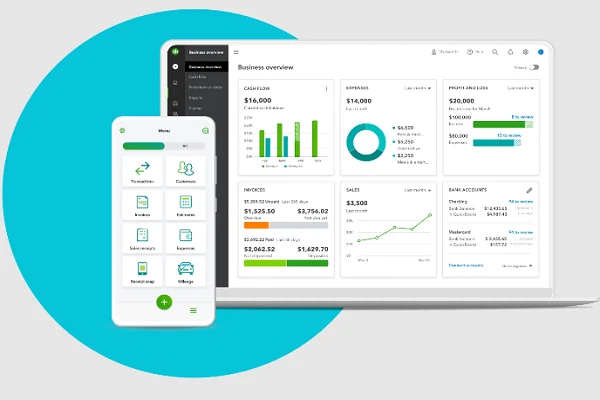
QuickBooks Online, from Intuit, is cloud-based, so you can work from a PC, a Mac or a phone. Intuit’s US site in October 2026 listed plans named Simple Start, Plus and Advanced alongside an entry-level free tier, with a 30-day free trial. It says the Plus plan adds inventory tracking, and paid plans include a mobile app. An earlier version of this article quoted a price of $7 a month; that figure is long out of date, so check Intuit’s pricing page for your country.
2. Sage 50

Sage 50 (sold for a time as Sage 50cloud) combines desktop accounting with cloud access and is aimed at small and medium-sized businesses. Sage’s US site describes tiers that add more users, role-based permissions, workflow and project management, and it still offers a Sage 50 Desktop option. Sage says a minimum one-year commitment applies. We have removed the old “$44.97 a month” price, which is no longer current.
3. Xero
Xero is a cloud accounting platform known for working closely with accountants and bookkeepers. Its site lists invoicing, online payments, bill pay, purchase orders, expense claims, bank reconciliation, payroll, project tracking and fixed assets, plus more than 1,000 connected apps. As the original article said, you can connect your bank so transactions flow in without manual entry. Xero also connects with retail POS systems; for example, Lightspeed’s help centre lists Xero as a supported accounting system. Xero offered a 30-day free trial in October 2026.
4. FreshBooks
FreshBooks started as invoicing software and remains a strong fit for freelancers, agencies and service businesses. Its site lists invoices, estimates, proposals, online payments, time tracking, projects, expenses and receipts, mileage, accounting reports, bookkeeping and payroll. Built-in payment reminders cover the late-payment chasing the original article mentioned.
5. Lightspeed Accounting
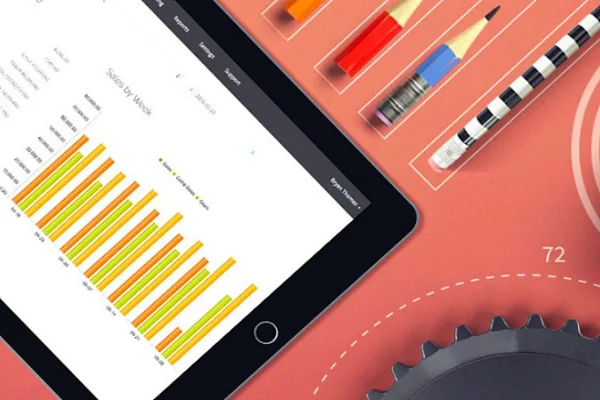
Lightspeed Accounting is not a standalone ledger. It is a bridge between the Lightspeed Retail point-of-sale system and your accounting software. Lightspeed’s help centre says it syncs bookkeeping information such as sales, payments, discounts and taxes into QuickBooks Desktop (2015 or later, Windows only), QuickBooks Online or Xero. It works only with average-cost inventory accounting, not first in, first out (FIFO). If you do not run Lightspeed Retail, this tool is not for you.
6. Pabbly Subscriptions

Pabbly Subscriptions handles recurring billing rather than full accounting. Its site lists one-time and recurring payments, multi-currency support, automated payment retries and dunning (recovering failed payments), tax management, an affiliate module and unlimited team members. Pabbly says it charges zero transaction fees of its own; your payment gateway still charges its fees. Use it alongside an accounting package if you sell subscriptions.
7. Zoho Books
Zoho Books is part of Zoho’s suite of business apps, so it makes particular sense if you already use Zoho CRM or other Zoho tools. It covers quotes, invoicing, sales orders, bills, purchase orders, projects, banking, inventory, expenses and reporting. Zoho runs country editions; the Indian site describes managing GST, invoicing and expenses. Its project features let service businesses bill for their time, as the original article noted.
8. Invoiced
Invoiced is accounts receivable (AR) automation software, now branded “Invoiced by Flywire”. It automates invoicing and collections, takes payments and reports on cash flow, and it integrates with your ERP or CRM. It is a specialist tool for businesses that send many invoices, not a replacement for a general ledger.
9. Tipalti
Tipalti automates the other side: accounts payable (AP), global mass payments, procurement, expenses and treasury. Its site describes paying suppliers and partners across borders in many currencies, with tax-form collection and compliance built in. The original article’s figures (190 countries, 120 currencies, six payment methods) are not on Tipalti’s current pages, so we have removed them. Tipalti suits companies with international suppliers or large payout volumes.
10. Wave
Wave remains a popular choice for very small businesses because its Starter plan lets you try bookkeeping and invoicing at no cost, with a paid Pro plan for more features. Wave lists accounting, receipt scanning, invoicing, estimates and deposits, card and bank payments, and payroll, with iOS and Android apps. An earlier version of this article said Wave has time tracking, project management and inventory tracking; those are not among the features Wave lists today.
11. AccountEdge
AccountEdge is desktop accounting software for small businesses on Mac or Windows, covering invoicing, expenses, banking, payroll, inventory, contact management and time billing. Remote access is available through its AccountEdge Connect add-on. The original article called it cloud-based; it is in fact desktop software, which is exactly why some owners choose it. A 30-day free trial was offered in October 2026.
12. OnPay
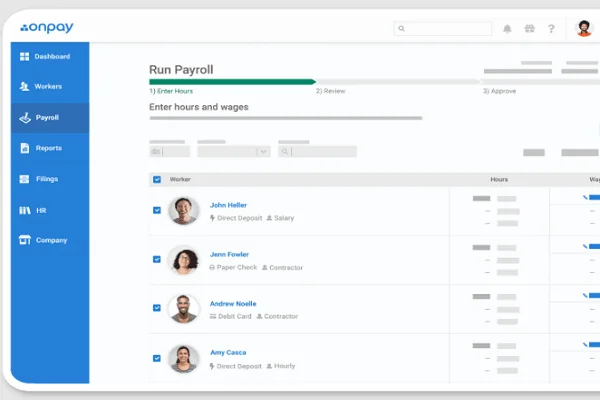
OnPay is US payroll software rather than accounting software. It runs payroll with automated tax filings, direct deposit, hiring and onboarding, and offers health insurance, 401(k) retirement plans and workers’ compensation through partners, as the original article described. OnPay’s site advertises a monthly base fee plus a fee per worker. Businesses outside the US need a local payroll provider instead.
13. Oracle NetSuite
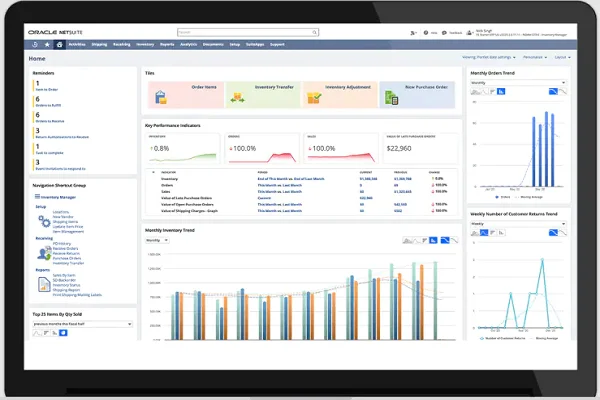
NetSuite, owned by Oracle, is a cloud enterprise resource planning (ERP) system. Oracle’s documentation describes it as one business management suite covering ERP and financials, CRM and ecommerce, with modules for order management, projects and employee management. It is built for companies growing quickly, often from start-up to listed company, and is far more than most small businesses need on day one. Pricing is quote-based.
14. FreeAgent
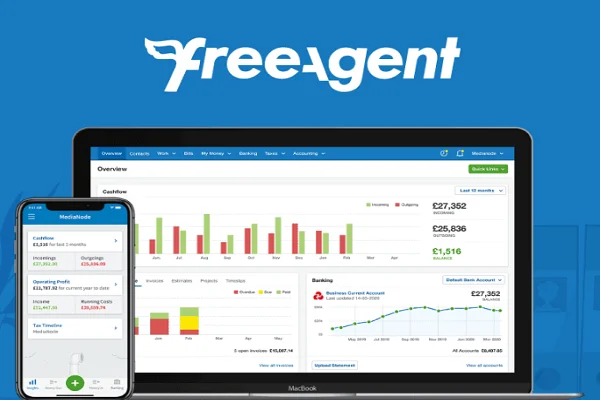
FreeAgent is UK cloud accounting software for freelancers, contractors, small businesses and landlords, with invoicing, expenses, banking, payroll, project management and Making Tax Digital submissions to HMRC. FreeAgent is free for as long as you keep a business current account with NatWest, Royal Bank of Scotland or Ulster Bank, or a Mettle account with at least one transaction a month, according to its site. The original article mentioned multi-currency invoicing and multiple languages; we could not confirm those on FreeAgent’s current pages.
Removed since our earlier version
- OneUp: the original article described a mobile accounting app for retailers. OneUp’s website now presents an AI “business assistant” (transaction categorisation, cash flow forecasts, invoicing, bill pay) offered through banks such as Lloyds Banking Group and BNP Paribas, rather than an accounting app you buy directly. Because it is no longer sold as small business accounting software, we have removed it from the list.
Frequently asked questions
Is there free accounting software for small businesses?
Yes, with limits. Wave has a free Starter plan, QuickBooks listed a free entry tier in the US in October 2026, and FreeAgent is free with some UK business bank accounts. Free plans usually restrict users, bank connections or features, so check what you would need to pay for as you grow.
Which accounting software handles GST in India?
Choose software with an Indian edition built for GST invoicing and returns. Zoho Books has one. Many international tools on this list are built for US or UK tax rules, so confirm GST support with the vendor before you sign up.
What is the difference between accounting software and ERP?
Accounting software manages the books: invoices, bills, bank transactions and reports. An ERP such as NetSuite also runs inventory, orders, purchasing, HR and CRM in one system. Small businesses usually start with accounting software and move to an ERP when operations become complex.
Do I still need an accountant if I use accounting software?
Software keeps records tidy, but tax planning, compliance and filing still benefit from a qualified accountant. Many tools let you give your accountant direct access to the books.
To go deeper into individual finance tasks, see our guides to accounts receivable software, accounts payable software and bookkeeping software.
Product details were checked in October 2026 against each vendor’s official website, pricing pages, help centre and documentation. Plans, prices and country availability change often, so confirm details with the vendor before you buy.




1 comment
Hi, Very Informative Blog!! I really appreciate your efforts of writing very deep information related to accounting software for small businesses. I am very impressed with your way of explaining each and everything very clearly.I appreciate the work you do for this site. I am also using one of the accounting software for the last 10 months named Invoiced.
I do every task related to accounting starting from bookkeeping tasks till making financial statements like balance sheet, trading & P&L, etc. Through Invoiced