Quick answer: Aadhaar Pay (officially BHIM Aadhaar Pay) lets you pay a shopkeeper straight from your bank account using only your Aadhaar number and your fingerprint or other biometric. You do not need a phone, card or app. The only requirement is a bank account linked to your Aadhaar. The merchant runs the app and the biometric scanner, and the National Payments Corporation of India (NPCI) does not charge customers for it.
What is Aadhaar Pay?
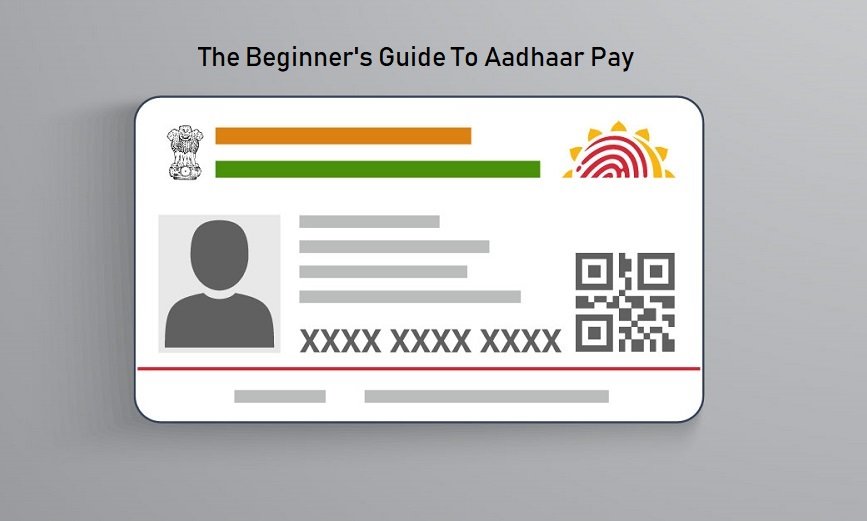
BHIM Aadhaar Pay is a payment service run by NPCI on top of the Aadhaar Enabled Payment System (AePS). NPCI describes it as an Aadhaar-based payments interface that allows real-time payments to merchants using the customer’s Aadhaar number and biometric authentication.
The original version of this article described it as an app that customers install. That is not right for customers. According to NPCI:
- The merchant needs a smartphone or other supported device with the bank’s BHIM Aadhaar Pay app and a certified biometric scanner. A micro-ATM or POS device also works.
- The customer needs only an Aadhaar number and a bank account linked to that Aadhaar. You do not need a smartphone, internet access or an app of your own.
- Both the customer’s and the merchant’s banks must be live on BHIM Aadhaar Pay.
It suits people who do not carry cards or use UPI, and small shops in places where card machines are rare.
How to pay with Aadhaar Pay: step by step
- Tell the shopkeeper you want to pay by Aadhaar.
- The merchant logs in to the app with their own PIN.
- From the drop-down list, the merchant selects your bank, the one where your Aadhaar-linked account is held.
- The merchant enters your Aadhaar number, and your mobile number if you want an SMS (this is optional).
- Check the amount on the screen yourself before you authenticate.
- Place your finger on the scanner (or authenticate as the device asks).
- The payment details and your biometrics go through the bank, NPCI and UIDAI for authentication. If successful, money moves from your account to the merchant’s account in real time, and both of you get an SMS if a mobile number was given.
Your fingerprint does the job a PIN would on a card. That is why it matters where and how you use it.
Before your first payment
- Link Aadhaar with your bank account. Ask your bank to seed it. Payments go to and from the account mapped to your Aadhaar.
- Check which account is mapped. If you have accounts in several banks, check the mapping on NPCI’s Bharat Aadhaar Seeding Enabler (BASE) service on npci.org.in, under the consumer section. Then choose that bank when you pay.
- Keep Aadhaar biometrics current. Biometrics can fail if fingerprints have worn or faded. A biometric update at an Aadhaar centre costs ₹125 for most adults, according to UIDAI’s published charges. NPCI also offers face authentication for AePS.
Charges
NPCI says it does not charge merchants or customers for transacting on BHIM Aadhaar Pay, but banks may levy their own charges, so ask yours. The original article said there would be “no annual charges” and “no extra charges unlike cards”. That depends on your bank, not on Aadhaar Pay itself.
Limits and what Aadhaar Pay cannot do
- It is for paying merchants for goods or services. To withdraw cash, check your balance or send money to another account, you use AePS through a bank correspondent or micro-ATM instead; see our guide to AePS for merchants and banking correspondents.
- It works only in India, and only if your bank is live on the service.
- The service is available 24×7, but the merchant’s device needs connectivity.
- If money is debited but the merchant says it did not arrive, contact your bank. NPCI says merchants should deliver goods only after the payment is confirmed, and should raise disputes with their acquiring bank.
An earlier version said refunds take “a few working days”. Refund and dispute timelines depend on your bank and on NPCI’s dispute rules, so ask your bank for the timeline.
Is Aadhaar Pay safe?
The original article called it “highly secure” with information that “cannot be stolen”. Aadhaar Pay has real safeguards, such as biometric authentication and SMS alerts. But your fingerprint works like a PIN, so it can be misused if someone captures it or tricks you into giving it. Protect yourself:
- Lock your biometrics when you are not using them. Use the Aadhaar app or myAadhaar (myaadhaar.uidai.gov.in), and unlock them temporarily only when you need to pay or withdraw cash.
- Check your authentication history in the Aadhaar app. Any authentication you do not recognise is a warning sign.
- Read the amount before you place your finger, and keep the SMS or receipt.
- Do not let anyone take your fingerprint “for verification” or “to check a subsidy”. The same scan can authorise a payment or withdrawal.
- Never share an OTP with anyone who calls or messages you, whoever they claim to be.
- Report fraud quickly to your bank. You can also call UIDAI’s helpline 1947, and report cyber fraud on the national Cyber Crime Portal (cybercrime.gov.in).
To understand the different ways your Aadhaar can be authenticated, read our guide to Aadhaar authentication and the biometric lock. If you prefer to carry Aadhaar digitally and safely, see ways to carry your Aadhaar.
Frequently asked questions
Do I need a smartphone to use Aadhaar Pay?
No. NPCI says the customer does not need the app or a phone. Only the merchant needs a device with the app and a biometric scanner.
What do I need to pay with Aadhaar?
Your Aadhaar number, a bank account linked to that Aadhaar at a bank that is live on BHIM Aadhaar Pay, and your biometric.
Can I use Aadhaar Pay if my biometrics are locked?
No. A locked biometric cannot be authenticated. Unlock it temporarily in the Aadhaar app or on myAadhaar before paying, and lock it again afterwards.
Is Aadhaar Pay the same as UPI?
No. UPI uses your phone and a UPI PIN. Aadhaar Pay uses your Aadhaar number and biometrics at the merchant’s device. Both are run by NPCI.
Can I use Aadhaar Pay outside India?
No. NPCI says the service is available only in India.
Details in this guide were checked in October 2026 against NPCI’s BHIM Aadhaar and AePS pages and FAQs, and UIDAI’s published charges and Aadhaar app information. Bank charges and features vary, so check with your bank before relying on them.